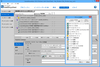
Quick and easy installations that support today's technologies. InstallShield Express is easy to use and shields setup authors from installation complexities of building a setup. You can rapidly build, test and implement Windows and mobile device installations in record time without any training. InstallShield Express keeps setup authors up to date with support for the latest technologies and industry standards, including Windows Vista, .NET 3.0 support and Try and Buy functionality. The Express Edition is a cost-effective solution that will fit into any budget, making it possible for everyone to create professional looking Windows or mobile device installations.
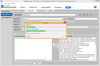
Deploy your application on any platform. InstallAnywhere Enterprise Edition is designed to install any kind of software -- desktop, enterprise, or multi-tiered Web services - onto any platform, and to configure those applications for optimal performance. Whether you're creating applications written in Java, C++, PERL, or C#, or deploying EJBs or .NET Web services, all of the installation details are handled automatically. InstallAnywhere Enterprise Edition simplifies complex installations and provides maximum developer customization, along with extensive user interaction, client/server features and localization for 29 languages.
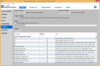
クライアント/サーバーおよび、マルチ階層、Webベースのシンクライアントアプリケーションにおけるデータのための、パワフルな検索と、操作、表現、そしてアップデート機能を提供。Datawindow.Netを用いることで、データ駆動型のWindowsアプリケーションとWebフォームを基本とするアプリケーションの、RADスタイルに基づいた構築が実現されます。各種のアプリケーションにおけるデータは、リレーショナルデータベースや(.xlsや.txtなどの)他のデータソースから取り出すことが可能です。DataWindowオブジェクトの役割はデータと表示特性の定義にあり、また、それ自身を各種のデータ入力とレポートのために利用することが可能になります。DataWindow .NETは、.NET環境のリッチなインターフェイスと使い易さによる先進性を促進する製品です。
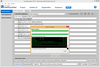
Deploy your application on any platform. InstallAnywhere Standard Edition enables developers to build highly customized deployment solutions. It's intuitive design brings intelligence to the process of deploying software onto any client or server platform. It automatically handles all of the installation details; it creates smaller installers that run faster than many other solutions, minimizes time-to-deployment and increases productivity.
Add OCR technology to your applications quickly and easily. LEADTOOLS OCR Module includes preset confidence and accuracy levels, artificial intelligence and built-in and user-defined lexicons for limiting the type of text to recognize within a particular zone. You can verify or correct text during and after recognition. LEADTOOLS can help with your OCR development and cut your programming time in half. With the LEADTOOLS OCR Module a developer can add many zoned areas to the same page and each zone can have its own options such as the OCR engine, filter and more.
Deploy your application on any platform. InstallAnywhere Enterprise Edition is designed to install any kind of software -- desktop, enterprise, or multi-tiered Web services - onto any platform, and to configure those applications for optimal performance. Whether you're creating applications written in Java, C++, PERL, or C#, or deploying EJBs or .NET Web services, all of the installation details are handled automatically. InstallAnywhere Enterprise Edition simplifies complex installations and provides maximum developer customization, along with extensive user interaction, client/server features and localization for 29 languages.
Medical imaging programming libraries. LEADTOOLS Medical Imaging includes hand-picked and optimized features to meet the specific needs of medical imaging application development, such as full DICOM dataset support, support for 8-16 bit grayscale, and 12 and 16 bit image processing and display with window leveling and LUT processing. DICOM 3, the industry standard medical imaging format/protocol is fully and completely supported, allowing programmers access to medical images retrieved from digital imaging modalities such as CT and MR scanners. LEAD's DICOM imaging support is one of the richest in the industry supporting 8, 10, 12, 16, 24 and 32 bit images including JPEG (8, 10 , 12, 16-bit Lossless grayscale, 8, 12-bit lossy grayscale, 24-bit lossless and lossy color), Run Length, Uncompressed, Photometric Interpretation (Monochrome1, Monochrome2, Palletized, RGB, ARGB, CMYK, YBR Full 422, YBR Full), and single and multi-page images. LEAD's Medical Imaging toolkit includes 8-16 bit grayscale display with window leveling. Window leveling is a linear conversion from stored pixel values to values to be displayed; LEADTOOLS can map the stored pixel values of interest using a user defined color map (using a LUT or Palette) or linear gray LUT.
Quick and easy installations that support today's technologies. InstallShield Express is easy to use and shields setup authors from installation complexities of building a setup. You can rapidly build, test and implement Windows and mobile device installations in record time without any training. InstallShield Express keeps setup authors up to date with support for the latest technologies and industry standards, including Windows Vista, .NET 3.0 support and Try and Buy functionality. The Express Edition is a cost-effective solution that will fit into any budget, making it possible for everyone to create professional looking Windows or mobile device installations.
Includes Imaging C DLLs, C++ Class Libraries, .NET Class Libraries, WPF/XAML and COM for Win32 and x64. LEADTOOLS Imaging Pro SDK provides developers with the tools to create powerful imaging applications. Become an imaging expert instantly using LEADTOOLS components. Why waste months coding when you can take advantage of LEAD's 18 years of imaging experience in a comprehensive SDK and cut your programming time in half. LEADTOOLS Imaging Pro provides basic and advanced color imaging features for file format import/export, image compression, image display and effects, color conversion, image processing, TWAIN scanning, imaging common dialogs, database integration, printing and Internet with support for over 150 raster file formats and over 2000 effects.
クライアント/サーバーおよび、マルチ階層、Webベースのシンクライアントアプリケーションにおけるデータのための、パワフルな検索と、操作、表現、そしてアップデート機能を提供。Datawindow.Netを用いることで、データ駆動型のWindowsアプリケーションとWebフォームを基本とするアプリケーションの、RADスタイルに基づいた構築が実現されます。各種のアプリケーションにおけるデータは、リレーショナルデータベースや(.xlsや.txtなどの)他のデータソースから取り出すことが可能です。DataWindowオブジェクトの役割はデータと表示特性の定義にあり、また、それ自身を各種のデータ入力とレポートのために利用することが可能になります。DataWindow .NETは、.NET環境のリッチなインターフェイスと使い易さによる先進性を促進する製品です。
ツール / Sybase
Deploy your application on any platform. InstallAnywhere Enterprise Edition is designed to install any kind of software -- desktop, enterprise, or multi-tiered Web services - onto any platform, and to configure those applications for optimal performance. Whether you're creating applications written in Java, C++, PERL, or C#, or deploying EJBs or .NET Web services, all of the installation details are handled automatically. InstallAnywhere Enterprise Edition simplifies complex installations and provides maximum developer customization, along with extensive user interaction, client/server features and localization for 29 languages.
Deploy your application on any platform. InstallAnywhere Standard Edition enables developers to build highly customized deployment solutions. It's intuitive design brings intelligence to the process of deploying software onto any client or server platform. It automatically handles all of the installation details; it creates smaller installers that run faster than many other solutions, minimizes time-to-deployment and increases productivity.
Fully functional web-based, DICOM-enabled medical/radiology viewer. The LEADTOOLS Medical Web Viewer Framework Module enables programmers to quickly build high-quality, full-featured, web-based medical image viewer applications. It includes WCF components and services that enable you to implement high-level interfaces for distributing medical studies from a server to web clients, even with very limited knowledge of web hosting and web service development. This is ideal for web-based solutions like querying patient studies and viewing images from remote computers using Microsoft Internet Explorer. The plug-in capable design also allows developers to use the framework for non-DICOM images or binary data transfer, and to extend an implemented web service to include application-specific data transfer and communication capabilities.
DICOM Communications. LEADTOOLS DICOM Communications provides complete support for DICOM Communications, including all Service Classes (Verification, Storage, Query/Retrieve, Patient Management, etc.), and contains high-level communications functions simplifying the creation of DICOM client/server applications.
Create JPIP client and server applications. The LEADTOOLS JPIP (JPEG 2000 Interactive Protocol) Module supports interactive streaming of large images and associated image data using the minimum possible bandwidth. It is especially well-suited to using internet connections for viewing and manipulating large medical, geospatial, and very-high-resolution camera images stored on remote servers. It is an implementation of the JPEG2000, part 9 standard (ISO/IEC 15444-9), including both meta-data and code-stream elements.
Programming High-Speed Document Scanning Software. LEADTOOLS Forms Recognition is a high-level .NET SDK that harnesses the power of LEAD's image processing technology to intelligently identify document components and features that can be used to recognize and classify scanned documents. The LEADOOLS Forms Recognition toolkit can be used to process a list of images, return unique XML data that describes them, and then store and use that data set as a standard for recognizing future digital images. This approach is especially powerful when combined with LEADTOOLS scanning, deskew, document image clean up, OCR, ICR, OMR, MICR, redaction, and annotation functionalities for automating end-to-end (capture-to-data-processing) document handling workflows.
Add PDF support to your LEADTOOLS applications. LEADTOOLS Raster PDF Plug In is an add-on module for all LEADTOOLS SDKs that extends support for PDF, Postscript and EPS formats. It allows for the loading, saving, viewing, rasterizing and encoding of these three formats and integrates seamlessly with the imaging functionality present in the existing LEADTOOLS toolkits. Full multi-page write support is provided with this module and you can append, insert, replace or delete a specified page in a generated PDF file. The LEADTOOLS Raster PDF Plug In has the following import capabilities: PDF 1.3, PostScript Language Level 3 and EPS files. Support is also provided for loading the entire document or a specified set of sequential pages.
Add PDF output capability to your OCR enabled applications. LEADTOOLS PDF OCR Module provides functionality to output an OCR job as searchable (text) PDF. Available as an optional module for the LEADTOOLS Document Imaging SDK or LEADTOOLS Medical Imaging SDK with the OCR Module.
Optical mark recognition for scanned documents. LEADTOOLS OMR Module is used for recognizing optical marks (checkmarks). Typical applications include the processing of questionnaires, ballots, educational tests and reporting and ordering sheets where the documents to be processed are form-like and filled in by hand by respondents. The frame for the mark can be rectangular, hexagonal, circular or elliptical and can be filled in by any method (x, tick, hatching, horizontal or vertical lines, etc.). The frame may be visible or invisible (scanner dropout) in the image sent for recognition. Requires either LEADTOOLS Document Imaging SDK, LEADTOOLS Medical Imaging SDK or the LEADTOOLS OCR Module.
Add OCR technology to your applications quickly and easily. LEADTOOLS OCR Module includes preset confidence and accuracy levels, artificial intelligence and built-in and user-defined lexicons for limiting the type of text to recognize within a particular zone. You can verify or correct text during and after recognition. LEADTOOLS can help with your OCR development and cut your programming time in half. With the LEADTOOLS OCR Module a developer can add many zoned areas to the same page and each zone can have its own options such as the OCR engine, filter and more.