BinaryPowerTabStrip .NET - .NET - V2.2.184

by Binarymission Technologies - 製品のタイプ: コンポーネント / .NET WinForms

この商品については、日本語の説明書きはございません。
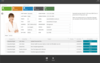
BinaryPowerTabStrip .NET - .NET - V2.2.184 のスクリーンショットAn advanced and highly customisable TabStrip control for Winforms .NET. BinaryPowerTabstrip .NET is an advanced Tab control that supports numerous tab rendering styles (including the Visual Studio 2005/2008 styles). The control also supports a Custom styling mode for which you can set the start and end color properties to render the tab pages. There are further properties for controlling the rendering direction orientation, stylish sidebar drawing, border, and many other UI artefacts on the tab pages. At the simplest level, you can simply drag-and-drop the tab strip control from the toolbox, add tab pages, choose a built-in rendering style (or choose the custom rendering style, and then set the tab page rendering colors), and finally add your content into the tab pages, and run your application, all in a matter of few seconds. You can achieve all the above, without ever having to write one single line of code.

¥13,755 (税込)

一般向け価格については下記に表示されています。お客様用の割引価格をご覧になるには、ログインしてください。

BinaryPowerTabStrip .NET V2.2.184

カートに追加 ¥ 13,755 (税込) 1 Developer License - includes Subscription for 1 year ダウンロード (627 KB)
カートに追加 ¥ 9,660 (税込) 5 - 9 Developer License (Price per developer license, Minimum quantity 5) - includes Subscription for 1 year ダウンロード (627 KB)
カートに追加 ¥ 6,825 (税込) 10 - 24 Developer License (Price per developer license, Minimum quantity 10) - includes Subscription for 1 year ダウンロード (627 KB)
カートに追加 ¥ 103,110 (税込) 1 Site Wide License (Allows Unlimited Developers at a Single Physical Address) - includes Subscription for 1 year ダウンロード (627 KB)

BinaryPowerTabStrip .NET V2.2.184 - Subscription Renewal

カートに追加 ¥ 11,025 (税込) 1 Developer License - 1 year Subscription Renewal 要確認 ダウンロード (627 KB)
カートに追加 ¥ 7,665 (税込) 5 - 9 Developer Subscription Renewal License (Price per developer subscription license, Minimum quantity 5) - 1 year Subscription Renewal 要確認 ダウンロード (627 KB)
カートに追加 ¥ 5,460 (税込) 10 - 24 Developer Subscription Renewal License (Price per developer subscription license, Minimum quantity 10) - 1 year Subscription Renewal 要確認 ダウンロード (627 KB)
カートに追加 ¥ 82,320 (税込) 1 Site Wide License (Allows Unlimited Developers at a Single Physical Address) - 1 year Subscription Renewal 要確認 ダウンロード (627 KB)

すべてのご注文にて弊社標準の 契約条件および返品条件の内容が適用されます。 

一般向け価格については上記に表示されています。お客様用の割引価格をご覧になるには、ログインしてください。

Features

  • Visual Studio 2008 style
  • Visual Studio 2005 style
  • XP style
  • Custom styles
  • Rich design-time support via smart tags - Rich design-time enables you to simply drag and drop the control form your toolbox, set up the tab pages visually, host child controls, and be able to switch between tab pages, all this without ever writing a single line of code.
  • Drag-and-drop of tab pages supported - The control supports allowing the users to be able to drag-and-drop tab pages (at run-time) in order to re-order the tab page location as per their needs.  This option is configurable, so you can switch it on/off as you wish.
  • Visual Studio style tab pages "overflow" manager, and tab page "close" button - The control presents a Visual Studio style tab pages "overflow manager", that will display the non-visible tab pages in a drop-list menu. It also hosts a Visual studio style "close" button, to enable your users to close the currently active tab page. The "close" button drawing can be determinisitically switched on / off as needed.
  • Tab pages "overflow" menu drop-down and the "close" button drawing can be custom configured and can be optionally switched off - The control's tab pages "overflow" manager and the "close" button's drawing can be custom configured, by providing custom colors for drawing the border, fill and close/drop-down chevron glyphs.
  • Image support for each tab header - The control supports drawing image/icon for the tab pages (alongside the tab page header text), by setting up a simple property.
  • Optional Sidebar on tabpage header - The control supports drawing an extra UI adornment/fancy glyph of a small sidebar towards the right-hand side corner of the tab page header. This feature is configurable, so you can switch it on/off as you wish.
  • Customisation of colors for drawing the selected tab page - While in the custom rendering style, the control automatically draws the selected tab page header background in the MS Office styled golden orange color.  However, you can optionally, specify custom colors for drawing the background, for the "currently selected" tab page's header.
  • Customisation of Tab page header height - The control automatically manages the layout and sizing of the tab page header based on the items being rendered (i.e. text, image, and the sidebar). However, the control also lets you specify a custom height for the tab pages header in the control. This feature comes in handy when you want to display a larger sized tab page to the user (maybe for example, for accessibility needs) over and above the automatic default sizing set by the built-in layout / sizing engine.    
  • Customisation of "gradient" direction orientation for tab page header rendering - Vertical Orientation, Horizontal Orientation, Forward diagonal Orientation or Backward diagonal Orientation
  • Customisation of "gap" setting between tab pages - You could, optionally, set a custom gap width between tab page headers, to give a fancy looking tabbed UI experience to your users.    
  • Customisation of the empty space length before the first tab page - The control supports setting a minimum blank space that can be rendered before drawing the first tab page header.    
  • Customisation of the border around tabstrip - The control supports customising the border drawing for the tab strip by letting you set up the border color, and also to let you switch on/off the border feature.    
  • Multiple styles of rendering the tab page headers - The control supports drawing the tap page headers in two different styles: T ab page header left hand corner drawn behind the previous tab page header and Tab page header left hand corner drawn on top of the previous tab page header. You could choose to render the tab pages headers in any of these available rendering styles.

商品検索

検索したい単語を入力して下さい: