Codejock Xtreme Suite Pro

by Codejock Software - 製品のタイプ: コンポーネント / ActiveX OCX / ActiveX EXE / ActiveX DLL / DLL / VB Class Library / ActiveX Designer

ご案内:特に説明のない限り、この商品は英語版商品になります。
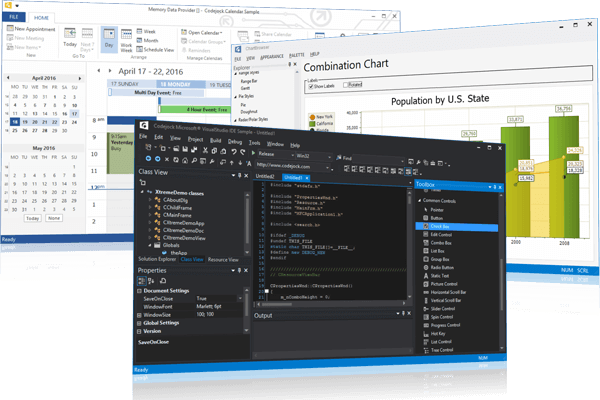
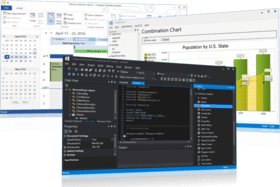
洗練されたOfficeスタイルのコマンドバーや、One NoteスタイルのMDIタブウィンドウを作成。Xtreme Suiteは、ツールバー、メニュー、ドッキンググリッド、プロパティグリッドの機能をアプリケーションに付加するためのコンポーネント群であり、好評な次の3つのコンポーネントで構成されています。Xtreme Command Barsは、Microsoft Office XPスタイルのツールバーとメニューの作成に有効なコンポーネントを装備しており、拡張ドッキングアルゴリズムも備えています。Xtreme Docking Paneには、Visual Studio.NETスタイルの高度なドッキングウィンドウ作成に必要なコンポーネントが備わっています。Xtreme Property Gridを使用することによって、洗練されたVisual Studio.NETスタイルのプロパティグリッドを作成することができます。


¥71,295 (税込)

Best Seller

  |  

Top Download

一般向け価格については下記に表示されています。お客様用の割引価格をご覧になるには、ログインしてください。

Codejock Xtreme Suite Pro 2009 Vol 3 (V13.3.1) for ActiveX with 30 Days Subscription

カートに追加 ¥ 71,295 (税込) 1 開発ライセンス
メーカーパーツ番号: 1321-COM-SUITEPRO-1DL-30
ダウンロード (82.0 MB)
カートに追加 ¥ 53,970 (税込) 1 開発アップグレードライセンス - 全てのCodejock製品から 要確認 ダウンロード (82.0 MB)
カートに追加 ¥ 87,360 (税込) 2 開発ライセンス
メーカーパーツ番号: 1321-COM-SUITEPRO-2DL-30
ダウンロード (82.0 MB)
カートに追加 ¥ 101,325 (税込) 3 開発ライセンス
メーカーパーツ番号: 1321-COM-SUITEPRO-3DL-30
ダウンロード (82.0 MB)
カートに追加 ¥ 111,615 (税込) 4 開発ライセンス
メーカーパーツ番号: 1321-COM-SUITEPRO-4DL-30
ダウンロード (82.0 MB)
カートに追加 ¥ 89,355 (税込) 4 開発アップグレードライセンス - 全てのCodejock製品から 要確認 ダウンロード (82.0 MB)
カートに追加 ¥ 129,045 (税込) 5 開発ライセンス
メーカーパーツ番号: 1321-COM-SUITEPRO-5DL-30
ダウンロード (82.0 MB)
カートに追加 ¥ 143,010 (税込) 6 開発ライセンス
メーカーパーツ番号: 1321-COM-SUITEPRO-6DL-30
ダウンロード (82.0 MB)
カートに追加 ¥ 156,870 (税込) 7 開発ライセンス
メーカーパーツ番号: 1321-COM-SUITEPRO-7DL-30
ダウンロード (82.0 MB)
カートに追加 ¥ 165,480 (税込) 8 開発ライセンス
メーカーパーツ番号: 1321-COM-SUITEPRO-8DL-30
ダウンロード (82.0 MB)
カートに追加 ¥ 136,605 (税込) 8 開発アップグレードライセンス - 全てのCodejock製品から 要確認 ダウンロード (82.0 MB)
カートに追加 ¥ 712,425 (税込) 1 サイトワイド ライセンス (指定された場所内での開発ライセンス無制限)
メーカーパーツ番号: 1321-COM-SUITEPRO-UDL-30
ダウンロード (82.0 MB)

Codejock Xtreme Suite Pro 2009 Vol 3 (V13.3.1) for ActiveX with 1 Year Subscription

カートに追加 ¥ 94,185 (税込) 1 開発ライセンス
メーカーパーツ番号: 1321-COM-SUITEPRO-1DL-365
ダウンロード (82.0 MB)
カートに追加 ¥ 71,295 (税込) 1 開発アップグレードライセンス - 全てのCodejock製品から 要確認 ダウンロード (82.0 MB)
カートに追加 ¥ 110,985 (税込) 2 開発ライセンス
メーカーパーツ番号: 1321-COM-SUITEPRO-2DL-365
ダウンロード (82.0 MB)
カートに追加 ¥ 124,845 (税込) 3 開発ライセンス
メーカーパーツ番号: 1321-COM-SUITEPRO-3DL-365
ダウンロード (82.0 MB)
カートに追加 ¥ 99,960 (税込) 3 Developer License - Upgrade from any Codejock product 要確認 ダウンロード (82.0 MB)
カートに追加 ¥ 134,505 (税込) 4 開発ライセンス
メーカーパーツ番号: 1321-COM-SUITEPRO-4DL-365
ダウンロード (82.0 MB)
カートに追加 ¥ 107,625 (税込) 4 開発アップグレードライセンス - 全てのCodejock製品から 要確認 ダウンロード (82.0 MB)
カートに追加 ¥ 152,670 (税込) 5 開発ライセンス
メーカーパーツ番号: 1321-COM-SUITEPRO-5DL-365
ダウンロード (82.0 MB)
カートに追加 ¥ 166,530 (税込) 6 開発ライセンス
メーカーパーツ番号: 1321-COM-SUITEPRO-6DL-365
ダウンロード (82.0 MB)
カートに追加 ¥ 180,495 (税込) 7 開発ライセンス
メーカーパーツ番号: 1321-COM-SUITEPRO-7DL-365
ダウンロード (82.0 MB)
カートに追加 ¥ 188,370 (税込) 8 開発ライセンス
メーカーパーツ番号: 1321-COM-SUITEPRO-8DL-365
ダウンロード (82.0 MB)
カートに追加 ¥ 155,505 (税込) 8 開発アップグレードライセンス - 全てのCodejock製品から 要確認 ダウンロード (82.0 MB)
カートに追加 ¥ 941,430 (税込) 1 サイトワイド ライセンス (指定された場所内での開発ライセンス無制限) Address)
メーカーパーツ番号: 1321-COM-SUITEPRO-UDL-365
ダウンロード (82.0 MB)

Codejock Xtreme Suite Pro for ActiveX - Subscription Renewal

カートに追加 ¥ 24,150 (税込) 1 開発ライセンス
メーカーパーツ番号: 1321-COM-SUITEPRO-1DL-SUB
要確認 ダウンロード (29 KB)
カートに追加 ¥ 31,815 (税込) 2 開発ライセンス
メーカーパーツ番号: 1321-COM-SUITEPRO-2DL-SUB
要確認 ダウンロード (29 KB)
カートに追加 ¥ 38,745 (税込) 3 開発ライセンス
メーカーパーツ番号: 1321-COM-SUITEPRO-3DL-SUB
要確認 ダウンロード (29 KB)
カートに追加 ¥ 44,310 (税込) 4 開発ライセンス
メーカーパーツ番号: 1321-COM-SUITEPRO-4DL-SUB
要確認 ダウンロード (29 KB)
カートに追加 ¥ 52,605 (税込) 5 開発ライセンス
メーカーパーツ番号: 1321-COM-SUITEPRO-5DL-SUB
要確認 ダウンロード (29 KB)
カートに追加 ¥ 59,640 (税込) 6 開発ライセンス
メーカーパーツ番号: 1321-COM-SUITEPRO-6DL-SUB
要確認 ダウンロード (29 KB)
カートに追加 ¥ 66,570 (税込) 7 開発ライセンス
メーカーパーツ番号: 1321-COM-SUITEPRO-7DL-SUB
要確認 ダウンロード (29 KB)
カートに追加 ¥ 71,295 (税込) 8 開発ライセンス
メーカーパーツ番号: 1321-COM-SUITEPRO-8DL-SUB
要確認 ダウンロード (29 KB)
カートに追加 ¥ 241,080 (税込) 1 サイトワイド ライセンス (指定された場所内での開発ライセンス無制限)
メーカーパーツ番号: 1321-COM-SUITEPRO-UDL-SUB
要確認 ダウンロード (29 KB)

すべてのご注文にて弊社標準の 契約条件および返品条件の内容が適用されます。 

一般向け価格については上記に表示されています。お客様用の割引価格をご覧になるには、ログインしてください。


What's new in Codejock Xtreme Suite Pro 2009 Vol. 3 V13.3?
This release introduces many stability and usability enhancements for all components for Windows 7 and x64 platforms. Additionally, a new Track Control for video editing is included, all ActiveX products are now x64 compatible, merged cell support for the report control and support has been added for Visual Studio 2010 RC.

What's new in Codejock Xtreme Suite Pro 2009 Vol. 3 V13.2?

  • Minimizable Shortcut Bar - The shortcut bar now supports the Office 2007 style minimize feature. With this the shortcut bar's width can be minimized to a single "toolbar" that can be expanded to see the shortcutbar in full.
  • Office 2010 and Visual Studio 2010 Style Themes - The ribbon can now use the Office 2010 style "white" and "scenic" themes. The white theme will use the new Office 2010 file menu button and the scenic theme will use the Windows 7 style file menu button.
  • Tab Workspace New Window Tab - The tab workspace now supports a "new window" tab similar to that seen in Internet Explorer. It is an extra tab button that is placed at the end of the tab list. This tab can be used to open a new window.
  • Excel-like Report Calculation Enhancements - The report's Excel-like formula support has been enhanced to support 2-level group row support.
  • Report Virtual Mode Enhancements - Many enhancements have been added to the report's virtual mode including multi-line cells, multiple children support and row height resizing.
  • Windows 7 Support - All products have been updated to work with Windows 7.
  • Visual Studio 2010 Support - Added support for the latest Visual Studio 2010 beta.

What's new in Codejock Xtreme Suite Pro 2009 Vol. 2 V13.0.1?

  • Pinnable Recent File List - A Recent File List or MRU is used to display a recent list of opened files in a ribbon or commandbars popup menu. The new MRU can be used in a pinned (Office 2007 style) or non-pinned style. When using a pinnable MRU the user can pin the item so that it always remains in the list as new items are added.
  • Office 14 Style Themes - The ribbon can now use the Office 14 style "white" and "scenic" themes. With these new themes you can be sure that your application is sporting the latest and greatest look. A new "System" theme has been added in addition to the Office 14 style themes.
  • Excel-like Report Calculations - With Excel-like formula support the report can calculate the sum of all rows or a subset of rows and display results in the item's caption.
  • Space Saving Expandable Columns - Expandable columns will have an arrow button in the column header which allows the column width to be expanded to the width of a pre-determined amount of columns.
  • Report Icon View - Icon View is a view similar to the Icon View in Windows Explorer. The report can switch to Icon view from normal view allowing each row to be represented by an icon and some text.
  • Read-Only Calendar - The Calendar now supports a Read-Only mode. This allows users to view all the data in the calendar without allowing them to modify the appointments.

What's new in Codejock Xtreme Suite Pro 2009 Vol. 1 V13?

  • The main purpose of this release is to create a stable version that fixes problems from all previous versions. You will find some fixes and enhancements along with a new Calendar Time Line view

What’s new in Codejock Xtreme Suite Pro 2008 Vol 2?

  • Ribbon Designer - Designing an Office 2007 style ribbon bar is now easier than ever before with the WYSIWYG Office 2007 Ribbon Designer. With only a few mouse clicks users can have a state of the art user interface.
  • Multiple Skins Support - With multiple skin support many different skin files can be applied to different objects on the same form, for example, the buttons on a form can use a separate skin from the skin used on the main form.
  • Application and Context Menu Support - SkinFramework now automatically skins all application and context menus to completely skin every part of the application.
  • Office 2007 Common Control Support - Several common controls have been added with Office 2007 theme support. Some of the controls include the Edit, ComboBox, SpinButton, ProgressBar and Scrollbar controls.
  • GDI+ Support for Markup - with the help of GDI+ shapes drawn in XAML markup look much smoother. Using GDI+, Markup can be used to create such things as elegant looking charts.
  • Print Preview Control - Printing the perfect view in COM just got a little easier, Markup, RTF text or just about anything else can be displayed in the Print Preview control before it is printed.
  • Option Buttons - Option buttons and check box controls now give developers a few more options on how to get user input in the Property Grid.
  • Form Extender Control - The Form Extender Control for VB6 extends the functionality of a standard form by adding additional properties such as transparency and save\restore placement that would normally require extra API calls.
  • Markup Class Model - The Markup Class Model has been added to COM to allow controls such as the Check Box and Radio Button to respond to markup events. In addition, a the new MarkupLabel control allows markup to be created in code.

What’s new in Codejock Xtreme Suite 2008 Vol 1?

  • XAML Markup Support: Markup can be used to add hyperlinks, buttons, images, beautify the text, etc. inside Codejock controls such as the ShortctBar, TaskPanel, Label, etc. Usually this applies to the ToolTip, Caption and Text properties for a control.
  • Outlook 2007 Style Caption Bar: The new caption bar gives users new ways to change the current day\view of the calendar view.
  • Codejock Skinbuilder Tool:Codejock Software’s new Skinbuilder tool allows users to edit existing skins or create their own to be used with SkinFramework.
  • Access 2007 Style Tabs:Access 2007 style tabs are available for CommandBars, Docking Pane and Tab Control.
  • Visio Style Side Docking Panes: Side docking enables panes to be docked to the inside edge of the client area of an application, keeping the currently set width and height.
  • Office 2007 Black, Blue, and Silver Colors: All Codejock controls that support the Office 2007 style can use blue, black and silver colors.
  • Mini Toolbar: MiniToolbar is an Office 2007 style context toolbar used to display options relevant to the task at hand.
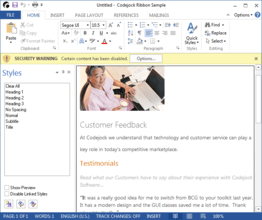
  • Message Bar: The Office 2007 style message bar similar to that displayed when opening a document with an "unsafe" macro or other "unsafe" content in MS Word 2007. It can be used to display any custom message to the user.
  • All Ribbon Elements Implemented: With the addition of the Mini Toolbar and Message Bar the Ribbon now complies with all of the Office 2007 UI Guidelines. All Office2007 elements are now implemented, both required and optional.
  • Statusbar Switches, Progressbar and Sliders: Office 2007 style switches and sliders can now be used in the Statusbar.
  • Visual Studio 2008 Style Theme: CommandBars can now be themed to look like Visual Studio 2008.
  • Button DropDowns: The button control has been enhanced to look like a button dropdown.
  • Hyperlink, Bitmap and Markup Label CommandBar Controls: Hyperlink, Bitmap and Markup Label controls bring even more options to get user input from CommandBars and Ribbon.

What’s new in Codejock Xtreme Suite 2007 Vol 2?

  • New Vista Style Task Dialog Control for ActiveX: A Windows Vista style Task Dialog control is now included with the SuitePro
  • Xtreme Controls for ActiveX: ActiveX now includes a Vista style Task Dialog, TreeView, ListView, Hex Edit, Progress Bar, Scroll Bar, Tray Icon, Web Browser, Tip of the Day Dialog, Browse Folder Dialog, Window List Dialog, Masked Edit, Slider and Month Calendar controls
  • Office 2007 Style HTML SuperTips: HTML tooltips allow valid snippets of HTML to be used to format tip windows
  • Outlook 2007 Style Calendar Appointment Categories: Categories replace the old appointment labels and there can be several categories set to any appointment
  • Excel Style Header and Footer Rows: Header and footer rows allows rows in the report to always remain visible at the top and bottom of the report
  • Multiple In-place Property Grid Buttons: Each property grid item can have several buttons associated to make it easier for users to select data for the item
  • Tabbed List and Tree View: Tabbed list and Tree view controls have the same functionality as a tab control, only they use an alternative method of navigation

What’s new in Codejock Xtreme Suite 2007 Vol 1?

Vol 1 is the 1st major release for 2007 that introduces Vista style Task Dialog, SkinFramework for .NET with RTL support, built-in Slider and Spin Button controls for Property Grid, Multiple Resources for Each Calendar Day, Enhanced Report Control Memory Management, updated language translations including support for Bulgarian and Turkish languages. Additionally, the following new components have been added for ActiveX COM: Syntax Editor, Button, ComboBox, LIstBox, Resizer, Edit, and Radio Button.

What's new in Codejock Xtreme Suite 2006 Q4?

Q4 is the fourth major release for 2006 incorporating several new enhancements that include the new Office 2007 silver theme, RibbonBar Vista glass effect, Ribbon and CommandBar Office 2007 Style ScreenTips, variable Ribbon and CommandBar font sizes, Office 2007 style system popup menu, Vista Skins for SkinFramework, brand new Syntax Editor control, CommandBar Radio button, CommandBar color picker control, Docking Pane keyboard navigation, Print Preview for Calendar and Report Control, MDI and Context menu manager, Built-in calendar dialogs, and the ability to automatically convert standard VB6 menus to commandbars.


Xtreme Command Bars

Xtreme Command Bars を使用して、洗練されたOffice スタイルのコマンドバーや、One Note スタイルのMDI タブウィンドウを作成することができます。Xtreme Command Bars では、メニューとツールバーを自由にカスタマイズすることができ、アプリケーションのワークスペースをよりよく管理することができます。Xtreme Command Bars にはテーマサポート機能が組み込まれており、Office XP 、Office 2003 、Visual Studio .NET などのあらかじめ定義されているテーマから選択することができます。さらにユーザが独自のカスタムテーマを作成することもできます。

Xtreme Command Bars には、広範囲のアプリケーションが必要とするコンポーネントの機能がすべて装備されています。

  • Microsoft スタイルのツールバー
  • Microsoft スタイルのメニュー
  • Microsoft スタイルのMDI タブ

Xtreme Command Bar では、メニューやツールバーを自由にカスタマイズすることができます。

  • インテリジェントなメニュー
  • ティアオフメニューとティアオフツールバー
  • ドラッグアンドドロップコマンド
  • 編集、コピー、削除、変更コマンド
  • ツールバーコマンドの動的な追加と削除
  • ユーザ定義のツールバー
  • ツールバーアイコンの最大化、最小化の切り換え
  • スクリーンヒントの切り換え
  • ツールバーの表示、非表示

Xtreme Command Bar では、コマンドアイコンの表示スタイルを選択することもできます。

  • Windows XP テーマ、およびアルファアイコンを装備
  • フェード効果付きのメニューアイコンとツールバーアイコン
  • メニューアイコンとツールバーアイコンの非表示
  • 影付きのメニューアイコンとツールバーアイコン
  • アニメーションと影付きのメニュー

アプリケーションは、メニューとツールバーコントロールに加えて、Xtreme Command Bar が備えている用途に特化された次のコントロールを利用することができます。

  • Office Colorization Manager (Office 配色マネージャ)
  • Office スタイルのコンボボックス
  • Office スタイルの編集ボックス
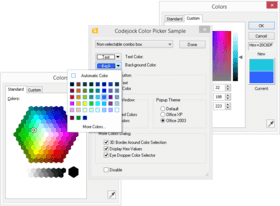
  • カラーピッカー
  • ポップアップウィンドウ
  • ポップアップツールバー
  • フォント選択用コンボボックス
  • フォントサイズ用コンボボックス

Xtreme Command Bars には各種のテーマが組み込まれており、これらのテーマを選択してすぐに使用することができます。ユーザが独自のテーマを作成することもできます。

  • Office 2003
  • Office XP
  • Office 2000
  • ユーザ定義

Xtreme Docking Pane

Xtreme Docking Pane を使用して、洗練されたVisual Studio.NET スタイルのドッキングペインを作成することができます。ティアオフタブや自動非表示ウィンドウを簡単に作成でき、アプリケーションワークスペースをより容易に管理することができます。ドッキングペインには、Visio やVisual Studio .NET などのテーマがあらかじめ組み込まれており、これらのテーマから選択することができます。さらにユーザが独自のテーマを作成することもできます。

Xtreme Docking Pane には、広範囲のアプリケーションが必要とする標準的なコンポーネント機能が数多く備わっています。

  • グルーピングのネスト
  • ティアオフタブ
  • .NET とVisio スタイルを目で確認しながら(WYSIWYG :What You See Is What You Get )ドッキング
  • 自動非表示ウィンドウのスライディング
  • ピン付きのペイン
  • ペインの分離とドッキング
  • ドラッグ&ドロップによるペインの配置
  • アクティブペイン
  • ペインの表示と非表示

Xtreme Docking Pane には各種のテーマが組み込まれており、これらのテーマを選択してすぐに使用することができます。ユーザが独自のテーマを作成することもできます。

  • .NET
  • Visio
  • Grippered (このテーマを使用して、クラシック表示のペインを作成可能)
  • デフォルト
  • ユーザ定義

Xtreme Docking Pane では、XML フォーマットによるペインのレイアウトの保存と読み込みができます。さまざまなレイアウトを定義しておき、実行中にレイアウトを動的に読み込むことができます。

  • XML およびリソースペインレイアウトの逐次化

Xtreme Property Grid

Xtreme Property Grid を使用して、洗練されたVisual Studio.NET スタイルのプロパティグリッドを作成することができます。編集可能なプロパティから構成される階層リストを作成して、すべてのデータタイプやサブアイテムを簡単に表示することができます。ツールバーがプロパティグリッドに組み込まれており、簡単にソートやグループ分けができます。また、選択した項目の情報をヘルプパネルに表示する機能もあります。

Xtreme Property Grid には、広範囲のアプリケーションが必要とする標準的なグリッドコンポーネント機能が数多く備わっています。

  • 統合ツールバー
  • 統合ヘルプパネル
  • 編集可能なプロパティで構成される階層リスト
  • データのソート
  • 外観のカスタマイズ

Xtreme Property Grid には各種のデータタイプが組み込まれており、これらのデータを選択してすぐに使用することができます。ユーザが独自のデータタイプを作成することもできます。

  • テキスト
  • ブール
  • フォント
  • サイズ
  • 数値
  • 読み取り専用

Xtreme Property Grid では、ユーザが独自に作成できるデータタイプ数に制限を設けていません。次のサンプルオブジェクトを利用して、データタイプを簡単に作成することができます。

  • コンボリスト
  • チェックボックス
  • ファイル選択
  • アイコン
  • マスク編集
  • スライダ
  • スピンボタン

商品検索

検索したい単語を入力して下さい:

開発コストの計算


ROI計算の白書をご参考ください。

コードの行数: 41,220
人月: 41
人件費: $206,100

要求された機能:

1,000行当たりの人月:

1ヵ月当たりの人件費:

ComponentSourceから購入する理由

ComponentSourceでは、世界中1,000,000以上のソフトウェア開発者の皆様にユニークなグローバルサービスをご提供しています。

詳細 | About us

スクリーンショットギャラリー

Award Award