Dundas Dashboard Bundle for SharePoint - .NET - V - 概要

by Dundas Software - 製品のタイプ: コンポーネント / ASP.NET AJAX (ATLAS) / .NET Class

結果

Dundas Dashboard Bundle for SharePoint by Dundas Software

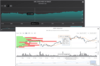
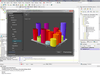
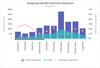
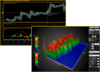
Add charts and gauges to your SharePoint 2007 projects. Dundas Dashboard Bundle for SharePoint includes Dundas Gauge for SharePoint and Dundas Chart for SharePoint. It is based on Dundas ASP.NET technology and optimized for SharePoint. It provides wide-ranging charting features including: AJAX interaction, unlimited number of chart (plotting) areas and series, real-time support, line, spline, step line, point, bubble, column, stacked column, 100% stacked column, bar, stacked bar, 100% stacked bar, area, pie, polar, radar Gantt, range, funnel pyramid, stock, histogram, box error bar 2D and 3D charts. Dundas Chart for SharePoint consumes data from Excel Services, Business Data Catalog (BDC) or any OleDB data source. Regardless of whether you are implementing charting for internal projects or building data visualization applications for clients, Dundas Dashboard Bundle for SharePoint lets you create superior visualizations from your data without having to use Visual Studio.

SharePoint Specific Features

Works with Microsoft Office SharePoint Server (MOSS)

Works with Windows SharePoint Services V3.0

Consumes data from Excel Services and Business Data Catalog (BDC) in MOSS version

Consumes data from any OleDB Data Source

Consumes data from other WebParts

Full Web design experience - No visual studio requirement

Can use templates from Dundas Chart for ASP.NET to ease migration

Full Web-based documentation set

Supports 64-bit SharePoint

General Features

Unlimited number of chart (plotting) areas

Unlimited number of series

Unlimited number of data points in series

Animated Charts (Flash & SVG)

Annotation Objects

Automatic chart elements layout management

Chart Area Auto Alignment

Chart Serialization

Drill down & Selection

Multiple Image Formats (jpg, png, bmp)

Multiple Legends

Multiple Title Items

Printing Support

Real-time Charting

Cursors & Range Selection

Scrolling / Zooming

SmartLabels

Template Support

View State Management

AJAX and Other Interactive Features

Interactive Charts with AJAX

Web based Zooming and Scrolling

Web based User Interface Support

Callbacks

Web based Toolbar

Web based Property Dialog

Web based Context Menu

Chart Types

Line 3D

Line

Spline 3D

Spline

Step Line 3D

Step Line

FastLine Charts

Point

3D Point

FastPoint Charts

Bubble

3D Bubble

Column

3D Column

Stacked Column

3D Stacked Column

100% Stacked Column

3D 100% Stacked Column

3D Cylinder drawing style

Bar 3D Bar

Stacked Bar 3D Stacked Bar

100% Stacked Bar

3D 100% Stacked Bar

Area

3D Area

SplineArea

3D Spline Area

Stacked Area

3D Stacked Area

100% Stacked Area

3D 100% Stacked Area

Pie

3D Pie

Pie Chart Small Segments

3D Pie Chart Small Segments

Doughnut

3D Doughnut

Range

3D Range

Spline Range

3D Spline Range

Polar Charts

3D Polar

Radar Chart

3D Radar Chart

Gantt

3D Gantt

Range Column Chart

3D Range Column Chart

2D Funnel Charts

3D Funnel Charts

2D Pyramid Charts

3D Pyramid Charts

Stock

Histogram Charts

Box Charts

Error Bar Charts

Point & Figure Chart Type

Kagi Chart Type

Renko Chart Type

Three Line Break Chart Type

Candlestick

Combinational Charts 3D Combinational Charts

Visual Appearance

2D and 3D drawing effects

3D Perspective Customization

3D Simplistic & Realistic Lighting Effects

3D Point Depth (0-1000%)

3D Point Gap Depth (0-1000%)

3D X-Angle Rotation

3D Y-Angle Rotation

3D Wall Width Customization

3D Border Skins

Antialiasing (Text & graphics are independently antialiased)

Alpha Blending

Background Drawing

Solid Colors

Gradients

Hatching

Transparencies

Scaled & Tiled Images

Custom Markers

Custom Templates

Isometric Projection (Right Angle Axes)

Markers of different shapes & sizes

Star Marker Styles

Predefined Color Palettes

Post Paint & Pre Paint Events

Soft Shadows

Tooltips

Legend Features

Legend Titles

Multi-Column Legends

Customized Cells

Keywords Supported

Interlaced Rows

Multiple Legends

Customizations

Different styles

Docking & Alignment

Drill down

Equally spaced Legend Items

Text auto sizing

Tooltips

Data Population

Design-time Data Binding

Real-time Data Binding

Extended Data Binding

Missing points support

Empty points support

Flexible & Comprehensive API

Multiple Y values per point

Population using Data Views

Population using Data Readers

Population using XML

Population using Collections

Population using Arrays

Population using the IE numerable interface

Populating at Design Time

Populating using Excel Services (MOSS Version only)

Populating using Business Data Catalog (MOSS Version only)

Populating using other Web Parts

Populating using any OleDB data provider

Data Manipulation

Empty Data Point Support

Exporting Points Data

Financial Markers Support

Filtering Data Points

Finding Points by Value

Financial Formulas

Generic

Price Indicators

Volume indicators

Oscillators

General Technical Indicators

Time Series & Forecasting

Grouping Data Points

Series values moving, merging & splitting.

Sorting

Statistical analysis formula support

Date / Time Features

Auto & custom date-time intervals for labels, tick marks,

grid lines & other elements

Date & Time Axis Scales

Date-time designer support

Date-time labels formatting

Grouping

Internet Features

Animated Charts (Flash & SVG)

Animation Frame Rate Control

Binary streaming

Flash Rendering

Image Maps

Multiple Image Formats (jpg, png, bmp)

Ability to store temporary files in memory

Ability to store chart images in web-farms

Axis Features

Arrows

Automatic & "manual" scaling

Automatically fitted font for all axes labels

Cursors & Range Selection

Custom Tick Marks & Grid Lines

Flexible Major & Minor tick marks

Flexible Major & Minor grid lines

Interval Properties for the axes

Labels

Auto sizing & positioning

Custom angle, font & color

Step Labels

Multiple rows of labels

Multiline labels

Formatting

Customization

Axis Grouping Labels

Logarithmic Axis of any base

Improved Logarithmic support for Grid Lines & Tick Marks

Primary & Secondary X & Y axis

Reversed

Scale Breaks

Scrolling, Zooming & Data Views

Strips & Lines

Interlaced strip lines

Titles

User Interface Features

User Interface Support

Chart Commands

Toolbar

Context Menu

Property Pages

Customization Features

Custom Drawing

Chart Area Features

Unlimited number of chart areas

Automatic areas layout management

Custom position

Auto alignment

Transparency

Visual appearance

Chart Title Features

Docking and alignment

Custom positioning

Text styles

Appearance Title Appearance

Set and customize many aspects of the title appearance, including background, font, color, hatching and more

Redirection

Tooltips

Here are some of the major features and benefits you get using Dundas Gauge for SharePoint.

AJAX Features - Dundas Gauge for SharePoint has support for AJAX Click and Callback events, which allow you to update the Gauge at the client without postbacks. In addition, it includes a Callback Manager which allows you to execute JavaScript on the client, or update other controls on the page, without having to refresh the entire page

Real Time Gauges - Dundas Gauge for SharePoint was designed specifically to work in real time. Its highly optimized data analysis and rendering engines allow for low CPU usage and high scalability

Circular Gauge Type - It's perfect for creating traditional gauges, dials and knobs, the Circular Gauge Style comes complete with a comprehensive list of customization options to ensure that designers can get the exact look and feel they need

Linear Gauges Type - Another style of displaying data, Linear Gauges can be vertical or horizontally oriented, and include a Thermometer style. Like all styles of Gauge, they are completely customizable and come with a variety of pointer styles

Numeric Indicators - Extremely useful on its own, or in addition to other Gauge types; Numeric Indicators help complement the linear and circular gauges. Numeric Indicators come with 3 different styles, including Mechanical (standard text), or 7 or 14 segment LED

Interactive Gauges - Dundas Gauge for SharePoint was designed to receive input from end users. Use it interactively with Dundas Chart for SharePoint for a collaborative dashboard application.

Data & Statistical Analysis - Built-in data analysis features including calculating moving averages, min/max, value conversion, and the ability to fire notification events when data reaches critical or important levels. This allows Dundas Gauge to provide more meaningful output than the incoming data itself

What's new in Dundas Gauge for SharePoint V2.0?

Installation Enhancements - Choose where to install Dundas Chart for SharePoint. Enhanced installer lets you choose the destination SharePoint web application for installation.

Connection String Builder in Wizard - Use the Data Connection Wizard's new Connection String Builder to adjust and control every aspect of your database connections.

Enhanced Filtering - Create more filters using comparison operators such as: =, <, >, <>, <= and >=.

What’s new in Dundas Chart for SharePoint V2.0

Installation Enhancements - Choose where to install Dundas Chart for SharePoint. Enhanced installer lets you choose the destination SharePoint web application for installation.

Connection String Builder in Wizard - Use the Data Connection Wizard's new Connection String Builder to adjust and control every aspect of your database connections.

Expose click event - With version 2.0 of Dundas Chart for SharePoint, you can enhance your chart's interactivity with the new click event and expanded callback event.

Enhanced Filtering - Create more powerful filters using comparison operators such as: =, <, >, <>, <= and >=.

Addition of Chart for .NET v6.1 features - Many new features that were part of the recent release of Dundas Chart for .NET v6.1 are now in v.2.0, including stacked rose chart, vertical column labels, data point label offsets and custom data point palettes.

What’s new in Dundas Chart for SharePoint V1.5?

Retrieve Data From Site List - CollectionsData binding is now easier, automatic and more streamlined, now that Dundas Chart for SharePoint offers the ability to retrieve data directly from the SharePoint site list collections.

Chart Web Part as Data Provider - Dundas Chart for SharePoint can now provide data to any other SharePoint Web Part, including Dundas Gauge for SharePoint.

Data Manipulation Feature - With version 1.5, you can automatically apply advanced financial and statistical formulas within the SharePoint design User Interface

Data binding callbacks - By simplifying the code required to implement callbacks to a simple checkbox, the latest release lets you quickly enable a real-time behavior within SharePoint 2007

Addition of Chart for .NET v6.0 features - Many new features that were part of the recent release of Dundas Chart for .NET v6.0 are now in v1.5, including the new Rose Chart and more

PartNumbers: PC-518278-168816 518278-168816 PC-518278-168817 518278-168817 PC-518278-168818 518278-168818

Publisher PartNumbers: SPBUN SPBUNSUBR SPBUNWSUB

PurchaseOptions: Dundas Dashboard Bundle for SharePoint 1 Server License (Includes Dundas Gauge for SharePoint and Dundas Chart for SharePoint) , Dundas Dashboard Bundle for SharePoint 1 Server License (Includes Dundas Gauge for SharePoint and Dundas Chart for SharePoint) - with 1 Year Subscription , Dundas Dashboard Bundle for SharePoint 1 Subscription Renewal License

Resources: Read the Dundas Chart for SharePoint License Agreement, Read the Dundas Gauge for SharePoint License Agreement, Download the Dundas Chart for SharePoint V2.0 evaluation on to your computer - Output Displays Evaluation Messages, Download the Dundas Gauge for SharePoint V2.0 evaluation on to your computer - Output Displays Evaluation Messages

Operating System for Deployment: Windows Vista, Windows XP

Architecture of Product: 32Bit, 64Bit

Product Type: Component

Component Type: ASP.NET AJAX (ATLAS), .NET Class

Compatible Containers: Microsoft SharePoint Portal Server, Microsoft Windows SharePoint Services, .NET Framework 2.0, .NET Framework 1.1

Keywords: Chart Charting Charts Graph Graphing Graphs Dundas Software Corporate Partner share point dash board

商品検索

検索したい単語を入力して下さい:

スクリーンショットギャラリー

Award