ExpertPDF SplitPDF - .NET - V2.0.2

by Outside Software - 製品のタイプ: コンポーネント / .NET Class / 100% Managed Code

この商品については、日本語の説明書きはございません。
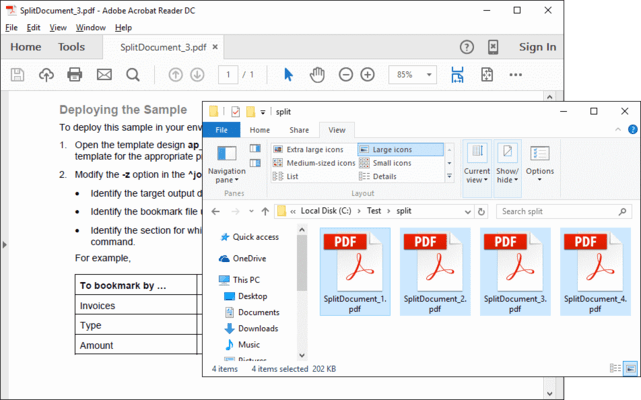
ExpertPDF SplitPDF - .NET - V2.0.2 のスクリーンショットExtract pages and split PDF files. ExpertPDF SplitPDF allows you to extract a range of pages from a PDF document. You can also split the PDF document into a number of chunks, each chunk containing a specified number of pages. ExpertPDF SplitPDF includes a ready to use command line utility for splitting and extracting your PDF documents and a .NET 2.0 library for adding PDF split capabilities to your .NET,  ASP.NET and Win32 applications.

¥20,790 (税込)

一般向け価格については下記に表示されています。お客様用の割引価格をご覧になるには、ログインしてください。

ExpertPDF SplitPDF V2.0.2

カートに追加 ¥ 20,790 (税込) 1 Developer License (Single Application Deployment) ダウンロード (1.3 MB)
カートに追加 ¥ 27,825 (税込) 1 Developer License with Subscription (Single Application Deployment) - includes priority email support and full major and minor version upgrades for a year ダウンロード (1.3 MB)
カートに追加 ¥ 34,755 (税込) 1 Company License with Subscription (Allows Unlimited Developers at a Single Physical Address) - Includes priority email support and full major and minor version upgrades for a year ダウンロード (1.3 MB)

ExpertPDF SplitPDF Subscription Renewal

カートに追加 ¥ 6,930 (税込) 1 Developer Subscription Renewal License - priority email support and full major and minor version upgrades for a year 要確認 ダウンロード (29 KB)
カートに追加 ¥ 20,790 (税込) 1 Company Subscription Renewal License - priority email support and full major and minor version upgrades for a year 要確認 ダウンロード (29 KB)

すべてのご注文にて弊社標準の 契約条件および返品条件の内容が適用されます。 

一般向け価格については上記に表示されています。お客様用の割引価格をご覧になるには、ログインしてください。

Features

  • .NET 2.0 PDF split development libraries and samples
  • Win32 PDF split command line tool
  • Split PDF documents
  • Count the number of pages from a PDF document
  • Extract specific pages from a PDF document
  • Extract pages to disk or memory stream
  • ASP.Net 2.0 Support

The rendered PDF compression level can be set via the following properties:
  • AboveNormal - Better compression but takes more time to compress 
  • BelowNormal - Between normal and BestSpeed compressions 
  • Best Use - The best compression but takes more time to compress 
  • BestSpeed - The compression speed is high but the compression percentage is low 
  • NoCompression - Does not do any compression 
  • Normal Use - Normal compression, a balance between compression speed and resulted size

商品検索

検索したい単語を入力して下さい:

開発コストの計算


ROI計算の白書をご参考ください。

コードの行数: 150,000
人月: 150
人件費: $750,000

要求された機能:

1,000行当たりの人月:

1ヵ月当たりの人件費:

クイック リンク

開発元/発売元

主要なカテゴリー

関連製品

関連のカテゴリー