by VSoft Technologies - 製品のタイプ: アプリケーション / Developer Application
この商品については、日本語の説明書きはございません。
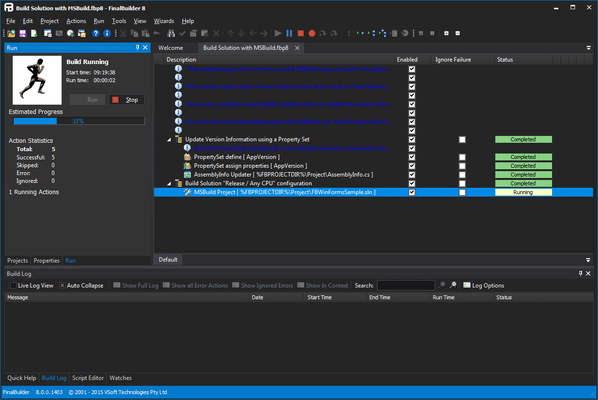
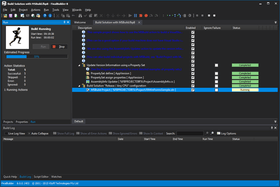
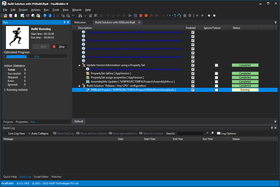
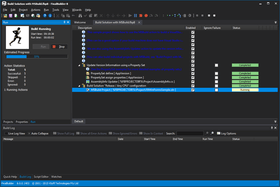
Point, click, build, deliver. FinalBuilder is an automated build and release management solution for Windows software developers and SCM (Software Change Management) professionals. Use FinalBuilder to define, debug, maintain, run and schedule reliable and repeatable build processes. Software projects are inherently complex, and creating a build process can be fraught with errors and oversights. FinalBuilder is an automated build and release management tool that makes it easy to define and maintain a reliable and repeatable build process.
一般向け価格については下記に表示されています。お客様用の割引価格をご覧になるには、ログインしてください。
| カートに追加 | ¥ 41,580 (税込) | 1 Named User License | ダウンロード (31.1 MB) | |
| カートに追加 | ¥ 97,125 (税込) | 1 Concurrent User License | ダウンロード (31.1 MB) | |
| カートに追加 | ¥ 416,640 (税込) | 1 Site Wide License (Allows Unlimited Developers at a Single Physical Address) | ダウンロード (31.1 MB) |
| カートに追加 | ¥ 49,875 (税込) | 1 Named User License with 1 Year Software Assurance | ダウンロード (31.1 MB) | |
| カートに追加 | ¥ 116,550 (税込) | 1 Concurrent User License with 1 Year Software Assurance | ダウンロード (31.1 MB) | |
| カートに追加 | ¥ 499,905 (税込) | 1 Site Wide License with 1 Year Software Assurance (Allows Unlimited Developers at a Single Physical Address) | ダウンロード (31.1 MB) |
| カートに追加 | ¥ 69,300 (税込) | 1 Named User License | ダウンロード (31.1 MB) | |
| カートに追加 | ¥ 166,530 (税込) | 1 Concurrent User License | ダウンロード (31.1 MB) | |
| カートに追加 | ¥ 583,275 (税込) | 1 Site Wide License (Allows Unlimited Developers at a Single Physical Address) | ダウンロード (31.1 MB) |
| カートに追加 | ¥ 83,160 (税込) | 1 Named User License with 1 Year Software Assurance | ダウンロード (31.1 MB) | |
| カートに追加 | ¥ 199,920 (税込) | 1 Concurrent License with 1 Year Software Assurance | ダウンロード (31.1 MB) | |
| カートに追加 | ¥ 700,035 (税込) | 1 Site Wide License with 1 Year Software Assurance (Allows Unlimited Developers at a Single Physical Address) | ダウンロード (31.1 MB) |
| カートに追加 | ¥ 18,795 (税込) | Standard Edition 1 Named User License Upgrade from FB1, FB2 Developer or FB3, FB4 Standard Named User | 要確認 | ダウンロード (31.1 MB) |
| カートに追加 | ¥ 74,340 (税込) | Standard Edition 1 Concurrent User License Upgrade from FB1, FB2 Developer or FB3, FB4 Standard Named User | 要確認 | ダウンロード (31.1 MB) |
| カートに追加 | ¥ 187,530 (税込) | Standard Edition 1 Site Wide License Upgrade from FB1, FB2 Developer or FB3, FB4 Standard Site Wide License | 要確認 | ダウンロード (31.1 MB) |
| カートに追加 | ¥ 43,785 (税込) | Standard Edition 1 Concurrent License Upgrade from FB4 Standard Concurrent License | 要確認 | ダウンロード (31.1 MB) |
| カートに追加 | ¥ 46,515 (税込) | Professional Edition 1 Named User License Upgrade from FB1, FB2 Developer or FB3, FB4 Standard Named User | 要確認 | ダウンロード (31.1 MB) |
| カートに追加 | ¥ 143,745 (税込) | Professional Edition 1 Concurrent User License Upgrade from FB1, FB2 Developer or FB3, FB4 Standard Named User | 要確認 | ダウンロード (31.1 MB) |
| カートに追加 | ¥ 354,270 (税込) | Professional Edition 1 Site Wide License Upgrade from FB1, FB2 Developer or FB3, FB4 Standard Side Wide License | 要確認 | ダウンロード (31.1 MB) |
| カートに追加 | ¥ 113,190 (税込) | Professional Edition 1 Concurrent License Upgrade from FB4 Standard Concurrent License | 要確認 | ダウンロード (31.1 MB) |
| カートに追加 | ¥ 55,860 (税込) | Professional Edition 1 Named User License with 1 Year Software Assurance Upgrade from FB1, FB2 Developer or FB3, FB4 Standard Named User | 要確認 | ダウンロード (31.1 MB) |
| カートに追加 | ¥ 31,290 (税込) | Professional Edition 1 Named User License Upgrade from FB2 Enterprise or FB3, FB4 Professional Named User | 要確認 | ダウンロード (31.1 MB) |
| カートに追加 | ¥ 128,520 (税込) | Professional Edition 1 Concurrent User License Upgrade from FB2 Enterprise or FB3, FB4 Professional Named User | 要確認 | ダウンロード (31.1 MB) |
| カートに追加 | ¥ 262,500 (税込) | Professional Edition 1 Site Wide License Upgrade from FB2 Enterprise or FB3, FB4 Professional Site Wide License | 要確認 | ダウンロード (31.1 MB) |
| カートに追加 | ¥ 74,970 (税込) | Professional Edition 1 Concurrent License Upgrade from FB4 Professional Concurrent License | 要確認 | ダウンロード (31.1 MB) |
すべてのご注文にて弊社標準の 契約条件および返品条件の内容が適用されます。
一般向け価格については上記に表示されています。お客様用の割引価格をご覧になるには、ログインしてください。
What's New in FinalBuilder V6?
FinalBuilder V6 Core Improvements
Why use FinalBuilder - an automated build and release management solution for software developers and buildmasters?
Traditionally, developers have used DOS batch files or general purpose scripting tools to automate builds. Batch files and scripts are typically difficult to maintain, difficult for people to understand and suffer from a lack of proper error handling. It can often take a long time to evolve a batch file or script to the point where it is reliable enough for use, whereas automating the build process with an automated build tool such as FinalBuilder is quick and easy. Anyone can create, maintain, debug, and edit a build process with FinalBuilder.
FinalBuilder will help you to :
Standard v Professional
For information about the differences between the Standard and Professional Editions please see the Feature Mtrix in the Evals & Downloads section.
FinalBuilder Features:
FinalBuilder Plugin Architecture - ActionStudio
FinalBuilder ActionStudio is an IDE for defining and developing plugins for FinalBuilder. ActionStudio is included in both Professional and Standard editions of FinalBuilder and provides an easy way for users to develop custom actions to increase the functionality of their FinalBuilder projects.
ActionStudio creates an action package, which contains one or more custom FinalBuilder Actions. The action package file defines the action properties, events, options, and property pages in an XML file format. Actions written in Active Script are completely contained within the action package, whereas COM and .Net based actions refer to external dlls and assemblies for the implementation of the action.
Plugins can be developed in any of the following languages:
What are FinalBuilder Plugins?
FinalBuilder uses plugins for the implementation and definition of its actions. They can be either compiled source code or custom plugins. The compiled plugins, which are shipped with FinalBuilder, can be viewed from the Tools->Package Manager dialog, whereas custom plugins are loaded automatically from the ActionDefs directory.
Unlike compiled packages, custom plugins are defined by an XML file. ActionStudio can load and save these action package XML files, or you can edit them manually (if you really want to!). These plugin definition files (with file extension .FBAP) are stored in the directory FinalBuilder\ActionDefs. FinalBuilder automatically loads any .FBAP files in the ActionDefs folder when it starts up. Depending on the type of plugin you are creating, you may require extra files alongside the action package file; for example, for a .Net based plugin the assembly must be stored in the Assemblies directory inside the ActionDefs directory so that FinalBuilder can find the referenced assembly.
FinalBuilder Professional edition includes a license for ActionStudio Professional. ActionStudio Professional has the extra capability to import and export protected action packages. A protected action package is encrypted with a password so that others cannot view the action package source. Both FinalBuilder Standard and FinalBuilder Professional automatically load up protected action packages and allow use of the included actions.
Software Assurance
Software Assurance provides the purchaser with access to all Upgrades & Updates at no further cost for a period of 1 year. Usually upgrades are sold at a cost of around 35 - 60% of a full purchase, whilst Software Assurance is priced at 20% of a full purchase. This provides you with a discount on the next version of FinalBuilder should it be released within your software assurance period.
Software Assurance can only be purchased at the time you purchase or upgrade FinalBuilder. You will be able to renew your software assurance when your current software assurance expires.
Without Software Assurance you may : Download and use every minor update made available for the purchased version, for example if you purchased version 4.x, you can upgrade free of charge to 4.0.0.408, 4.0.1.500, 4.1.2.600, 4.5.0.700 etc
To upgrade to the next major release (eg. 5.0) will require the payment of an upgrade fee.
With Software Assurance you may : Download & use every minor update and any new Major Version made available within your Software Assurance Period, for example if you purchased 4.x, you can upgrade free of charge to 4.0.0.408, 4.0.1.500, 4.1.2.600, 4.5.0.700, 5.0.0.0, 5.5.0.300 etc.
In the above example, if version 5 is released within your Software Assurance Period then you would receive that upgrade at no extra cost.