Email2DB - Application - V2.0 - 概要

by Parker Software - 製品のタイプ: アプリケーション / Developer Application / End User Application / Server Application

結果

Email2DB by Parker Software

Advanced email automation, parse and extract data from form-based emails. Email2DB is a tool you can use to parse and extract data from form-based emails to integrate with your business data and send auto-responses. If you receive orders, invoices, support enquiries, feedback forms or any other form based data by email you will find Email2DB an invaluable tool. Email2DB can process emails from POP3, IMAP and Exchange Servers - plus directly from Microsoft Outlook 2003/2007 folders. You can also use Email2DB as a mail server and send emails directly to it for processing. The Enterprise Edition can also read messages from HTTP and RSS sources and from external databases.

Email2DB is a message parser and message automation solution. Use it to parse and extract data from email and other messages to integrate with your business data and send auto-responses. If you receive ecommerce orders, support enquiries, Web response and feedback forms, or any sort of form based messages, Email2DB will save you time and money.

Email2DB can read and process messages from POP3, IMAP and Exchange Servers - plus directly from Microsoft Outlook 2003/2007 folders. You can also use Email2DB as a mail server and send emails directly to it for processing. The Enterprise Edition can also read messages from HTTP and RSS sources and from external databases.

Email2DB will do more than just update your databases. You can print custom reports, update Outlook contacts, save attachments to specific folders, send multiple outgoing emails, send SMS text messages, send faxes, control Windows processes, backup emails to your favorite database, run scripts and macros - all from received emails.

Email To Database - Use Email2DB to automatically parse messages and convert to database records. Supports Access, SQL Server, MySQL, and many other database types. Also update CSV files and Outlook Contacts

Send Automated Responses - Use Email2DB to send multiple customized email messages. You can also forward the original email on to multiple recipients. You can control who you send new emails to, based on the content of the incoming email. You can even send automatic follow up emails at scheduled dates in the future

Email To SMS, Email To Fax - Use Email2DB to send multiple custom SMS text messages and faxes in response to incoming emails

Run Reports, Process Attachments, Run Scripts, Backup Email - Run custom reports and export reports to PDF files. Save attachments to specific folders and create advanced business processes using the built-in Visual Basic compatible scripting language

Save Time & Money By Automating Email Processing - Use Email2DB to parse data from any form based emails, such as web site feedback forms, ecommerce providers, eBay orders, Google Checkout, Paypal, Amazon Marketplace confirmations etc... Use the data to update your database, print a report then send a customized email confirmation

The Email2DB server runs as a system service and does not interfere with the normal e-mail flow.

Available in three Editions: Standard, Professional and Enterprise.

All editions include the same features for parsing and extracting data from emails to update databases. All editions allow any number of Accounts and Triggers to be processed. All editions allow emails to be retrieved and processed from POP3, IMAP and Outlook 2003/2007 sources.

Professional Edition

The Professional Edition adds some additional trigger actions and includes a powerful scripting language for complex trigger conditions and field extraction. The following additional trigger actions are included in the Professional Edition:

Scheduled Auto Responses - send custom follow up emails at preset dates in the future

Conditional Auto Responses - send outgoing emails only if specific criteria are met

SMS Text Messaging - send SMS text messages to any mobile device

Custom reports - design and print custom reports in response to emails. Save reports as PDF or HTML to be attached to outgoing emails

Attachment Processing - save attachments to folders on your PC

Send outgoing faxes - send fax messages

Web Page Post - post data to any web page form

Run Processes - execute any Windows program

Control Services - start/stop or restart any Windows service

Run A Email2DB Script - create custom scripts to be executed in response to emails

EnterpriseEdition

The Enterprise Edition includes all the features of the Professional Edition, plus:

Read and process messages from RSS feeds, Web Pages and external database records

Built-in Mail Server - Enables emails to be sent directly to Email2DB to be processed immediately (in addition to being retrieved from other servers). This provides better performance and faster trigger responses. The mail server will accept email for multiple domains and multiple aliases within each domain. An IMAP and POP3 Server is included allowing any email client to view emails that have been processed by Email2DB

Remote Administration - Enables Email2DB Servers to be configured and monitored from Remote PC's (even over the Internet)

Web Data Viewer

Email2DB Features:

All Editions

Read and process messages from POP3, IMAP & Microsoft Exchange Servers

Read and process messages directly from your Microsoft Outlook 2003/2007 Client folders

Supports SSL POP3 and IMAP connections

Create Triggers based on from address, subject & message content and headers

Easy extraction of any number of fields from the subject, message and headers

Update any data source including, Access, SQL Server, Oracle, MySQL, Access, ODBC

Insert new records and Update existing records using Key Fields

Update Outlook 2003/2007 Contacts

Update CSV files

All Editions Actions

Send multiple follow-up email auto responses to any addresses parsed from the original

Forward original email to another addresses

Delete original email from mail server

Print a report of trigger results and fields extracted to a printer of your choice

Play a sound file

Display a popup message

Professional Edition Actions

Create custom reports that can include extracted data and external data sources

Send multiple custom SMS text messages

Send multiple custom faxes

Save reports as PDF, HTML, TIF, RTF, TXT and Excel files that can be attached to outgoing emails

Send scheduled follow up auto-responses on pre-defined dates in the future

Attach conditions to outgoing emails

Save attachments to specific folders

Rename the attachments based on field data

Post data to a web page via HTTP

Run any Windows EXE and set parameters or environment variables to extracted field values

Run an Email2DB basic script to perform custom processes

Complete Basic scripting language for manual field extraction

Control any Windows Service

EnterpriseEdition Additional Features

Built-in mail server allowing emails to be sent directly to the Email2DB server from any email client

Read and process messages from web pages, RSS feeds and database records

Instant processing of direct send emails for highest performance

Access processed messages from any POP3/IMAP email client

Remote Administration - administrator Email2DB servers from any PC on your network or over the Internet

Benefits:

Save Time

Email2DB will save hours of re-keying time.. extracting field data from emails and saving them direct to your database. Email2DB can process emails of any age. So if you have thousands of form-based emails sitting in a folder, Email2DB can create a useful database from them in minutes

Improve Business Processes

Email2DB can take several actions when an email is received. For instance, when an order comes in you can not only update your accounting system, you can also print a packing slip, send an email to the order processing department and a confirmation to the customer

Improve Customer Relations

Email2DB can send custom follow up emails or SMS text messages at preset dates in the future. For example, a customer fills in your web site information request form.. Email2DB reads the email and adds the customer record to your database. Then after 1 week it sends a follow-up email to to the customer asking if the information was received. After one month it sends another email asking the customer if they want to order! All fully automatically

Improve Security

Most web forms use ASP, PHP or CGI to update the database or perform some other action. This is inherently insecure because the database needs to be accessible from the web server. Using Email via Email2DB has a number of advantages:

The email can be sent to a completely separate and secure PC

Email2DB can process the email without ever needing access to the web server or be accessible from the Internet

If a PC or network connection is down the emails will sit waiting. Email2DB will 'catch up' when the PC or network is back up

More Redundancy

When using web forms to update back-end databases, the problem always arises about what to do if the database is down. Using Email2DB resolves this problem, because the email will always get sent.. and if the database cannot be updated Email2DB will wait and process the email later

Application Linking

Simple And Efficient Way Of Linking Separate Applications Or Separate Sites Email2DB can be used as a simple but effective way to link separate applications. Instead of setting up complex VPN links between business sites to exchange data - use email! Remote sites will almost always have facilities already in place to send and receive email

Sample Uses:

Processing E-Commerce orders

When you sell on-line, most payment gateways will send you payment notifications via email. Email2DB can take these emails, extract your customer and order information, update your back-end systems and send a confirmation email or PDF receipt to the customer.

Website forms

Most websites have forms that visitors can complete, such as, Information Request forms, subscription opt-in forms (and opt out), feedback forms, call back request forms etc. These forms can send an email to Email2DB for processing. The advantage of this is that your back-end databases can be on completely separate network/server than your actual website and email provides an inherent fail-over mechanism.

Updating databases via email

Email2DB can update any sort of database using fields parsed from the incoming email.

Sending auto responses

Email2DB is a very efficient 'auto responder'. It can take an incoming email and automatically respond to it, using rules that you create. Multiple, custom auto-responses can be sent, and you can create conditions on each auto-response (eg, If customer is from USA send email 1, else send email 2). Email2DB can also schedule auto-responses for future dates, allowing you to automatically send follow-up emails.

Linking separate systems

Email2DB can be used as a simple and efficient way of linking separate systems.

Sending SMS messages via email

Email2DB can be used to send SMS messages in response to incoming emails. For example, you could have an out-of-hours response form on your website. Email2DB could take the email from this form and send an SMS text message during certain hours.

Monitoring Web pages for changes

Email2DB can monitor any web page and execute Triggers when the content of the page changes or if the site is down. You could have Email2DB send you an email or SMS text message whenever a specific web site changes it's content. You could also get Email2DB to email or text you if your own web site is down.

Monitoring databases for changes

You can use Email2DB to monitor your customer database. Whenever a new customer record is added, Email2DB could read the new record, extract the customers email address and send the customer a welcome email.

Backing up emails

Email2DB can be used to backup incoming emails. You can save a full copy of each email into any sort of database.

Acting as a mail server itself

The Enterprise Edition of Email2DB can act as a mail server in its own right

What's New in V2.0?

Performance Enhancements

Email2DB Accounts and Trigger settings are now stored in a database file called 'Metadata.vdb'. This enables the Administrator and Server to load and update individual triggers as needed and makes editing faster. Previously all settings were stored in a single XML file.

The Email2DB Parsing Services, Outgoing Email Sending,POP3 & IMAP Services now run as separate Windows services allowing for better performance and scalability. Previously all these services ran within the same process.

Message Store

Messages received by Email2DB can now be assigned to folders within the Message Store (previously called the 'Checked Messages Database'). Any number of folders and sub-folders can be created. You can define which folder to store messages in for each trigger.

Administrator

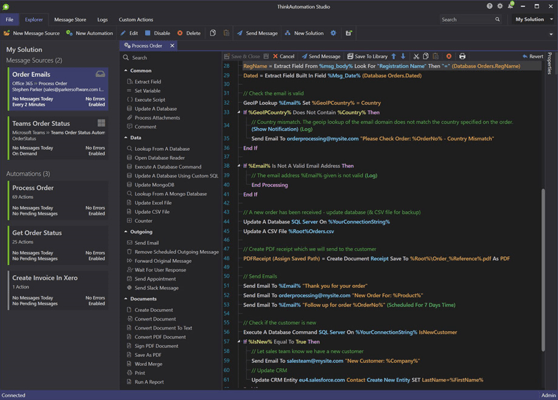
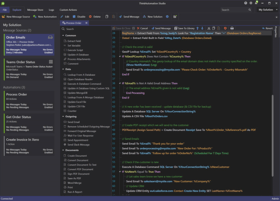
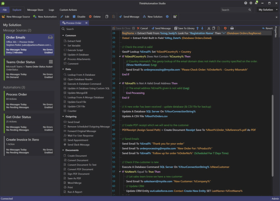
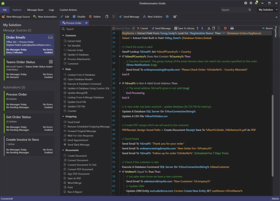
The Email2DB Administrator user interface has been completely re-written and now uses Office 2007 style menus and dialogs for better productivity.

Users must now login to the Email2DB Administrator with a user name & password for added security.

Viewing the message store has been improved. The grid can be grouped by any of the headers (the default is the message date). You can now select the folder to view and drag & drop messages between folders. When viewing HTML emails then HTML will be rendered instead of just showing the HTML text as before.

You can now import individual Accounts & Triggers from other Email2DB installations. The Account Import option lets you open a settings file and select which Accounts/Triggers to import into your current Email2DB instance.

Message Retrieval Options

In addition to IMAP and POP3 servers, Email2DB can now pull messages from databases (Database Pull), web pages (HTTP Pull) and RSS feeds for processing. This adds a whole new dimension to how Email2DB can be used.

Outbox Processing

You can now create a special Account that will receive any emails sent by Email2DB. Triggers within this Account can be defined to perform actions on emails sent.

Trigger Options

Repeating block processing. You can now define a extracted field as a 'repeating block'. Email2DB will loop through the message extracting each block in turn. The extracted section can be passed to another Trigger for subsequent processing.

Pass-To triggers. Any extracted field can now be passed to another Trigger for further processing. This allows you to break up complex messages into multiple triggers.

When updating CSV files Email2DB can now email you the CSV file on a daily, weekly or monthly basis (or as each record is added). The CSV file can then optionally be deleted ready for the next batch.

GEO-IP data is now available as built-in fields or script properties. When an email is processed, Email2DB will lookup the senders IP address from the Received header (or the senders IP address when emails are received via the built-in mail server). It will use this IP address to read the GEO-IP data. The City, Country and Organization for the senders IP address will then be assigned to the message. This is useful when creating Triggers that make use of the geographical location of the sender.

Mail Server

The built-in mail server has been enhanced with multiple security options added. Including: Black, White & Grey listing, Bayesian spam filtering, MX and RDNS lookup tests, RBLS lookups and more.

Folders within the Message Store can be assigned any number of email addresses. Incoming emails for these addresses will be saved in the message store in the relevant folder without the need to create a Trigger in Email2DB.

Users can be created and assigned multiple email addresses. Incoming emails for these addresses will be saved in the Message Store for the user. The user can view their messages via the Email2DB Administrator or by using a regular email client.

Outbound emails sent by Email2DB triggers or relayed via the mail server will be queued by Email2DB for sending. Email2DB will retry several times if outgoing emails fail. Support for sending to secure mail servers (STARTTLS) added.

Remote users can now access the Email2DB message store via both POP3 or IMAP protocols.

Inbound emails are Geo-IP tagged.

General

Web Access option now enables you to monitor the Email2DB Server remotely using any web browser.

Improved support for Windows Vista. The Email2DB Service no longer interacts with the desktop. Popup messages are displayed via the Administrator.

Support for Windows 2008 added.

PartNumbers: PC-515955-162134 515955-162134 PC-515955-162132 515955-162132 PC-515955-162215 515955-162215 PC-515955-162135 515955-162135 PC-515955-162216 515955-162216 PC-515955-162133 515955-162133 PC-515955-162213 515955-162213 PC-515955-162214 515955-162214 PC-515955-162217 515955-162217

Publisher PartNumbers: EMDBENT EMDBPRO EMDBSTD

PurchaseOptions: Email2DB V2.0 Standard Edition 1 Machine License (include 6 months of free support and product updates) , Email2DB V2.0 Professional Edition 1 Machine License (include 6 months of free support and product updates) , Email2DB V2.0 Professional Edition 1 Machine Upgrade License from Standard Edition V2.0(include 6 months of free support and product updates) , Email2DB V2.0 Enterprise Edition 1 Machine License (include 6 months of free support and product updates) , Email2DB V2.0 Enterprise Edition 1 Machine Upgrade License from Professional Edition V2.0(include 6 months of free support and product updates) , Email2DB V2.0 1 Year Upgrade Protection Extension Standard Edition 1 Machine License , Email2DB V2.0 1 Year Upgrade Protection Extension Professional Edition 1 Machine License , Email2DB V2.0 1 Year Upgrade Protection Extension Enterprise Edition 1 Machine License , Email2DB SMS Credits 1000 SMS Credits

Resources: Read the Email2DB help file, Browse the Email2DB Edition Comparison Table, Read the Email2DB Manual, Browse the Email2DB License Agreement, Download the Email2DB V2.0 evaluation on to your computer - Expires after 30 days

Operating System for Deployment: Windows Server 2008, Windows Vista, Windows XP, Windows Server 2003, Windows 2000

Architecture of Product: 32Bit

Product Type: Application

Application Type: Developer Application, End User Application, Server Application

Compatible Containers: Microsoft Office 2007, Microsoft Office 2003, Microsoft SQL Server 2000, Microsoft SQL Server 7.0, Microsoft Office Outlook 2007, Microsoft Office Outlook 2003, Microsoft Exchange Server 5.5, Microsoft Exchange Server 5.0, MySQL 5.0, MySQL 4.1, MySQL 4.0

Search Items: New Product May 05, New Product July 05, New Product Aug 05

Keywords: ecommerce e commerce e-commerce e-business e-sales e-mail email e mail mail Entry data-entry Author parkersoft soft email parser database processor server email 2 database access e-mail data mail parker email to database extract data e-mailtodatabase

商品検索

検索したい単語を入力して下さい:

クイック リンク

開発元/発売元

主要なカテゴリー

関連製品

関連のカテゴリー

スクリーンショットギャラリー