ShellRun - Application - V3.7 - 概要

by PHD Computer Consultants - 製品のタイプ: アプリケーション

結果

ShellRun by PHD Computer Consultants

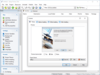
Start your CD or DVD professionally. ShellRun neatly AutoRuns your chosen file or program as soon as your CD is inserted into a Windows computer, while optionally displaying a splash window or fully configurable popup window. Shellrun can display a menu of command buttons. ShellRun also helps if your CD user has not installed a suitable viewer, for example to view PDF files. ShellRun shows your warning message and tells the user how to get a viewer.

Features:

Use ShellRun to start your CD or DVD professionally

ShellRun neatly AutoRuns your chosen file as soon as your CD is inserted into a Windows computer, while displaying a splash window or fully configurable popup window

Shellrun can display up to 10 more files, optionally in a command button menu

ShellRun can request that Windows starts any type of file. For an HTML web page, ShellRun will start the user’s default browser to display the page. For a PDF© file, Adobe™ Acrobat Reader will be started, if it is available

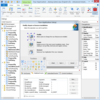
You can use any BMP image as the splash window shown at startup. Alternatively, use a popup window, either small or maximised to fill the screen. The popup window can contain a BMP image of your choosing. The text and clickable URL shown in the window are configurable as well

If a suitable viewer is not available for your type of file, then ShellRun shows a configurable warning message and prompts for the installation of a viewer. If you are allowed, put an installation program on your CD which can be run from ShellRun by clicking on the Install Viewer button. Alternatively, you can link to the viewer web site

ShellRun can also check that other viewers are present in a user’s system. Suppose that you start with a web page, but also use PDF content. ShellRun can check for up to 10 other viewers, and suggest that they be installed

To use ShellRun you must write a plain text file AUTORUN.INF. All configuration of the retail version of ShellRun is done in a similar text file named ShRun.INF which must be put in your CD root directory alongside AUTORUN.INF, the ShellRun runtime and your start-up images

ShellRun also includes a Viewer Browser program which can be used to determine whether a viewer is available on your computer, and the viewer executable filename and version number

ShellRun runs in Windows systems only. Even here, a user may have AutoRun switched off, so always provide instructions for starting your CD manually

What's New in V3.7:

Buttons now have configurable colours and font.

What's New in V3.6:

Playing Enhanced CDs works better in Windows Vista (File association command now supports %ProgramFiles%). Menu mode: delay before quitting - keeps Vista Windows Media Player happy

What's New in V3.5:

XP SP2+ Active Content option added

What's New in V3.4:

If retrying show after viewer installed does not work:

convert Install viewer button to Re-show file

button text set by NoViewerCmdClickRetryText parameter

defaults to "Click here when viewer installed"

Fix bug: crash on first re-show attempt after viewer install if no message

New icon and phdcc image

What's New in V3.3:

DoNotRepeat doesn't force popup to show if -nomsg set

What's New in V3.2:

Message -min minimize option added

What's New in V3.1:

Supports non-Western Unicode characters

What's New in V3.0:

Command button menu of options available

Can now run programs

Stops if CD ejected

What's New in V2.4:

New "Do not show again" option. The ShellRun window is shown the first time a CD inserted. The user can then opt not to run ShellRun the next time the CD is inserted

ShowTime parameter can be -1 to keep popup window on screen permanently

New ShowOptions parameter lets you keep popup window in front of all other windows

What's New in V2.3:

File showing made conditional, ie:

to show a specific file for each viewer version

to show a file dependent on whether a file exists on the user's system

to show a file dependent on a registry value

NoViewerCmd also tries to display original filename after running installer (unless NoViewerCmdClickRetryShow set to "off")

ShellRun displays while running installer (but disallows exit)

What's New in V2.2:

Play audio options added for Enhanced CDs containing music and data

What's New in V2.1:

Improved "HTML Results" feature

What's New in V2.04:

By default, failed filename not now passed as parameter to No Viewer command Instead command parameter now taken from NoViewerCmdParam, NoViewerCmdClickParam, ViewerCmdParamsN, ViewerCmdClickParamsN parameters

If -max specified, ensure that window is maximised

Delay main timer start until splash loaded

What's New in V2.02:

Title parameter added, this allows you to change the 'Pop-up' window title

PartNumbers: PC-509959-171387 509959-171387 PC-509959-171386 509959-171386 PC-509959-171388 509959-171388

Publisher PartNumbers: Product 30

PurchaseOptions: ShellRun V3.7 1 User License , ShellRun V3.7 Source Code Escrow Annual Subscription - (An Escrow Agreement will be sent to you for signature - please read Licensing section) , ShellRun V3.7 Academic License Academic User License

Resources: Download the ShellRun evaluation on to your computer - Limited Functionality

Operating System for Deployment: Windows Vista, Windows XP, Windows ME, Windows 2000, Windows 98, Windows NT 4.0, Windows 95

Architecture of Product: 32Bit

Product Type: Application

Compatible Containers: Microsoft Internet Explorer 5.0, Microsoft Internet Explorer 4.0, Microsoft Internet Explorer 3.0, Netscape Navigator

Product Class: Component Development Tools

Search Items: New Version Aug 03, New Version Nov 03, New Product Mar 05, New Product May 05

Keywords: PHD Computer Consultants PHDCC Multimedia media Installation Installing install installs uninstalling uninstall uninstalls setup MSI msi scripts Author PHD Computer Consultants Ltd ShellRun Installation Installing Loading autoplay CD-ROM demo demos uninstalling uninstall setup shell run

商品検索

検索したい単語を入力して下さい:

クイック リンク

開発元/発売元

主要なカテゴリー

関連製品

関連のカテゴリー

Award