Syncfusion Essential Tools WPF
by Syncfusion - 製品のタイプ: Component / .NET WPF
この商品については、日本語の説明書きはございません。
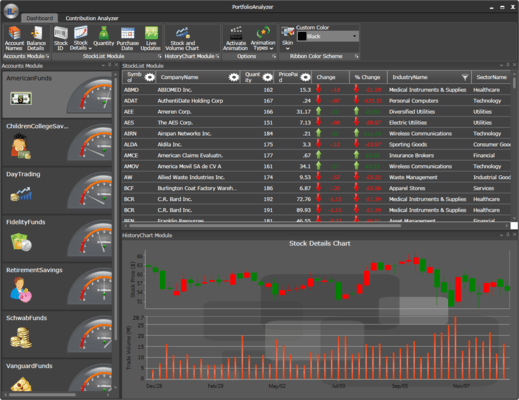
A rich set of UI controls to let you create rich interactive WPF applications with the latest look and feel of Office 2007, Visual Studio .Net, Outlook 2007, etc. Syncfusion Essential Tools WPF is a class library that comes with the very latest User Interface patterns, including the look and feel of Office 2007, VS.NET-style docking and tabbed windows, Outlook UI, IE7 tabs, tree, menus and more.
一般向け価格については下記に表示されています。お客様用の割引価格をご覧になるには、ログインしてください。
Syncfusion Essential Tools WPF 2008 Vol 4
| カートに追加 |
¥ 68,775 (税込) |
1 Developer License - with 1 Year Subscription |
|
ダウンロード (215.4 MB) |
| カートに追加 |
¥ 34,020 (税込) |
1 Developer Annual Subscription Renewal License (for subscriptions soon to expire or up to 2 weeks past expiration |
要確認 |
ダウンロード (29 KB) |
| カートに追加 |
¥ 41,265 (税込) |
1 Developer Reinstatement of Lapsed Subscription License (for subscriptions lapsed longer than 2 weeks) |
要確認 |
ダウンロード (29 KB) |
| カートに追加 |
¥ 20,370 (税込) |
1 Developer License without Subscription Upgrade from previous version |
要確認 |
ダウンロード (215.4 MB) |
Syncfusion Essential Tools WPF 2008 Vol 4 with Source Code
| カートに追加 |
¥ 124,320 (税込) |
1 Developer License with Source Code - with 1 Year Subscription |
|
ダウンロード (215.4 MB) |
| カートに追加 |
¥ 47,880 (税込) |
1 Developer Annual Subscription Renewal License (for subscriptions soon to expire or up to 2 weeks past expiration) with Source Code |
要確認 |
ダウンロード (29 KB) |
| カートに追加 |
¥ 74,550 (税込) |
1 Developer Reinstatement of Lapsed Subscription License (for subscriptions lapsed longer than 2 weeks) with Source Code |
要確認 |
ダウンロード (29 KB) |
| カートに追加 |
¥ 28,770 (税込) |
1 Developer License without Subscription Upgrade from previous version with Source Code |
要確認 |
ダウンロード (215.4 MB) |
すべてのご注文にて弊社標準の 契約条件および返品条件の内容が適用されます。
一般向け価格については上記に表示されています。お客様用の割引価格をご覧になるには、ログインしてください。
Please note: Syncfusion Essential Tools WPF also includes Windows Forms and ASP.NET components.
What's new in Syncfusion Essential Tools WPF 2008 Volume 4?
- DockingManager with Document Container - The DockingManager now incorporates a document container supporting Multiple Document Interface (MDI) and Tabbed Document Interface (TDI) applications in WPF. With this feature, now you can dock windows and switch between different states, such as Floating or AutoHiding; these windows can also be tabbed as documents.
- Horizontal and Vertical TabGroups - The DockingManager now comes with support for horizontal and vertical TabGroups, allowing tabbed documents to be placed horizontally or vertically.
- Currency Text Box - The Editors Package adds yet another control to its vast array. The Currency Text Box control, for currency-specific behavior, implements all the functionalities needed to format currency input and validation.
What's new in Syncfusion Essential Tools WPF 2008 Volume 3?
- New Document Container Framework (MDI / TDI) -Create MDI applications using WPF. The new document container framework adds support for Multiple Document Interface (MDI) and Tabbed Document Interface (TDI) applications in WPF. Sophisticated window switching styles are also supported.
- New Advanced Tab Control -TabControlExt—a new advanced TabControl with drag and drop support of tab items, multiple tab strip placements, different tab scroll styles, additional context menus, multiple close button types, dynamic in-place header text editing, and more–has been added. The control also supports skinning and custom drag markers.
- Docking Manager XBAP Support -The DockingManager can now be used in XBAP applications.
- Outlook 2007 style GroupBar collapsible navigation -GroupBar control has Outlook 2007-like collapsible Navigation Pane support.
- RibbonVistaGlass Style -The ribbon window now supports Vista Glass style, further enhancing the appearance of ribbon-based applications.
- Color Picker -Color-picker control now supports the selection of colors using an eyedropper. New layouts, visual styles, and themes have been added; ARGB values can also be directly edited.
- Chromless Window - With Chromeless Window you can create customizable windows for the end user's presentation UI. It comes with features that allow resizing, and dragging and moving. The user can create custom title bars, status bars, scrollbars, and so on. It also comes with support for various skins.
- Extensive Help Document - Ship an extensive collection of help documents with Essential Studio WPF, making the developer feel at ease while building any application that uses the controls.
- Sample Modifications - As a part of this release, have altered all the existing Tools WPF samples and created new samples to demonstrate the efficiency of Essential Studio WPF.
Benefits of working with Syncfusion:
- Standardize to simplify: One vendor, one license, one suite of .NET components. Syncfusion’s wide range of solidly built components allows developers to streamline their toolkits and reduce dependence on multiple vendors.
- Trusted architects: Industry-leading architects ensure each product is built for the most demanding of environments.
- Full source code: 100% C# source code available, enabling seamless integration of our libraries with your projects.
- Solid support infrastructure: First-rate tech support is available via Syncfusion’s online tracking system Direct-Trac, email, and phone. No per-incident charges. Syncfusion also provides an extensive knowledgebase, FAQs, and forums.
- Built with the future in mind: Syncfusion components are geared towards long-lifecycle applications and architected to meet high standards for flexibility and long-term maintainability.
- Flexible licensing model: Straight-forward per-developer licensing, with no runtimes, server deployment fees, or royalties. Each licensee may install on multiple personal machines.
Technical Support - Each Syncfusion license includes a one-year subscription for unlimited technical support and updates. Support for Syncfusion products is available 24 / 5 through a custom-built support system, with responses guaranteed within a single business day. Support is also available by e-mail and phone. Syncfusion’s Direct-Trac system can be used to create support incidents and track them to completion 24 hours a day, 7 days a week and allows Syncfusion licensees to maintain a complete overview of their support history.