
 (4)
(4)
 (18)
(18) (18)
(18)

公式サプライヤー
公式および認定ディストリビューターとして200社以上の開発元から正規ライセンスを直接ご提供いたします。
当社のすべてのブランドをご覧ください。
説明: Supports all Android core features including: SQL databases including encrypted databases GPS Home screen ... process Enhanced support for databases and web-services. Step by step guides for connecting to remote ... MySQL and Microsoft SQL Server databases. SVN (source control) friendly Remote Database Connector- ... 続きを読む この製品についてさらに結果を表示します。
説明: connecting to remote MySQL and Microsoft SQL Server databases. SVN (source control) friendly Remote Database ... Connector- lightweight server that enables connection to any type of database B4AServer- implementation of a ... 続きを読む
リリースノート: Adds support for the latest version of Firebase, Crashlytics and Android SDK. v10.5 Updated Jan 04, 2021 New libraries tab. Find all references feature was rewritten. Previously it couldn't handle more complex cases, where a sub or field are called indirectly. Various IDE notifications also ... 続きを読む

リリースノート: editor for WinForms manages rich text as HTML, so it has many use cases, such as editing raw HTML ... for a database record, syntax highlighting for code editors, and presenting a desktop chat app. More Chart ... 続きを読む この製品についてさらに結果を表示します。
説明: Distribution with NuGet Packages Make package management effortless with ComponentOne NuGet packages on nuget ... + include:. Data Management DataFilter FlexGrid FlexPivot* Listbox RulesManager Tree Grid True DBGrid Data ... CalendarView Scheduler Input & Editors Buttons CheckBox ColorPicker ComboBox DateEdit Database Navigator ... 続きを読む
説明: time with over 120 advanced WinForms UI controls. Manage data with FlexGrid, the fast.NET datagrid. ... integration, ComponentOne is an ideal companion to Visual Studio development on Windows 11. Manageable ... Distribution with NuGet Packages Make package management effortless with ComponentOne NuGet packages ... 続きを読む
カスタマーレビュー: 4 Spain ... 続きを読む この製品についてさらに結果を表示します。
リリースノート: Added support for OpenAI GPT-5 models through the new Responses interface. The Text Importer now supports SEP=<separator> meta data. The Tab key will now also indent a single line if all non-blank text on that line is selected. The AI Configuration form now shows hints when editing a ... 続きを読む
リリースノート: an unresponsive database session did not always work. Fixed issue where so that the Logon form now preserves ... the original capitalization of the database name from the tnsnames.ora file if it is selected by partially ... 続きを読む
説明: アプリケーションにOutlook風のインターフェイスを追加可能。 Janus WinForms Controls Suite は、ComponentSourceにおけるベストセラーである、Janus Systems が提供する100%の.NETマネージドコードによるコンポーネントスイートです。このスイートに含まれるのは、Janus GridEX for.NET (Outlook Grid)、Janus Schedule for.NET (Outlook Calendar View)、Janus Timeline Control for.NET (Outlook Journal)、Janus ... 続きを読む この製品についてさらに結果を表示します。
互換性: OS Windows 10 Windows 8.1 Windows 8 Windows 7 Windows Vista Windows XP Windows ME Windows 2000 Windows 98 Windows NT 4.0 製品のアーキテクチャー 32Bit 64Bit 製品タイプ コンポーネント コンポーネントのタイプ.NET WinForms.NET Class 100% Managed Code 使用して構築 Visual C#.NET 互換性のあるプラットフォーム Microsoft Visual Studio 2013 Microsoft Visual ... 続きを読む
スクリーンショット: Janus Timeline Control for.NET is a 100% C# managed control patterned after Outlook’s Journal. The Control is ideal for displaying items in relation to time. ... 続きを読む
互換性: Component Type.NET WinForms 100% Managed Code Compatible Containers Microsoft Visual Studio 2013 Microsoft ... 続きを読む この製品についてさらに結果を表示します。
互換性: OS Windows 11 Windows Server 2026 Windows Server 2022 Windows Server 2019 Windows Server 2016 ツールタイプ コンポーネント コンポーネントのタイプ.NET WindowsForms 開発言語 Visual Basic C# 互換性のあるプラットフォーム Microsoft Visual Studio 2026 Microsoft Visual Studio 2022 Microsoft Visual Studio 2019 Microsoft Visual Studio 2017.NET 10 ... 続きを読む

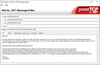
説明: components send and receive email, respectively. Internet Message Access Protocol (IMAP4) component manages ... and encrypts the content. Included X509 certificate management support is used to manage security at levels 2 ... 続きを読む この製品についてさらに結果を表示します。
説明: the message and encrypts the content. Included X509 certificate management support is used to manage ... 続きを読む
互換性: Supported languages: C# VB.NET Managed C++ Powershell Tested in the following application environments: ... 続きを読む

リリースノート: export, and a SelectedTextChanged event. The rich text editor for WinForms manages rich text as HTML, so ... it has many use cases, such as editing raw HTML for a database record, syntax highlighting for code ... 続きを読む この製品についてさらに結果を表示します。
リリースノート: New in WinForms Calendar Improvements Added the GetSelectedDateRange method to C1DateRangeEdit to retrieve the selected date range based on the current culture calendar. Added the C1DateRangeEdit control to display and edit date ranges through a drop-down editor. Command Improvements Added a design ... 続きを読む
リリースノート: formatting rules manager engine to FlexGrid for WinUI. This enables more conditional formatting scenarios, ... 続きを読む
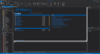
説明: bookmarking, code formatting, and code completion. Create, edit, and manage code snippets to enhance your ... formatting, and code completion. Create, edit and manage code snippets. Script with cmdlets from remote ... projects to manage multi-file scripts, create multi-form GUIs, and script modules. Keep your projects ... 続きを読む この製品についてさらに結果を表示します。
リリースノート: Adds support for SQL Server Compact databases, plus improved speeds for larger documents. Added: ... (Replaces the previous execution policy manager). Added: "Search PSGallery for Module..." command ... to editor context menu to search the gallery for the unknown cmdlet's module in module manager. Added: ... 続きを読む
リリースノート: Added pre-built cache files for Microsoft Graph 2.35.1. Updated database connectors. Installer ... 続きを読む

スクリーンショット: The Text Edit and Text Compare views support wrapping lines to fit the display. 0 ... 続きを読む この製品についてさらに結果を表示します。
スクリーンショット: The Table Compare view has been significantly enhanced, including support for multiple Excel sheets and multiple HTML tables. 0 ... 続きを読む
リリースノート: Notable Changes General polish and stability improvements. Notable Changes Windows: Fixed.docx conversion failures when the system ANSI codepage is a DBCS one. Windows: Fixed report Print, Print Preview, and Print to PDF scaling fonts incorrectly. Windows: Fixed crash when trying to uninstall a ... 続きを読む
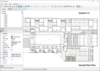
説明: industrial drawings, databases, document management systems, CNC machining, monitoring and remote control ... 続きを読む
電話: (888) 850 9911
Fax: +1 770 250 6199


