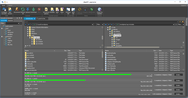
開発元/発売元: ComponentOne 主要なカテゴリー: デモ/プレゼン 製品のタイプ: アプリケーションRecord Screen Activity and Produce WMV, Flash, GIF, AVI, EXE, and Java. ComponentOne DemoWorks 2009 produces professional quality demonstration videos without the need for programming, multi-media, or graphic design expertise. ComponentOne DemoWorks 2009 can also Record any screen activity, with or without audio narration, and produce video in industry standard formats such as Flash, animated GIF, and AVI. ComponentOne DemoWorks 2009 can also edit videos frame-by-frame, add captions, highlights, and more. DemoWorks 2009 can also output to the Windows Movie format (WMV). もっと見る
開発元/発売元: Infragistics Japan K.K. 主要なカテゴリー: ユーザーインターフェース 製品のタイプ: アドインアプリケーションのROIを最大限にできるアイコン集。NetAdvantage ICONSは、テーマごとにパッケージされており、使いやすく、開発者がグラフィックをすばやくユーザー インターフェースに追加することができるアイコン セットです。このアイコンはWindows Forms、ASP.NET、Silverlight、WPF、JSF すべてのプラットフォームに対応しています。各アイコンは、アプリケーションデザイナーが必要な7 標準サイズをご用意しています。NetAdvantage ICONSは32-bit PNG、ICOのファイル形式で提供されICO は7ファイルサイズを含みます。
もっと見る
開発元/発売元: LEAD Technologies 主要なカテゴリー: イメージ処理 製品のタイプ: コンポーネント / アドイン / .NET WPF / ActiveX OCXHigh level developer toolkit includes ActiveX and WPF/XAML Controls. LEADTOOLS Imaging SDK provides basic and advanced color imaging features for file format import/export, image compression, image display and effects, color conversion, image processing, TWAIN scanning, imaging common dialogs, database integration, printing and Internet. もっと見る
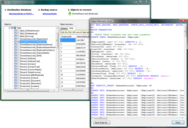
Document and analyze your Access databases. Total Access Analyzer let's you understand how your database works and helps you find errors and performance bottlenecks. It includes the ability to detect over 100 types of errors and includes suggestions and performance tips. The comprehensive database analysis and documentation finds problems before you ship and lets you understand what's really going on. Total Access Analyzer performs detailed analysis of your Access database objects individually and as a whole. By examining your entire database, it discovers complex relationships among objects, hidden problems and even unused objects. もっと見る
開発元/発売元: LEAD Technologies 主要なカテゴリー: イメージ 製品のタイプ: コンポーネント / アドイン / .NET WinForms / .NET Class / DLL / VC++ Class LibraryProvide 2-D and 3-D vector imaging for loading, viewing, modifying and saving vector files to memory/disk in native vector format. LEADTOOLS Vector Imaging SDK includes a low level API, and C++ Class library to add, edit, delete, rotate, translate, and scale objects. Group objects into layers. Change camera and lights. OpenGL, DirectX or GDI engines supported. Convert and save vector images to any of the over 150 raster file formats supported by LEAD. もっと見る
開発元/発売元: LEAD Technologies 主要なカテゴリー: イメージ処理 製品のタイプ: コンポーネント / アドイン / .NET WinForms / .NET Class / 100% Managed Code / DLL / VC++ Class LibraryMedical imaging programming libraries - LEADTOOLS Medical Imaging toolkit is a collection of .NET, VC++ Class Libraries and an API that provides complete support for the DICOM 3.0 specification, including all standard IOD classes and modalities, 12 and 16-bit grayscale imaging and much more. The Medical Imaging SDK provides powerful medical-specific annotation objects such as cross product, point, and protractor, allowing the measuring and mark-up of medical files. もっと見る
開発元/発売元: LEAD Technologies 主要なカテゴリー: イメージ 製品のタイプ: コンポーネント / アドイン / .NET WinForms / .NET Class / DLL / VC++ Class LibraryProvide 2-D and 3-D vector imaging for loading, viewing, modifying and saving vector files to memory/disk in native vector format. LEADTOOLS Vector Imaging SDK includes a low level API, and C++ Class library to add, edit, delete, rotate, translate, and scale objects. Group objects into layers. Change camera and lights. OpenGL, DirectX or GDI engines supported. Convert and save vector images to any of the over 150 raster file formats supported by LEAD. もっと見る
開発元/発売元: LEAD Technologies 主要なカテゴリー: イメージ処理 製品のタイプ: コンポーネント / アドイン / .NET WinForms / .NET Class / DLL / VC++ Class LibraryMedical imaging programming libraries. LEADTOOLS Medical Imaging includes hand-picked and optimized features to meet the specific needs of medical imaging application development, such as full DICOM dataset support, support for 8-16 bit grayscale, and 12 and 16 bit image processing and display with window leveling and LUT processing. DICOM 3, the industry standard medical imaging format/protocol is fully and completely supported, allowing programmers access to medical images retrieved from digital imaging modalities such as CT and MR scanners. LEAD's DICOM imaging support is one of the richest in the industry supporting 8, 10, 12, 16, 24 and 32 bit images including JPEG (8, 10 , 12, 16-bit Lossless grayscale, 8, 12-bit lossy grayscale, 24-bit lossless and lossy color), Run Length, Uncompressed, Photometric Interpretation (Monochrome1, Monochrome2, Palletized, RGB, ARGB, CMYK, YBR Full 422, YBR Full), and single and multi-page images. LEAD's Medical Imaging toolkit includes 8-16 bit grayscale display with window leveling. Window leveling is a linear conversion from stored pixel values to values to be displayed; LEADTOOLS can map the stored pixel values of interest using a user defined color map (using a LUT or Palette) or linear gray LUT. もっと見る
開発元/発売元: ComponentOne 主要なカテゴリー: ヘルプ生成、ドキュメント 製品のタイプ: アプリケーションHassle free online Support experience for your customers and employees.ComponentOne FrontLine helps you cut support costs while making customers happier by allowing you to share information such as documents, articles, and FAQs on a searchable Web page. This ASP.NET-based solution delivers knowledge management, ticketing, automatic escalation and even an open API in one package. All interfaces are Web-based, so no client installs are necessary. ComponentOne FrontLine also imports documents you already have and uses those documents as articles. ComponentOne FrontLine's search engine will even scan the documents' contents. You can also use ComponentOne FrontLine's API to create your own portal. もっと見る
Split and Rename TIF Documents. BardecodeFiler is an application that splits and renames TIF documents according to the barcode values found in the images.The application reads documents from an input folder and creates new documents in an output folder. The original documents are not modified or deleted. The name of a new document created with BardecodeFiler is controlled by a template, which can include the original file name, barcode values and sequence numbers. BardecodeFiler can search for barcodes of type Codabar, Code 128, Code 2 of 5, Code 3 of 9, PDF-417, EAN-13, UPC-A, EAN-8 and UPC-E. もっと見る
ツール
ツール