CodeSite - Add-In - V4.2 - 概要

by Raize Software - 製品のタイプ: コンポーネント / アドイン / VCL

結果

CodeSite by Raize Software

Locate and eliminate problems in your Delphi and C++Builder code. CodeSite is an add-in for Borland Delphi and C++Builder that enables you to send detailed information (including string lists, objects, even bitmaps) from within your application code to a specialized receiver. Unlike message boxes and inspecting variables on breakpoints, CodeSite messages are not transient. The resulting log of messages sent to a destination provides valuable information for locating problem areas in your code.

Overview

The CodeSite Logging System gives developers deeper insight into how their code is executing, which enables them to locate problems more quickly and ensure their application is running correctly. CodeSite's logging classes let developers capture all kinds of information while their code executes and then send that information to a live display or to a log file. Furthermore, both styles of logging, live logging and file logging, can be performed locally or remotely (via TCP, UDP, or HTTP).

A key element to CodeSite's effectiveness is that unlike message boxes and inspecting variables on breakpoints, CodeSite messages are not transient. The resulting log of messages provides valuable information for locating problem areas in your code. In addition, sending CodeSite messages does not interrupt the flow of your application as happens when message boxes and breakpoints are used. As a result, CodeSite is much more effective in situations where user interactions (eg. focus changes) and painting issues need to be tracked.

CodeSite also addresses several shortcomings with traditional logging/tracing solutions. For example, CodeSite allows logging complex data structures and is not limited to simple strings. CodeSite also provides more control over what gets logged and when. Instead of relying on arbitrary logging levels, separate loggers are used to categorize CodeSite messages. CodeSite also gives developers more flexibility in managing their logging information such as enabling multiple applications (or multiple instances of the same application) to send logging information to the same log file. In addition, the CodeSite viewers, which are designed specifically for analyzing CodeSite logging messages, provide extensive, easy-to-use tools for analysis.

The CodeSite Logging Classes

The primary logging class that developers use is T|CodeSiteLogger. (TCodeSiteLogger in VCL|VCL.NET, CodeSiteLogger in FCL.NET.) However, in most cases, developers do not have to manually construct an instance of the T|CodeSiteLogger class. Instead, the CodeSite logger instance can be used immediately. In the VCL|VCL.NET, CodeSite is a global instance of the TCodeSiteLogger class. In FCL.NET, CodeSite is a static class that uses an internal CodeSiteLogger instance.

Logging information simply involves calling methods of the T|CodeSiteLogger class. Most often, the overloaded Send method will be used. In its simplest form, a simple string message is sent. Other forms include sending numeric data types, dates and times, objects, collections, bitmaps, and much more.

The CodeSite Dispatcher

The primary logging method in T|CodeSiteLogger is named Send because it more accurately describes what happens to the information being logged. In particular, T|CodeSiteLogger instances send logging information to the CodeSite Dispatcher application, which runs in the background and is responsible for dispatching CodeSite logging messages to their final destination.

There are two basic destinations for CodeSite messages: a CodeSite Live Viewer and a CodeSite Log File. However, these two destination types may reside either locally or on a remote machine. Plus, there are several ways for the CodeSite Dispatcher to transport messages to their final destination. The location of the viewer or log file as well as the transport details to be used by the Dispatcher is contained in a T|CodeSiteDestination instance, which the CodeSite Dispatcher receives from each T|CodeSiteLogger instance.

In addition to its dispatching responsibilities, the CodeSite Dispatcher also allows for dynamic blocking of selected CodeSite message types and even selected categories. Furthermore, the Dispatcher manages a list of symbolic paths that can be referenced by T|CodeSiteDestination objects.

The CodeSite Viewers

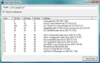
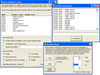
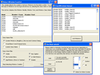
The CodeSite Logging System comes with two viewers: the CodeSite Live Viewer and the CodeSite File Viewer. Developers will most often use the CodeSite Live Viewer, which is updated immediately as new CodeSite logging messages are received from the CodeSite Dispatcher. As a result, the Live Viewer is required for live logging.

During file logging, the CodeSite Dispatcher writes the messages it receives directly to a CodeSite Log File. However, even with file logging, one must eventually view the file contents. Although log files can be loaded into the Live Viewer, this is not always practical especially if the Live Viewer is currently being updated during a live logging session. In addition, there are features in the Live Viewer, such as the Scratch Pad, that are only applicable for live logging. As a result, the CodeSite File Viewer is associated with the CodeSite Log File extension (*.csl).

Both viewers include a wide variety of inspectors and other tools specifically designed for analyzing CodeSite messages. For example, the Message Organizer can analyze the logging messages and automatically create appropriate views to isolate messages of the same application, category, thread name, etc.

What's New in V4.0?

CodeSite 4 represents the latest major release of the CodeSite Logging System and specifically focuses enhancing and improving several core areas:

Developer Productivity

Usability

Logging Capabilities

Deployment

For more details, please refer to the help file from the Evals & Downloads page.

PartNumbers: PC-506219-151551 506219-151551 PC-506219-151550 506219-151550 PC-506219-151554 506219-151554 PC-506219-151552 506219-151552 PC-506219-151553 506219-151553 PC-506219-151555 506219-151555

Publisher PartNumbers: CS4 CS4TEAM CS4UCS2 CS4UCS2P CS4UCS3

PurchaseOptions: CodeSite V4.2 1 Developer License , CodeSite V4.2 5 Developer Team License , CodeSite V4.2 - Upgrades 1 Developer Upgrade License from CodeSite V3 , CodeSite V4.2 - Upgrades 1 Developer Upgrade License from CodeSite V2.x Professional , CodeSite V4.2 - Upgrades 1 Developer Upgrade License from CodeSite V2.x Standard , CodeSite V4.2 - Academic License 1 Academic License

Resources: Read the CodeSite help file, Read the CodeSite License Agreement

Operating System for Deployment: Windows Vista, Windows XP, Windows 2000, Windows 98, Windows NT 4.0, Windows 95, Windows 3.X

Architecture of Product: 16Bit, 32Bit

Product Type: Component, Add-In

Component Type: VCL

Compatible Containers: C++Builder 4, C++Builder 3, Delphi 5.0, Delphi 4.0, Delphi 3.0, Delphi 2.0, Delphi 1.0

Product Class: Component Development Tools, Component Building Tools

Search Items: New Product Jan 05

Keywords: Debugging debug debugs Testing Test Tests Raize Software Solutions Professional Partner Code site Raize Software Solutions Inc CodeSite Debugging Debug Testing Test Error Checking Check Fault Problem Code BOTTLENECKS PERFORMANCE RUNTIME ERRORS

商品検索

検索したい単語を入力して下さい:

クイック リンク