by Contour Components - 製品のタイプ: アプリケーション
Contour CubeMaker - Application - V2.0.3.04 by Contour Components
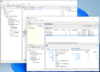
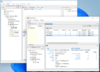
Easy to use information delivery tool. Contour CubeMaker produces Contour microcubes - multidimensional databases that contain both data and metadata describing the user interface layouts. These very compact cubes can then be transferred via the Internet or attached to an email message for use in a ContourCube application providing interactive analysis and reporting. Using Contour CubeMaker in conjunction with your ContourCube powered application allows you to create and update Web pages that provide data filtering and summarizing capabilities to a wide range of users, Windows applications for corporate users, Internet/intranet sites with downloadable microcubes, mailing systems for report distribution.
Easy to use information delivery tool
Contour CubeMaker is a command line application that requires the path to microcube generation script file and uses some optional parameters. Microcube generation script is an XML-file describing the data source settings, SQL-query and microcube template. CubeMaker processes query to the database, creates new microcube according to the template and populates it with data obtained from the SQL-query.
Usage example: C:\CubeMaker.exe myscript.xml
If one or several parameters are specified in the script, they can be passed to the application through the command line. These parameter values are added to the SQL-query. This allows to use different filtering criteria each time you process the script. For example, you can daily produce cubes with previous day data and send them to subscribers.
Usage example: C:\CubeMaker.exe myscript.xml -d curdate
Scheduled cubes updating
With Contour CubeMaker you can easily update microcubes for users who often view their reports linked to a microcube. Contour microcubes are created in less than minutes, because instead of complicated incremental updates CubeMaker just recreates the microcubes, filling them with new data.
The use of command line parameters allows you to create microcubes containing exactly the data you need. As far as CubeMaker is a command line tool it can be run from either Windows scheduler or your custom application.
Multiple microcube production
If the script specifies a master field and an SQL-query to it, the Detail Query is filtered by each master query value; the number of microcubes built will be equal to the number of unique rows in the master query. This allows, for example, to create microcube packages that contain reports for each branch office of your company or one microcube for each quarter of current year.
Interactive request for reports generation
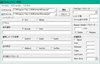
Your application or web page can provide users with a dialog for setting up report parameters. After this the application can generate XML-script or new parameters for existing XML script and run CubeMaker. Generated microcubes can be saved for user on a web server and shown as a link on web page or sent by email.
Main Features Include:
Data access through ADO, ODBC, BDE, XML
XML script format support
Various ways to create microcubes:
Manually
From within an application or web page
Using a scheduler
Command line parameters can be passed to the SQL-query
Master fields that provide rules of multiple cube production from Detail Query
Constants CurDay, CurWeek, CurMonth and CurYear allow to fill microcubes with actual data using one script
Usage scenarios
Website log analysis: Your script nightly adds a website log into the database. Contour CubeMaker then builds and copies 3 microcubes to the website: today's traffic, 3 last months visitors, 3 last months popular pages, last year referrers. Users get microcubes and analyze the web traffic using a web page powered with ContourCube ActiveX
Sales reports: Your application allows users to register sales transactions. Contour CubeMaker weekly builds microcubes: sales by regions, sales by products and so on. Users analyses sales of their company with your Windows application powered with ContourCube VCL or ActiveX
Report distribution to the branch offices: Your Data Warehouse collects data from company branches. Contour CubeMaker monthly produces microcubes by scripts with Master field "Branch" and your script sends microcubes containing different reports for the staff of each branch by email. Users view microcubes with Contour OLAPBrowser
Interactive reports production: Your company database contains data used for your customers. Users define parameters for Contour CubeMaker in a dialog form on your web site. Then, CubeMaker runs and generates microcubes that are accessed by users with OLAPBrowser or through a web page powered by ContourCube
PartNumbers: PC-514165-44617 514165-44617 PC-514165-44618 514165-44618 PC-514165-44619 514165-44619 PC-514165-44620 514165-44620 PC-514165-44621 514165-44621 PC-514165-44637 514165-44637 PC-514165-44638 514165-44638 PC-514165-44639 514165-44639 PC-514165-44640 514165-44640 PC-514165-44641 514165-44641
PurchaseOptions: Contour CubeMaker V2.0.3.04 1 Physical Address License , Contour CubeMaker V2.0.3.04 5 Physical Address License , Contour CubeMaker V2.0.3.04 10 Physical Address License , Contour CubeMaker V2.0.3.04 25 Physical Address License , Contour CubeMaker V2.0.3.04 50 Physical Address License , Contour CubeMaker V2.0.3.04 1 Physical Address License Upgrade from previous version , Contour CubeMaker V2.0.3.04 5 Physical Address License Upgrade from previous version , Contour CubeMaker V2.0.3.04 10 Physical Address License Upgrade from previous version , Contour CubeMaker V2.0.3.04 25 Physical Address License Upgrade from previous version , Contour CubeMaker V2.0.3.04 50 Physical Address License Upgrade from previous version
Resources: Read the Contour CubeMaker User Guide - Requires Acrobat Reader, Download the Contour CubeMaker V2.0.3.04 evaluation onto your computer - Expires after 30 days
Operating System for Deployment: Windows XP, Windows Server 2003, Windows ME, Windows 2000, Windows 98, Windows NT 4.0, Windows 95
Architecture of Product: 32Bit
Product Type: Application
General: Internet Enhanced
Product Class: Component Development Tools
Search Items: New Product Jun 03, New Product June 04, New Product July 05, New Product Aug 05
Keywords: Contour Components On-Line Analytical OLAP analysis analyze analyse Corporate Partner