by Developer Express - 製品のタイプ: Component / .NET WinForms / .NET Class / 100% Managed Code
DXperience WinForms by Developer Express
All the WinForms component suites and libraries produced by DevExpress in one package. DXperience WinForms includes the following products: XtraGrid Suite, XtraBars Suite, XtraPivotGrid Suite, XtraScheduler Suite, XtraReports Suite, XtraTreeList Suite, XtraVerticalGrid Suite, XtraCharts Suite, XtraLayoutControl Suite, XtraNavBar, XtraEditors Library, XtraPrinting Library, XtraSpellChecker.
Components designed for Windows Forms
XtraReports Suite
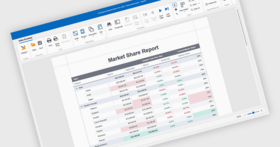
A reporting tool that features an extremely easy-to-use report designer - the XtraReports Suite is fully integrated into MS Visual Studio IDE so you customize reports like you customize your Windows Forms. You simply build an XtraReport class descendant either within the designer or via code.
Other features include: large set of export formats including XLS, HTML and PDF; the ability to integrate reports into ASP.NET applications; several wizards simplifying the report construction process; numerous built-in native controls including rich text box, bar code, zip code and charts; the ability to print 3-rd party Windows Forms controls; master-detail and sub-report support; fully functional end-user designer; multi-column reports, and much more.
XtraCharts Suite
A 2D/3D charting solution for both Windows Forms and the Web. Regardless of platform or chart type, you are free to customize each aspect of data representation – from axes and diagram backgrounds to legend and titles. The XtraCharts Suite offers multiple built-in coloring schemes for all charts types and natural lighting with full smoothing support for 3D charts. You simply provide data and automatically get a perfect visualization.
XtraGrid Suite
A grid control with four data layout options from a simple table to banded multi-line row layout and card views. XtraGrid offers true master-detail support with unlimited nesting levels that doesn’t affect any other features, intuitive on-form customization without the need for any designer dialogs, rich end-user experience, printing and exporting to a number of formats, and so much more.
XtraBars Suite
The suite offers you the complete range of navigation and window layout management tools. Using XtraBars, you can build Ribbons, traditional toolbar-menu systems, dock windows, tabbed MDI interfaces and context menus. You have the choice of over ten item types to be used in Ribbons, bars and menus – from push and check buttons and integrated editors from the XtraEditors Library to automatically constructed MDI children lists and toolbar lists.
XtraScheduler Suite
XtraScheduler Suite enables you to incorporate the UI found in Microsoft Office Calendar to your applications with just a couple of mouse clicks. Everything you need is available out-of-the-box. You get multiple data views - from a single day to multiple weeks; you get built-in recurrence and reminders, and, most importantly, you get the complete set of build-in end-user menus and dialogs.
XtraPivotGrid Suite
The XtraPivotGrid Suite is a data analysis, data mining and visual reporting solution for Windows Forms applications. It was engineered to provide a bridge between on-screen forms and printed reports. With it, your users can break down raw data in any manner they require using easy-to-understand Windows commands and instantly render the desired output to a printer. By incorporating the XtraPivotGrid in your application, you can deliver an almost endless array of reports - both on-screen and in printed form - without hassles or aggravation.
XtraLayoutControl
The XtraLayoutControl represents an new way in which to design and manage your Windows GUI - with it, you can construct forms with full runtime customization and offer end-users complete control over the layout and appearance of your applications with ease.
XtraTreeList Suite
A hybrid tree-view and grid control that has both bound and unbound data access options. The optimal choice for building newsreader-like applications and any other hierarchical data viewers like folder or registry browsers.
XtraVerticalGrid Suite
A 90 degrees rotated grid where records are arranged one after another from right to left. The control gives you the choice of 3 data layouts – single record (similar to the Properties window of the MS Visual Studio), bands layout (one record is displayed in a number of columns) and multi-records layout (just like the inverted grid control). The vertical grid supports tree-like data representation structure, breaking the columns into collapsible categories, complex cell layouts, automatic row drag and drop and much more.
XtraNavBar
A navigation control allowing you to build side-bars, explorer bars and Office navigation panes – over 20 views are available which also includes XP painted and custom-skinned views. You set up the control structure once and don’t have to redo a single thing to change the paint style and layout. Within its groups, the control can display either links arranged using one of the four built-in layouts or any Windows Forms controls. Other main features include: on-form design-time customization without the need for designer dialogs, automatic link drag and drop support, full appearance customization including even owner-drawn hints for groups and links.
XtraEditors Library
The library is comprised of over 20 editors that can be used both as standalone or be embedded into cells of the XtraGrid, XtraTreeList, XtraVerticalGrid controls and bars and menus produced with the XtraBars Library. Additionally, the XtraEditors Library offers numerous controls like labels, buttons, list boxes, splitters and so on so you can create visually consistent applications. Included style controller and editors repository components eliminate the need to create the same styles or editors more than once.
XtraPrinting Library
The data rendering and visualization system allowing you to construct any printed pages from scratch or print Windows Forms controls like the XtraGrid, XtraTreeList, XtraPivotGrid, XtraCharts, DataGrid, ListView, TreeView. This library is also integrated into the XtraReports Suite to provide printing facilities.
XtraSpellChecker
The XtraSpellChecker provides you a straightforward way in which to add Microsoft Office style spell checking capabilities into your next Windows application and offers you built in suggestion forms that replicate corresponding forms found in Microsoft Word and Outlook.
What's New in DXperience for WinForms v2008 vol 2?
New Component Libraries
XtraGauges - In its first release, the XtraGauges Suite provides you with linear, circular, digital and state indicator gauge types. Considering all predefined gauge layouts and visual styles, you have 84 ready-to-use gauge presets at your disposal. Each preset can be further customized if the default appearance does not fully satisfy your business requirements. The XtraGauges Suite uses vector graphics for all gauge types, so gauges can be freely resized while maintaining the highest level of quality.
XtraWizard - With XtraWizard, you can easily generate multi-step wizard dialogs that fully conform to Wizard 97 or Wizard Aero standards. Regardless of which standard you require, XtraWizard allows you to take full advantage of the DevExpress Skinning technology so you can deliver cutting-edge interfaces consistent with your application. Intuitive design-time experience allows you to create as many pages as you like and switch between them using navigation buttons – just as you would do at runtime. When placing controls or text onto individual pages, XtraWizard manages offsets and alignment and so you don't have to take care of little details and can be instantly more productive. Any linear wizard can be implemented with just a few mouse clicks. To create advanced experiences that include conditional navigation or data validation for specific pages, simply handle the appropriate events.
Windows Forms Skinning Library - New Skinning Option for Windows Forms Controls. DXperience v2008 vol 2 extends our Skinning engine with yet another unique visual style – the Summer Skin.
XtraCharts Suite
Group Summary Calculation -Chart control now fully supports aggregate function calculations against data groups. Traditionally, there are five built-in functions – sum, maximum, minimum, count and average. You can also implement custom aggregate functions by registering your own calculation procedure. As a result, your custom function will be available to end-users via the XtraCharts Wizard.
Top N Values Display - The option to display only a few of the most important values (such as sales for a few best-selling car models). Simply specify the number of best values you're interested in and XtraCharts will automatically filter out the rest. This feature also allows you to enable the remaining values (Others) – an aggregate value calculated against all records that were filtered out.
Smart Positioning for Value Labels - Although charts display axes with tick marks and can even display a grid within the diagram, it may be difficult for end-users to determine exact values or to compare them. In these instances, the best way to improve chart readability is to enable value labels. In the past, this solution has always had a disadvantage – if values were too close to one another, their labels could overlap. In version 2008 vol 2, XtraCharts introduces a new label layout mechanism. When enabled, this algorithm ensures neighboring labels won't overlap one another.
Trend Lines - XtraCharts v2008 vol 2 introduces a chart element that was missing from our views – Trend Lines. These lines connect a value (Open, Close, Low or High in Financial charts) of one argument with a value of another argument. You can also force a trend line to be extrapolated. As with many other elements in XtraCharts, Trend Lines can be hot-tracked and selected by end-users. Thus, you can allow end-users to delete or customize specific trend lines, as shown in our product demo.
Multi-Pane Charts - If you must display several series that share the same arguments or the same values, a few options are available to you:
Display several charts - This will require a lot of form space and provides no ability to share an argument axis.
Display several series in one diagram - This works fine if series can share both axes. If not, you will end up creating secondary axes, which make a chart unreadable if you have more than two series.
Display a multi-pane chart (new option available with XtraCharts Suite v2008 vol 2) - This chart type has multiple side-by-side charts that can share an axis - you can even enable the simultaneous scrolling of the charts.
Free Formatting in Chart Titles - Chart titles have improved with v2008 vol 2. You can now use HTML-like markup to format text fragments.
XtraReports Suite and XtraPrinting Library
Calculated Fields and Expression Editor Dialog - XtraReports Suite v2008 vol 2 allows you to add calculated fields to your data sources. Once you've added a field and specified its parent data table, you can build a formula to be used for value calculations. To make it easier to build these formulas and to enable calculated field generation via the End-User Designer, an advanced and easy-to-use Expression Editor dialog. With this dialog has been created, you can construct any expression that uses bound data field values, report parameter values and any constants. When a calculated field has been set up, you can use it as an ordinary data field anywhere across your reports. Its values can be simply displayed in report controls or can take part in data grouping, sorting or filtering.
Report Parameters - The new Report Parameters feature provides your end-users an extremely easy way in which to customize reports. Assume you want end-users to filter a report by a particular value. Previously, you would have to write custom code or use the End User Report Designer to enable this type of capability. The XtraReports Suite v2008 vol 2 allows you to solve this and many other similar tasks by using report parameters. Reports now expose a collection wherein you can add as many parameters as you require. For each parameter, you specify a data type, description and default value. For instance, if you need to show reports filtered by a particular date, then you add a single date-time parameter. Once it has been added, you can use this parameter anywhere in your report - in filtering expressions, in the formula builder dialog, etc. When end-users run a report, they first see a dialog allowing them to modify parameter values. Once proper values have been entered, they can click Submit to start actual report generation. The same parameter customization dialog can be invoked at any time while previewing a report. When changes are present, the report will be re-generated with the newly updated parameter values.
Running Totals and Percentage Calculations - In v2008 vol 2 two new summary types have been added - Running Sum and Percentage. The first is used when you need to accumulate summary values, i.e. each next value includes the sum of previous results. Note that XtraReports allows you to specify if the accumulation should continue across all report pages or if it should be reset with each new page or each new data group. The Percentage summary should be used for controls located in the Detail Band. If this summary type is applied, the control displays a percentage of the total summary value instead of its actual data. You can specify which summary should be considered to be 100% - total summary for the entire report or a summary calculated against the current page or data group.
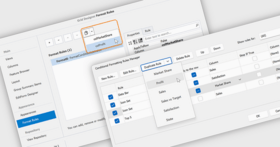
Localizable Property Grid -To make the End-User Report Designer more user-friendly, we now allow you to completely localize its Property Grid, including property and control names. In addition to the localization benefits of this new feature, you are now able to substitute property names with phrases that will be better understood by end-users. In XtraReports v2008 vol 2, we have made this substitution and UI style the default option. You can revert to the previous UI by changing a single property.
XtraGrid Suite and XtraEditors Library
HTML Style Text Formatting in WinForms Controls - Historically, Windows Forms controls never allowed you to emphasize portions of their text. For instance, you couldn't apply bold formatting to a few words within a label text. With version 2008 vol 2, this ability has been added to the Label, Check Editor and Grid Control (for column and band headers). You can now specify captions for these elements using HTML-style markup – using the following tags: <br/>, <color>, <size>, <b>, <i> and <u>.
Server Mode Performance Improvement - If the XtraGrid is in server mode, focused row and selection are not restored after sorting, grouping or filtering operations. This significantly improves application performance. You can enable focused row and selection persistence by enabling a single option.
New Built-in Comparison Operator in Filtering Dialogs - The newly implemented Contains operator increases the count of built-in comparison operators. It allows less experienced end-users to easily find data and avoid using the Like operator which requires wildcard knowledge.
XtraPivotGrid Suite
Inplace Editing and Data Validation - With v2008 vol 2, the XtraPivotGrid introduces more flexibility for those requiring data editing. You can now embed individual XtraEditors within cells in order to initiate in-cell editing. The XtraPivotGrid's Editor API is pretty much the same as that found in the XtraGrid or other DevExpress data editing control. You simply assign an editor to a pivot grid field and this editor appears in corresponding cells. All data editing features, including advanced Data Validation are available to you. Due to the unique nature of the XtraPivotGrid control, you must handle a specially designed event to save your changes to the database. By introducing data editing within XtraPivotGrid cells, you can now visually enhance your "reports." For instance, on-screen reports can be easier to analyze if you embed progress bars into individual cells.
OLAP Support Enhancements -If an OLAP cube contains KPI (key performance indicator) information, the XtraPivotGrid can now automatically recognize it and display it in an appropriate format. If a bound cube has multiple localized versions, the XtraPivotGrid automatically fetches a version appropriate for the current client culture. If this automatic localization option does not meet your requirements, you can control the localization process manually.
Running Totals - With v2008 vol 2, end-users have extended freedom in report customization and thus data analysis. You can now enable Running totals for required fields or even allow users to determine which total calculation mechanism is most appropriate for their current data analysis task. What's great about Running Totals in an interactive control like the XtraPivotGrid is that total values depend upon the order of values and, at the same time, end-users can change that order by sorting, grouping or filtering. Thus, with Running Totals you don't get one more way to present data. With this feature, end-users can produce an endless array of reports they couldn't generate previously.
XtraBars Suite
Collapsible Toolbars -Microsoft Office applications provide a way to hide toolbars and make them visible again. This functionality was replicated in the XtraBars Suite so that end-user experience can mimic that of Microsoft Office. Though the Microsoft Office approach seems simple enough, the XtraBars Suite now provides a more elegant solution in v2008 vol 2. Prior to this release and like in Microsoft Office, you had to right-click a toolbar then locate its name within the context menu and uncheck the menu item. From this point forward, end-users can simply double-click the toolbar's thumb - and by doing so, all toolbar items are hidden and thus the toolbar is minimized. Another double-click expands the toolbar to its previous state. Both expand and collapse operations are executed with a sliding animation effect.
Icons in Ribbon Tabs - In order to make Ribbon tabs more recognizable by end-users, you can now display icons within them.
XtraLayout Control
Minimum and Maximum Size Indication - When customizing form layout at design time, especially when many controls with size constraints are enabled, it's not always easy to understand why you can't make a particular control bigger or smaller. Your options can be limited without knowing if it's one control's minimum size constraint or another control's maximum size constraint preventing you from completing the desired operation. With this new release, XtraLayout Control makes it much easier to deal with these situations. When a control's width or height reaches its minimum or maximum constraint, an appropriate icon is displayed over that control. Thus you don't have to check the property grid for several controls to understand what's going on with your layout.
Layout Rotation - XtraLayout Control now allows you to rotate your layout by 90 degrees (much like switching the X and Y axes of a chart). While this operation isn't needed for data entry forms with lots of editors, it can be quite useful when you have a few large controls – like images or memo editors. If you feel that your application's users can benefit from this feature, you can enable it with just a single line of code.
XtraScheduler Suite
Full Support for iCalendar Data Exchange Standard - DevExpress Scheduler controls simplify information transmission between different platforms by implementing iCalendar RFC 2445 standard support. The support for this format allows you to easily exchange scheduling data between your application and the most popular calendars - Apple iCal, Lotus Notes, Google Calendar, Novell GroupWise, and Windows Calendar. XtraScheduler and ASPxScheduler support the main set of elements included in the iCalendar standard. Tasks and journaling capabilities of RFC 2445, as well as descriptors and extensions specific for a particular calendar application, are to be implemented in future versions.
Zooming - Improved the usability of the controls with methods that imitate zooming of the current view. The ZoomIn method displays content in greater detail, while its counterpart, ZoomOut, displays a more general view. Zooming is implemented by adjusting the time scale or changing the number of visible weeks (in Month View).
New Services - In v2008 vol 2, three new services have been implemented: One of them allows you to determine the control's state, i.e. whether the modal form, popup menu or inplace editor is opened, if appointments are being resized or dragged, and if you can start a data refresh operation. Two other services can be used to customize textual representation of date-time values within the Time Ruler, headers, tooltips and appointments. Thus, end-users can specify different display formats for different visual elements within the Scheduler’s view. This allows you to provide a more user-friendly interface. All services are now available in the ASPxScheduler Suite as well as its WinForms counterpart, the XtraScheduler Suite.
Reminders Processing - The following reminder management enhancements have been implemented in v2008 vol 2:
Reminder functionality is now fully supported by the ASPxScheduler Suite.
Reminders can now be selectively ignored when triggering alerts, meaning that they can be invoked on a per-user basis.
Often, users run the application only to check for alerts. Now an application can trigger all alerts immediately on startup, to avoid delays.
XtraScheduler - Calendar Navigation Extensions - If you own the XtraBars Suite, you can now use two new extension components that enable easy calendar management. Simply drop these components onto a form and they will automatically add proper toolbars or Ribbon tabs to your existing navigation system, so that end-users can change the active view or navigate the calendar.
What’s new in DXperience 2008 vol 1?
XtraCharts Suite
New Spline Views - Eight in Total: 2D Spline View, 3D Spline View, 2D Spline Area View, 3D Spline Area View, 2D Stacked Spline Area View, 3D Stacked Spline Area View, 2D Full-Stacked Spline Area View, and 3D Full-Stacked Spline Area View
New XML Serialization
Medium Trust Support
Advanced Customization: Separate Titles for Pie and Doughnut Views; Display Text Patterns for Labels;Labels for Zero-Height Bars
XtraGrid Suite and XtraEditors Library
LINQ Server Mode - When the grid control is in server mode, it delegates all data processing to the server and downloads only those records it needs to be displayed on screen. This allows you to dramatically increase performance against large datasets. Any LINQ query provider is supported.
Various Layout View's Enhancements
Filter Dropdown Lists with Check Boxes
New Component – CheckedComboBoxEdit
Other new capabilities within DXperience include:
XtraReports Suite: New Cross-Tab Control, Improved ASP.NET Reporting, New Styles and Style Overriding, Better control over Report layout
XtraPrinting Library: Export to XLS - Support for Native Data Formatting
XtraPivotGrid Suite: Custom Group Intervals, Drill-Down Functionality in OLAP Mode, Printing in Both Portrait and Landscape Mode
XtraVerticalGrid Suite: Property Description Control, Unbound Rows
XtraBars Suite: Close Buttons in Tabs when using XtraTabbedMdiManager
XtraLayoutControl: Custom Customization Forms
XtraScheduler Suite: Mapping Wizards, Filter Control Integration, Better Time Zone Support
PartNumbers: PC-518399-162506 518399-162506 PC-518399-162512 518399-162512 PC-518399-162513 518399-162513 PC-518399-162514 518399-162514 PC-518399-162515 518399-162515 PC-518399-162516 518399-162516 PC-518399-162509 518399-162509
Publisher PartNumbers: 139
PurchaseOptions: DXperience WinForms v2008 vol 2 (V8.2.4) - Does not include source code 1 Developer License - Includes one year subscription, does not include source code , DXperience WinForms v2008 vol 2 (V8.2.4) - Does not include source code 2-5 Developer License - Includes one year subscription, does not include source code - price per license , DXperience WinForms v2008 vol 2 (V8.2.4) - Does not include source code 6-10 Developer License - Includes one year subscription, does not include source code - price per license , DXperience WinForms v2008 vol 2 (V8.2.4) - Does not include source code 11-15 Developer License - Includes one year subscription, does not include source code - price per license , DXperience WinForms v2008 vol 2 (V8.2.4) - Does not include source code 16-20 Developer License - Includes one year subscription, does not include source code - price per license , DXperience WinForms v2008 vol 2 (V8.2.4) - Does not include source code 21+ Developer License - Includes one year subscription, does not include source code - price per license , DXperience WinForms v2008 vol 2 (V8.2.4) - Does not include source code Subscription Renewal for one year, does not include source code
Resources: Read the Developer Express License Agreement, Download the DXperience v2006 Vol3 for Visual Studio 2002/2003 evaluation on to your computer - Expires After 30 Days, Download the DXperience v2008 vol 2 (V8.2.4) for Visual Studio 2005/2008 evaluation on to your computer - Expires After 30 Days
Operating System for Deployment: Windows Vista, Windows XP, Windows 2000
Architecture of Product: 32Bit
Product Type: Component
Component Type: .NET WinForms, .NET Class, 100% Managed Code
Compatible Containers: Microsoft Visual Studio 2008, Microsoft Visual Studio 2005, Microsoft Visual Basic 2008, Microsoft Visual Basic 2005, Microsoft Visual C++ 2008, Microsoft Visual C++ 2005, Microsoft Visual C# 2008, Microsoft Visual C# 2005, .NET Framework 3.5, .NET Framework 3.0, .NET Framework 2.0
Product Class: Business Components
Search Items: New Product May 04, New Product June 04, New Product May 05, New Product June 05, New Product Sep 05
Keywords: validation validate Calendar calendaring calendars Scheduling Schedule Schedules Database DB Reporting Report reports planning plan scheduling schedule schedules scheduler User Interface Collections UI User Interface UI Toolbar tool bar tool-bar Toolbars Menu Menus Ribbon Ribbonbar Spelling spell spel speling check spellcheck Reporting Reports Report Product Suites Suite bundles bundle Print Preview Printing previews prints Treeview List tree view tree-view list-view listview listbox Grid Grids Table Tables DataGrid DataGrids Chart Charting Charts Graph Graphing Graphs Explorer exploring explore Developer Express devexpress Entry data-entry Enterprise Partner professional pro dxperience dexperience dx perience experience devexpress developer express winforms winform win form windowsforms windowsform .net windows forms form window
開発元/発売元
主要なカテゴリー
関連製品
関連のカテゴリー