TeamCompanion for Outlook - Add-In - V2.0 - ??

by Ekobit - ??????: ????

?? | ????????? | ???????????? | ??? | ????? | ??

??

TeamCompanion for MS Outlook by Ekobit

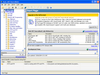
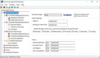
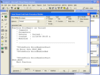
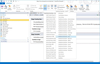
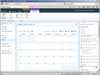
Integrate e-mail and Microsoft Outlook with Work Items from Team Foundation Server. TeamCompanion for Outlook is an Add-In for Microsoft Outlook that integrates Microsoft Outlook with Microsoft Team Foundation Server, thus making anyone with Outlook and TeamCompanion a first class member of the Team System based development team. TeamCompanion improves your project communication and removes friction from it. With TeamCompanion you can access project related information using Microsoft Outlook without having to switch between applications. It enables accessing some of the most important artifacts in your Team System environment, such as team projects, work items, etc. without the need to use the Visual Studio Team Explorer or Team System Web Access.

TeamCompanion for Microsoft Outlook is an ideal companion for your Microsoft Team System based team.

TeamCompanion enables you to take your work items offline; all work item data is available for read-only access, even if your Team Foundation Server is not accessible. You only need to connect to the server when editing Work Items.

By integrating standard Outlook actions, TeamCompanion increases your productivity. E-mails can be attached to existing work items directly, thereby enhancing team communication and cooperation. New work items can easily be created (from scratch or based on selected e-mails) or new appointments created from work items. With TeamCompanion you can take advantage of some standard Outlook features, such as the instant search feature which searches through all work item fields, even if you are offline, or the grouping and favorite folders features.

An new addition to the feature list of TeamCompanion is Vista desktop search integration. TeamCompanion makes it possible to simply insert a keyword in the Vista startup menu “Start search” edit box and get a full text search of work items. Click on a result link and open the work item in the familiar standard work item editor.

The TeamCompanion for Microsoft Outlook features:

Support for Microsoft Outlook 2007 and Outlook 2003

Support for Team Foundation Server 2005 and Team Foundation Server 2008

Support for offline work with Work Items

Searching Work Item queries

Vista desktop search integration - full text search for Work Items

Work Item list grouping and filtering

Creating new Work Items

Creating new Work Items out of e-mail, creating new e-mails out of Work Items**

Easy e-mail attaching to Work Items

Creating new appointments out of Work Items

Easy connection to multiple Team Foundation Servers

Send to OneNote action

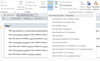
Generate Work Item table for multiple Work Items

Bulk Reassign To

Improved New Appointment from Work Item logic

* For reminders to work you need to open Properties dialog for the TeamCompanion folder and turn the option "Display reminders and Tasks from this folder in the To-Do Bar".

**You must be connected to the TFS if you want to: edit existing Work Items, create new Work Items or attach e-mails to your Work Items.

What's New in V2.0 of TeamCompanion for Microsoft Outlook:

NEW - Scheduled Work Item queries

NEW - Work Item query management support

NEW - Ad-hoc queries

NEW - Support for Reminders, To-Do Bar view integration *

NEW - Bulk state change

NEW - Create Work Item from Task, Create Task from Work Item

NEW - Create Work Item from RSS feed entry, Attach RSS feed to Work Item

NEW - Editing areas and iterations support

Easy navigation through TFS Servers, Projects, Queries and Work Items

Desktop search integration - full text search for Work Items

NEW - Subscription to TFS alert notifications support

NEW - Integration with Excel and Project

NEW - Add related Work Item action support

PartNumbers: PC-518216-160652 518216-160652 PC-518216-160653 518216-160653 PC-518216-160654 518216-160654

PurchaseOptions: TeamCompanion for Outlook V2.0 (includes downloads for multiple environments, actual individual download size approx 8MB) 1 User License , TeamCompanion for Outlook V2.0 (includes downloads for multiple environments, actual individual download size approx 8MB) 5 User License , TeamCompanion for Outlook V2.0 (includes downloads for multiple environments, actual individual download size approx 8MB) 10 User License

Resources: Read the TeamCompanion documentation, Read the TeamCompanion End User License Agreement, Read the TeamCompanion FAQ document, Download the TeamCompanion V2.0 for Office 2003 Team Foundation Server 2005 evaluation on to your computer - Expires after 90 days, Download the TeamCompanion V2.0 for Office 2003 Team Foundation Server 2008 evaluation on to your computer - Expires after 90 days, Download the TeamCompanion V2.0 for Office 2007 Team Foundation Server 2005 evaluation on to your computer - Expires after 90 days, Download the TeamCompanion V2.0 for Office 2007 Team Foundation Server 2008 evaluation on to your computer - Expires after 90 days, Download the TeamCompanion V2.0 for Office 2003 Team Foundation Server 2005 German evaluation on to your computer - Expires after 90 days, Download the TeamCompanion V2.0 for Office 2003 Team Foundation Server 2008 German evaluation on to your computer - Expires after 90 days, Download the TeamCompanion V2.0 for Office 2007 Team Foundation Server 2005 German evaluation on to your computer - Expires after 90 days, Download the TeamCompanion V2.0 for Office 2007 Team Foundation Server 2008 German evaluation on to your computer - Expires after 90 days

Operating System for Deployment: Windows Vista, Windows XP, Windows 2000

Architecture of Product: 32Bit, 64Bit

Product Type: Add-In

Compatible Containers: Microsoft Visual Studio 2008, Microsoft Visual Studio 2005, Microsoft Visual Basic 2008, Microsoft Visual Basic 2005, Microsoft Visual C++ 2008, Microsoft Visual C++ 2005, Microsoft Visual C# 2008, Microsoft Visual C# 2005, Microsoft Office 2007, Microsoft Office 2003

Keywords: Productivity performance efficiency Professional Partner Team Companion Microsoft Office Outlook

????

???????????????:

???? ???

???/???

????????