by Acresso Software (formerly Macrovision) - 製品のタイプ: アドイン
InstallShield Collaboration - Add-In - V11.5 by Acresso Software (formerly Macrovision)
Improve product and installation quality. InstallShield Collaboration addresses the critical need for collaboration between application and installation developers. It protects against information loss resulting from developer reassignment or turnover and builds knowledge across the team. Installation and configuration information is shared by the entire team. Development teams can capture, test, track and use installation requirements throughout the entire development process. Development managers now have a repeatable, standardized process for capturing installation requirements.
InstallShield’s new Collaboration module supports a new industry practice that will dramatically improve product quality.
Installation requirements stored in one central file
No more tracking down application developers for data
No more last minute scrambles an unnecessary confusion
New InstallShield Collaboration Module
A single version of InstallShield Collaboration is included with InstallShield. Development teams can capture, test, track and use installation requirements throughout the entire development process. Development managers now have a repeatable, standardized process for capturing installation requirements
Improved Product and Installation Quality
InstallShield Collaboration addresses the critical need for collaboration between application and installation developers, while:
Protecting against information loss resulting from developer reassignment or turnover
Building knowledge across the team—installation and configuration information shared by the entire team
Improving the collaboration between the application and installation developer results in:
Higher-quality installations
On-time product releases
Less confusion among team members
Increased customer satisfaction
Designed to Meet Individual Development Needs
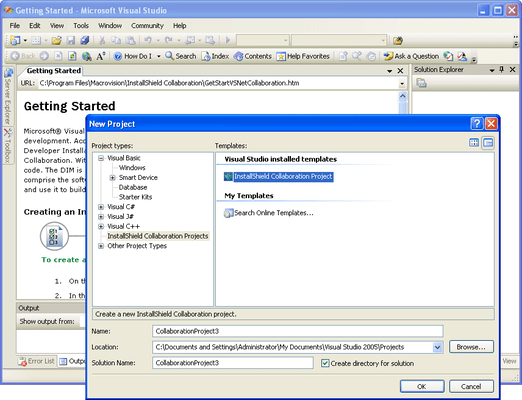
InstallShield Collaboration is available for both Visual Studio and Eclipse to support Windows (MSI) and multiplatform development projects. Application developers use Collaboration to capture customer requirements which are stored in a XML file, which is stored alongside application code source control systems. The XML file contains the installation core and can be automatically consumed to create projects during the build of the installation.
Responsibilities Clearly Defined
Collaboration establishes a clear line of responsibilities:
Installation developer remains the expert on the creation of the setup
Installation developer receives explicit contributions from application developers—communicated through the XML file
Application developers become active partners in the creation of the final installation
Note: One license of InstallShield Collaboration is included with every Premier or Professional version of InstallShield Windows or MultiPlatform. Additional Collaboration Modules are available for purchase for the rest of the team.
PartNumbers: PC-516594-77899 516594-77899 PC-516594-77900 516594-77900 PC-516594-77901 516594-77901 PC-516594-77902 516594-77902 PC-516594-77903 516594-77903 PC-516594-77904 516594-77904
PurchaseOptions: InstallShield Collaboration V11.5 for Visual Studio 1 Developer License (1 Pack) , InstallShield Collaboration V11.5 for Visual Studio 5 Developer License (5 Pack) , InstallShield Collaboration V11.5 for Visual Studio 10 Developer License (10 Pack) , InstallShield Collaboration V11.5 for Eclipse 1 Developer License (1 Pack) , InstallShield Collaboration V11.5 for Eclipse 5 Developer License (5 Pack) , InstallShield Collaboration V11.5 for Eclipse 10 Developer License (10 Pack)
Resources: Download the FLEXnet InstallShield Collaboration V11.5 for Visual Studio evaluation on to your computer - Expires After 21 Days
Operating System for Deployment: Windows XP, Windows 2000
Architecture of Product: 32Bit
Product Type: Add-In
Compatible Containers: Microsoft Visual Studio 2005, Microsoft Visual Basic 2005, Microsoft Visual C++ 2005, Microsoft Visual C# 2005, .NET Framework 2.0, Eclipse V3.3, Eclipse V3.1.2, Eclipse V3.0
Keywords: Macrovision Corporation macro vision install shield Installation Installing install installs uninstalling uninstall uninstalls setup MSI msi scripts Corporate Partner