IntegralUI ListView - .NET - V2.0
by Lidor Systems - 製品のタイプ: コンポーネント / .NET WinForms / .NET Class
この商品については、日本語の説明書きはございません。
Add a detailed ListView to your .NET applications. IntegralUI ListView is a .NET WinForms custom control, with plenty of options for display, selection and sorting of data and item collections. It has four different views to display items (Details, Large Icon, Small Icon and List) , built-in Live Editor and advanced Drag&Drop support, fast item list creation, XML encoding of Columns, Items and Subitems , rich styling features, highly customizable appearance and theme support (including Vista).
一般向け価格については下記に表示されています。お客様用の割引価格をご覧になるには、ログインしてください。
IntegralUI ListView V2.0
| カートに追加 |
¥ 22,050 (税込) |
1 Developer License |
|
ダウンロード (2.9 MB) |
| カートに追加 |
¥ 44,310 (税込) |
4 Developer Team License |
|
ダウンロード (2.9 MB) |
| カートに追加 |
¥ 88,725 (税込) |
8 Developer Team License |
|
ダウンロード (2.9 MB) |
| カートに追加 |
¥ 155,400 (税込) |
1 Site Wide License (Allows Unlimited Developers at a Single Physical Address) |
|
ダウンロード (2.9 MB) |
| カートに追加 |
¥ 388,815 (税込) |
1 Enterprise License (Allows Unlimited Developers throughout your entire organization, regardless of location) |
|
ダウンロード (2.9 MB) |
| カートに追加 |
¥ 17,955 (税込) |
1 Source Code Blueprint License (Current Developer, Site or Enterprise License Required) - (sent separately by email) |
要確認 |
ダウンロード (29 KB) |
IntegralUI ListView V2.0 with Annual Subscription
| カートに追加 |
¥ 29,085 (税込) |
1 Developer License |
|
ダウンロード (2.9 MB) |
| カートに追加 |
¥ 58,170 (税込) |
4 Developer Team License |
|
ダウンロード (2.9 MB) |
| カートに追加 |
¥ 116,550 (税込) |
8 Developer Team License |
|
ダウンロード (2.9 MB) |
| カートに追加 |
¥ 204,015 (税込) |
1 Site Wide License (Allows Unlimited Developers at a Single Physical Address) |
|
ダウンロード (2.9 MB) |
| カートに追加 |
¥ 511,035 (税込) |
1 Enterprise License (Allows Unlimited Developers throughout your entire organization, regardless of location) |
|
ダウンロード (2.9 MB) |
IntegralUI ListView V2.0 Upgrade from previous versions
| カートに追加 |
¥ 9,555 (税込) |
1 Developer Upgrade License |
要確認 |
ダウンロード (2.9 MB) |
| カートに追加 |
¥ 19,320 (税込) |
4 Developer Team Upgrade License |
要確認 |
ダウンロード (2.9 MB) |
| カートに追加 |
¥ 38,745 (税込) |
8 Developer Team Upgrade License |
要確認 |
ダウンロード (2.9 MB) |
| カートに追加 |
¥ 67,935 (税込) |
1 Site Wide Upgrade License (Allows Unlimited Developers at a Single Physical Address) |
要確認 |
ダウンロード (2.9 MB) |
| カートに追加 |
¥ 170,730 (税込) |
1 Enterprise Upgrade License (Allows Unlimited Developers throughout your entire organization, regardless of location) |
要確認 |
ダウンロード (2.9 MB) |
IntegralUI ListView Annual Subscription Renewal
| カートに追加 |
¥ 13,755 (税込) |
1 Developer Annual Subscription Renewal License |
要確認 |
ダウンロード (29 KB) |
| カートに追加 |
¥ 27,615 (税込) |
4 Developer Team Annual Subscription Renewal License |
要確認 |
ダウンロード (29 KB) |
| カートに追加 |
¥ 55,440 (税込) |
8 Developer Team Annual Subscription Renewal License |
要確認 |
ダウンロード (29 KB) |
| カートに追加 |
¥ 97,125 (税込) |
1 Site Wide Annual Subscription Renewal License (Allows Unlimited Developers at a Single Physical Address) |
要確認 |
ダウンロード (29 KB) |
| カートに追加 |
¥ 242,970 (税込) |
1 Enterprise Annual Subscription Renewal License (Allows Unlimited Developers throughout your entire organization, regardless of location) |
要確認 |
ダウンロード (29 KB) |
| カートに追加 |
¥ 13,755 (税込) |
1 Source Code Blueprint Renewal License (Current Source Code License and Current Developer, Site or Enterprise License Subscription Required) - (sent separately by email) |
要確認 |
ダウンロード (29 KB) |
IntegralUI ListView V2.0 Crossgrades
| カートに追加 |
¥ 22,050 (税込) |
4 Developer Team License Crossgrade from 1 Developer License |
要確認 |
ダウンロード (2.9 MB) |
| カートに追加 |
¥ 110,985 (税込) |
1 Site Wide License Crossgrade from 4 Developer License |
要確認 |
ダウンロード (2.9 MB) |
| カートに追加 |
¥ 133,245 (税込) |
1 Site Wide License Crossgrade from 1 Developer License |
要確認 |
ダウンロード (2.9 MB) |
IntegralUI ListView V2.0 Crossgrades with Annual Subscription
| カートに追加 |
¥ 29,085 (税込) |
4 Developer Team License Crossgrade from 1 Developer License |
要確認 |
ダウンロード (2.9 MB) |
| カートに追加 |
¥ 145,740 (税込) |
1 Site Wide License Crossgrade from 4 Developer License |
要確認 |
ダウンロード (2.9 MB) |
| カートに追加 |
¥ 174,930 (税込) |
1 Site Wide License Crossgrade from 1 Developer License |
要確認 |
ダウンロード (2.9 MB) |
すべてのご注文にて弊社標準の 契約条件および返品条件の内容が適用されます。
一般向け価格については上記に表示されています。お客様用の割引価格をご覧になるには、ログインしてください。
What’s new in v2.0:
- Improved creation of item's content with various objects: Text, Images, Hyperlinks, Custom Controls, CheckBoxes, Flags, etc.
- Advanced formatting options by use of XML tags
- A table based formatting of the item content, with which a complex data can be presented in a single item
- Every content element can have their own color and format styles
- Multiple images at different places in the single content
- Multiple custom controls at different places in the single content
- Content alignment for every element
- Place various elements in paragraphs and tables
- Ability to present custom animation along with process progress during execution of any operation
- Enrich the control appearance with 5 new styles for every SubItem
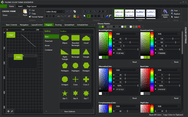
- Excel-like look and feel
- Built-in keyword search
- Built-in sorting and option to add custom sort operations
- Built-in check box scenario with three states
- Built-in controls: CheckBox
- Built-in drag&drop functionality for groups
- Customizable ToolTips
- Option to change the roundness of control border corner
- TagString property for every list control
- Multi-column selection
- SubItem Frame selection
What's new in v1.2?
- ItemDrag event, fired during start of a custom drag&drop operation
- ItemMouseHover event, fired when mouse cursor hovers for some time over node space
- ScrollPosChanged event, fired when there is a change in scrollbar value
- ShowStateImages, property with which you can control the appearance of State Images
- FindItem, method for searching an item with matching text
- GetSubItem, method retrieves a reference to a subitem on which mouse cursor hovers
Highly customizable appearance
- General color styles for checkboxes, scrollbars and control background
- Different color styles for every state of Columns, Groups and Items
- Styles can be inherited from the parent control
- Appearance of the Columns and Items can be set by custom images or color schemes
- Columns can be drawn over items
- Columns can have space between them
- Items can have space between them
- Partial or Full Transparency
- Customizable border with three shapes and control over visibility of each border side
- Office 2007 fading effect with five speed levels
- Watermarks
- Theme support
- Visual Styles
Columns
- Every column can have header and footer
- Header of column can contain text and image
- Text of the column header and footer can be formatted by using special XML tags
- Control over border shapes, corners and visibility for the column header, body and footer
- Separate color style for each state of the column (Normal, Hovered and Selected state)
- Each column can contain text and image
- Fixing the columns to the left or right side of the control layout
- The width of the column can be fixed
- Permission over reordering the columns
- Column can be visible or hidden
Groups
- Color and format styles for each group
- Group can be expanded/collapsed
- The group header can have three different appearances
- BottomLine
- CenterLine
- Gradient
Items
- Separate color style for each state of the item (Normal, Disabled, Hovered, Selected and Focused)
- Each item can contain subitems, text, image, checkbox, flag, hyperlinks and custom controls
- Text of the item and subitems can be formatted by using special XML tags
- Control over item border shapes and visibility
- Item can be visible or hidden
- Every item can be grouped
- Context Menus
- Item text is editable
Behavior
- Multiple item selection
- Arrange items in four list view appearances
- Details
- List
- LargeIcons
- SmallIcons
- Permissions over column reordering, Drag&Drop operations, selection check, hover selection, label edit
- Advanced Drag&Drop operations
- Predefined – items can be reordered showing the reorder position mark
- Custom – create your own Drag&Drop operation
- Advanced sort operations
- Predefined – columns can be sorted by the content value: String, Integer and Double
- Custom – create your own sort operation
- XML encoding
- The columns, groups and items text can contain hyperlinks, substrings with different colors and font
- Text can be shown in multiple lines or paragraphs
- XML serialization
- Support for serialization in files
- Support for serialization in streams