by LEAD Technologies - 製品のタイプ: コンポーネント / アドイン / .NET WinForms / .NET Class / DLL / VC++ Class Library
この商品については、日本語の説明書きはございません。
Provide 2-D and 3-D vector imaging for loading, viewing, modifying and saving vector files to memory/disk in native vector format. LEADTOOLS Vector Imaging Pro includes a low level API, and C++ Class library to add, edit, delete, rotate, translate, and scale objects. Group objects into layers. Change camera and lights. OpenGL, DirectX or GDI engines supported. Convert and save vector images to any of the over 140 raster file formats supported by LEAD. Runtime royalty free.
一般向け価格については下記に表示されています。お客様用の割引価格をご覧になるには、ログインしてください。
| カートに追加 | ¥ 227,640 (税込) | 1 Developer License | ダウンロード (273.5 MB) | |
| カートに追加 | ¥ 108,780 (税込) | 1 Developer Upgrade License from previous versions | 要確認 | ダウンロード (273.5 MB) |
| カートに追加 | ¥ 108,780 (税込) | Annual Maintenance for 1 year | 要確認 | ダウンロード (29 KB) |
すべてのご注文にて弊社標準の 契約条件および返品条件の内容が適用されます。
一般向け価格については上記に表示されています。お客様用の割引価格をご覧になるには、ログインしてください。
What's New in V15.0
The LEADTOOLS Vector Imaging Pro toolkit includes everything you need to create powerful 2-D and 3-D viewers, editors, and converters that support both vector and raster image formats. By creating these types of applications, you eliminate the need to install or license the more expensive original application that created the vector files, and you only have to include the functionality for your specific needs. If you're looking for the most feature rich developer sdk on the market for vector imaging try LEADTOOLS Vector Imaging Pro.
LEADTOOLS Vector Imaging Pro toolkit Key Features:
Vector Image Format Support
Vector image formats that can be loaded, saved, converted and exported to a raster format include CGM, DGN, DRW, DWF, DWG, DXF, EMF, WMF, PLT (HPGL), Gerber, PCL, PCT, SVG, VWPG, CMX, SHP and NAP.
Primitive Objects Supported
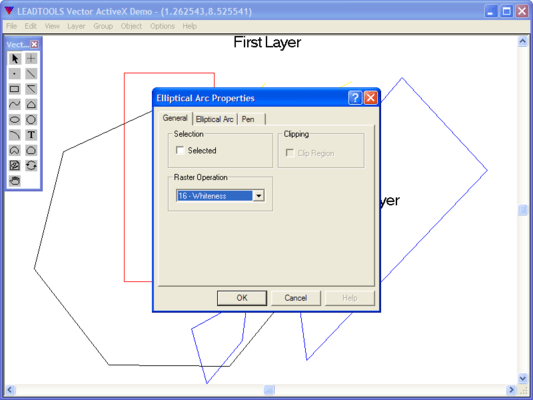
Support for primitive objects include Arc, Bitmap, Brush, Camera, Circle, Clone, Ellipse, Elliptical Arc, Font, Group, Layer, Line, Pen, Pie, Chord, Poly Draw, Polygon, Poly Line, Poly Bezier, Raster, Rectangle, Text, Vertex, H-Poly Bezier, Spline and Clipping objects.
View and Edit Support
Low and high-level functions to control the view of vector drawings include zooming (both uniform or around any axis), panning, rotation (around any axis) and anti-aliasing. Vector drawings can be edited in any way desired including adding, modifiing, deleting and copying objects into the clipboard or between different vector drawings.
Printing Support
Functionality to scale the vector drawing to any resolution desired without distorting the original image ensures that fine details of the drawing will not be lost during printing.
Vector Conversion Support
Vector files can be loaded from one format and saved as another, without the need for the original application that created the file.
Raster Image Support
Vector files can be converted to any resolution raster image and saved to any of the 150+ image file formats and sub-formats that the LEADTOOLS Raster Imaging products support.
LEADTOOLS Vector Imaging Pro SDK also includes general raster imaging features: Image Format support (import/export), Compression, Image Processing (Transforms, Filters, Drawing, Region of Interest), Color Conversion, Display, Special Effects (choose from more than 2000 effects), Printing, Internet/intranet imaging, Database imaging, Imaging Common Dialogs and Screen Capture.
LEADTOOLS now includes Unicode support. Visit the LEADTOOLS Unicode support page for more information.
Two programming interfaces are included: a low level API, and C++ Class library. LEADTOOLS Vector Imaging Pro ships with sample source code for C/C++ and Visual C++ (MFC).