by wpcubed - 製品のタイプ: コンポーネント / VCL
wPDF by wpCubed
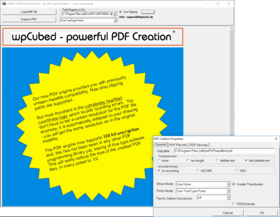
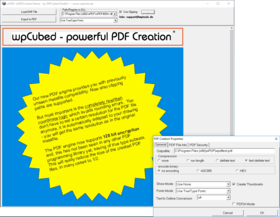
Create PDF files from your Delphi or C++Builder application. wPDF is a PDF maker which is optimized for greater compatibility with most drawing commands commonly found in Windows applications. Used alone, with your own component or linked with WPTools, wPDF instantly creates PDF files. wPDF is compatible with WPTools, WPForm, QuickReport and HTMLView, to name just a few possibilities. This component provides you with a compatible 'canvas' property which you can use for direct drawing.
Overview
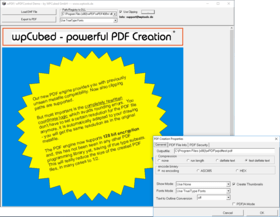
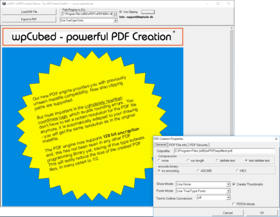
wPDF converts enhanced metafiles to PDF while preserving the vector and text information. This results in small PDF files which can be printed at high resolution, thus making wPDF superior to other solutions which convert embedded metafiles into bitmaps. wPDF supports the usual PDF features, including compression and 128 bit encryption and it was the first Delphi library to allow embedding of font subsets to reduce file size even further.
Code
The code needed for to create a PDF file is very similar to that needed for printing:
const Resolution = 72;
WPPDFPrinter1.BeginDoc; // Starts a new document
try
WPPDFPrinter1.StartPage( // start a page of a certain page
Round(8.5*Resolution), 5*Resolution, Resolution, Resolution, 0);
DrawPage(WPPDFPrinter1.Canvas); // subprocedure to draw to the TCanvas
WPPDFPrinter1.EndPage; // close the page
finally
WPPDFPrinter1.EndDoc; // close the document
end;
If you are using WPTools file creation can be done with just one line of code:
WPPDFExport1.Print;
Even though the export functions quickly, there's nothing missing from wPDF. Compression, encryption, embedded fonts, charsets (eastern European, Greek and Cyrillic) are all supported. Thumbnails can be created and you can add code to create outlines and hyperlinks. Graphics can be embedded using deflate or JPEG compression.
What's New in V3.0?
Support for standard brush styles (hatching)
TransparentBitBlt
Automatic reuse of the same image data. This way, when you export a document which often uses a logo the PDF file will be significantly smaller
Creation of PDF/A complient PDF files (with added meta data and PDF tagging when you use it with WPTools)
Support of CID fonts (known as "unicode" support)
Binary Data embedding: You can store the document source which was used to create a PDF file within this PDF file. When you use WPTools for the PDF creation you can store the RTF source document inside of the created PDF data, the user only has to click on an icon to extract this document. This can be a great feature if you use it to embed programming examples within your programming manual
PartNumbers: PC-511962-136445 511962-136445 PC-511962-136449 511962-136449 PC-511962-136446 511962-136446 PC-511962-136447 511962-136447 PC-511962-136450 511962-136450 PC-511962-136448 511962-136448
PurchaseOptions: wPDF V3.0 Standard Edition 1 Developer License , wPDF V3.0 Standard Edition Team License (allows 2 to 6 developers) , wPDF V3.0 Standard Edition Site License (Allows up to 20 Developers at a Single Physical Address) , wPDF V3.0 Internet Server Edition 1 Developer License , wPDF V3.0 Internet Server Edition Team License (allows 2 to 6 developers) , wPDF V3.0 Internet Server Edition Site License (Allows up to 20 Developers at a Single Physical Address)
Resources: Read the wPDF Manual, Read the wPDF License Agreement, Download the wPDF V3.0 evaluation on to your computer - Expires after 30 days
Operating System for Deployment: Windows XP, Windows ME, Windows 2000, Windows 98, Windows NT 4.0, Windows 95
Architecture of Product: 32Bit
Product Type: Component
Component Type: VCL
Compatible Containers: C++Builder 6, C++Builder 5, Delphi 2006 (10.0), Delphi 2005 (9.0), Delphi 7.0, Delphi 6.0, Delphi 5.0, Delphi 4.0, Delphi 3.0
Product Class: Business Components
Search Items: New Version Feb 04, New Product Mar 04
Keywords: PDF pdf Conversion Convert converts converting Author Delphi VCL CGraphic Print Printer PDF Conversion Editor Text Creation WPTools HTML