ドキュメントの正確性と可読性を確保
スペルチェッカーコントロールを使用すると、ユーザーは潜在的なエラーを視覚的に示し、修正を提案することで、文章の品質を向上可能
2024年11月11日機能のハイライト
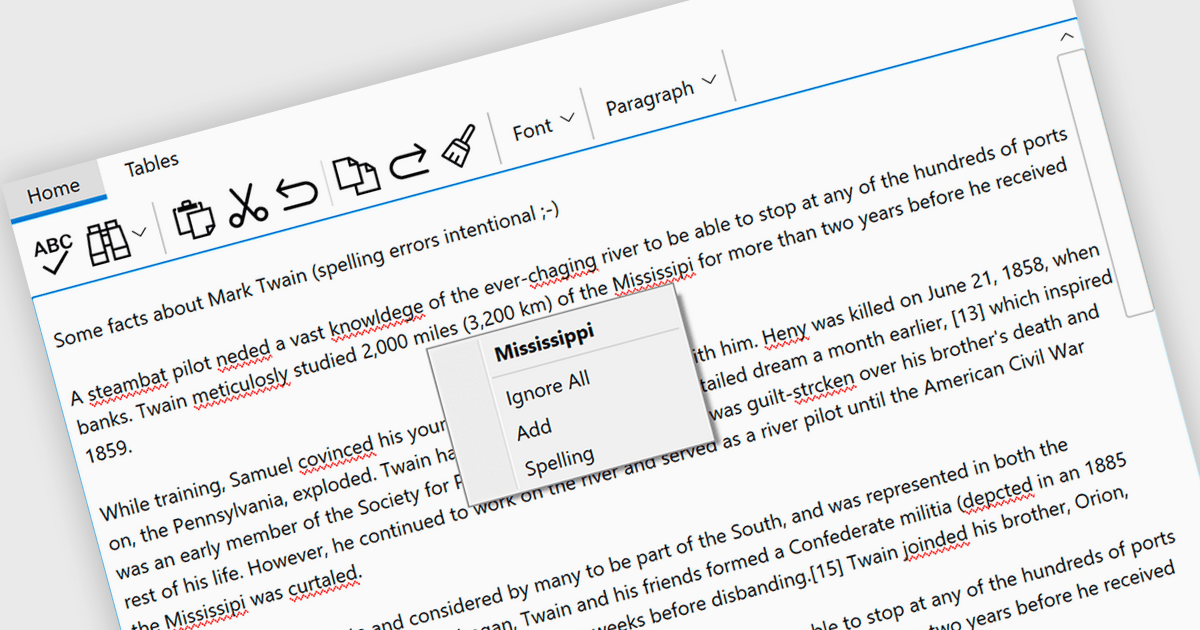
スペルチェックのコントロールは、ソフトウェアアプリケーション内のツールで、スペルの誤りを自動的に検出して修正します。リアルタイムのエラー検出、文脈に応じた提案、自動修正、専門用語向けのカスタマイズ辞書などの機能があります。これらのツールにより、コミュニケーションの品質が向上し、ドキュメントの誤りが減り、文章のプロフェッショナリズムが高まります。スペルチェックのコントロールは、ワードプロセッサ、コンテンツ管理システム、そして明確で正確なテキストが重要なあらゆるプラットフォームに不可欠です。
複数の .NET スペルチェッカーは、赤い下線で誤字を強調表示できます。たとえば:
- DevExpress WinForms は、堅牢なスペルチェッカーにより、赤い下線でスペルミスを容易に特定・修正できます。
- ComponentOne Studio WinForms を MESCIUS が提供しており、赤い下線で誤りを視覚的に示すことで、スペルチェッカーコントロールを使った効率的な校正が可能です。
- Infragistics Ultimate UI for Windows Forms は、赤い下線で潜在的なスペルミスを強調表示し、正確なテキスト入力をサポートすることで、プロフェッショナル品質のドキュメントを実現します。
- RapidSpell Desktop .NET は Keyoti によって提供されており、.NET アプリ内で直接効率的にスペルチェックを行えます。赤い下線で潜在的なエラーを示すことで、編集プロセスを効率化します。
Input and Validation Components の中から、.NET スペルチェッカーコントロールのラインアップをご覧ください。
適切なソフトウェアライセンスの見つけ方、アップグレード、更新に関してお困りですか? お電話、メール、またはライブチャットで専門家にご相談ください。