ユーザーがPDFフォームに簡単に入力可能
PDF内で直接編集可能なフィールドを許可し、迅速かつ効率的なデータ入力を可能にすることで、ユーザーの操作を強化
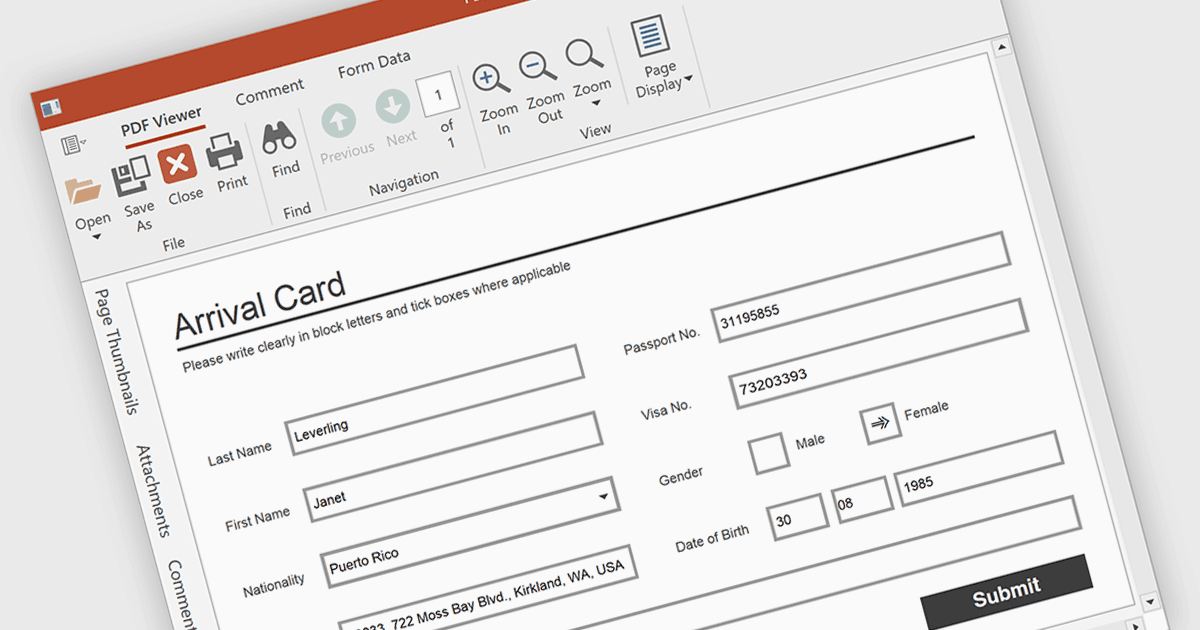
PDFビューアでフォーム入力を行うと、ユーザーはドキュメント内で直接、テキストボックス、チェックマーク、ラジオボタン、選択リストなどの編集可能なフィールドを操作できます。この機能は、契約書、アンケート、登録フォームのように構造化された入力が必要な場面に最適です。これらの機能を統合することで、開発者はユーザーとのやり取りを改善し、アプリケーションを離れることなくフォームの送信を可能にして、データ取得を強化し、外部ツールの必要性をなくせます。
いくつかのWPF PDFビューアではフォーム入力がサポートされています。たとえば:
- Telerik UI PDF for WPF(Telerik UI for WPFの一部)は、編集可能なテキスト、チェックボックス、ラジオボタン、完了したPDFフォームの保存に対応しています。
- DevExpress WPF PDF Viewer(DevExpress WPFの一部)では、PDFフォームフィールドを入力、ハイライト、インポート、エクスポートできます。
- Syncfusion WPF PDF(Syncfusion Essential Studio Enterpriseの一部)は、テキストフィールド、チェックボックス、ドロップダウンでPDFフォームを入力できます。
機能と価格の詳細な分析については、WPF PDFビューアの比較をご覧ください。