ビジュアル階層で大規模なデータセットを整理
UIスイートのツリーリストは、複雑なデータを整理してナビゲートするための明確でカスタマイズ可能な方法を提供し、使いやすさ、パフォーマンス、およびユーザー制御が向上
2025年6月20日機能のハイライト
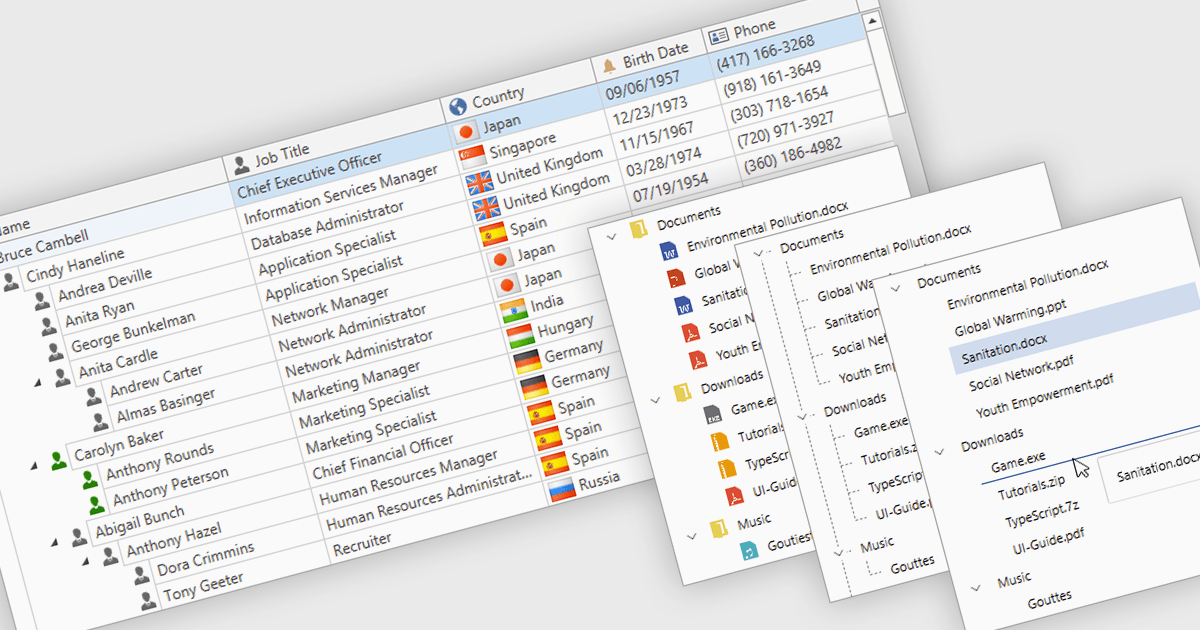
プロフェッショナル向けのUIコンポーネントスイートに一般的に含まれるツリーリストは、階層データを構造化され拡張可能な形式で表示するための高度なコントロールです。親子関係を明確に提示することで、複数レベルのデータを簡単にナビゲートできます。折りたたみ可能なノード、動的データの読み込み、カスタマイズ可能なテンプレートなどの機能により、特に大規模または複雑なデータセットを扱う際に、パフォーマンスとユーザー体験の両方が向上します。UI開発では、ファイルエクスプローラー、カテゴリナビゲーション、権限設定、プロジェクト管理ビュー、組織図などで頻繁に使用されます。ツリーリストを統合することで、開発者は構造化された情報をより直感的で、拡張性があり、インタラクティブに管理できるようになります。
複数のWPF UIスイートでは、ツリーリストのコンポーネントが提供されています。たとえば:
- Actipro WPF Studio は、仮想化、テンプレート、スムーズな操作性に対応した高度なツリーコントロールで、階層データの表示と編集を行えます。
- Infragistics Ultimate UI for WPF は、高性能でカスタマイズ可能な階層グリッドとツリーリストビューを通じて、複雑なデータ構造を視覚的に管理することを可能にします。
- Telerik UI for WPF は、組み込みの編集、フィルタリング、シームレスなデータバインディングのサポートを備えた強力なツリーリストコンポーネントにより、直感的なデータナビゲーションを実現します。
- DevExpress WPF は、グルーピング、ソート、およびリアルタイム更新をサポートする機能豊富なツリーリストコントロールで、階層データを対話的に探索できます。
機能や価格の詳細な分析については、当社のWPF UIスイーツ比較をご覧ください。