内蔵のカラーツールで即座にカスタマイズ
カラーピッカーを使用すると、ユーザーはセルやグラフにすばやく色を適用できるため、傾向、外れ値、優先順位が一目でわかりやすく
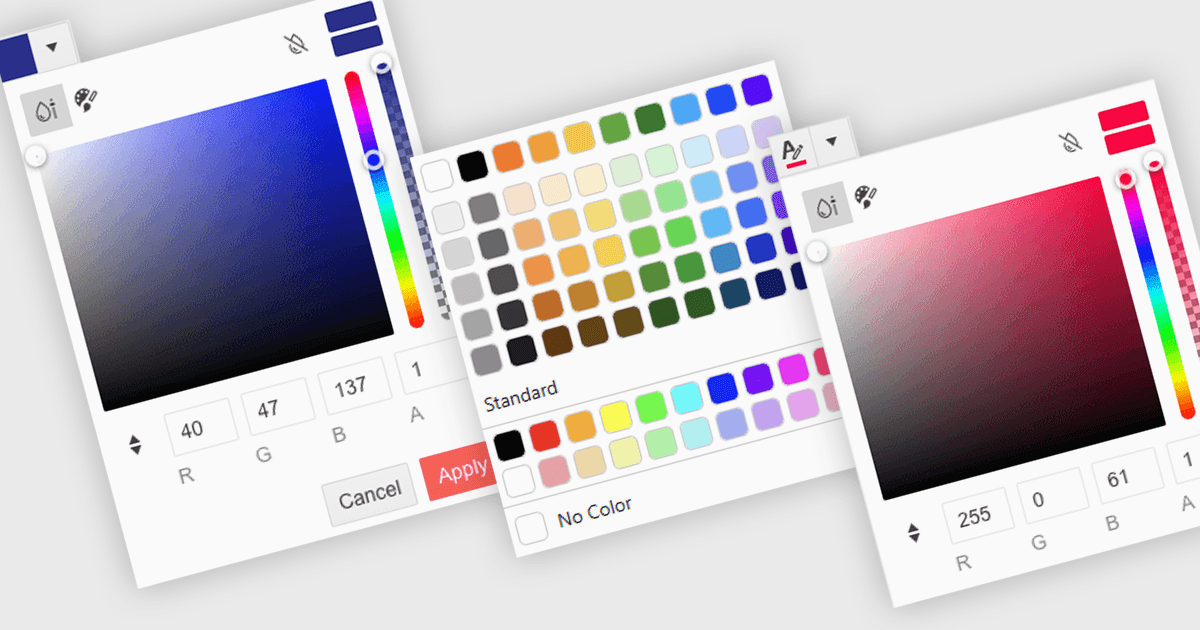
カラーピッカーは、コードを書かずにユーザーがデータの特定の部分に色を選択して適用できるユーザーインターフェイス要素です。通常は小さなパレットや入力ボックスとして表示され、クリックすると、スウォッチ(色見本)、スライダー、16進コードのフィールドなどの色のオプションを備えたパネルが開きます。この機能は、直感的な視覚的カスタマイズをサポートし、パターンの強調、重要な値のマーキング、コーポレートカラーのスキームへの整合などを可能にします。高度なエディターでは、カラーピッカーはテーマやアクセシビリティ設定(高コントラストのパレットなど)もサポートします。
いくつかの .NET Blazor データエディターでは、カラーピッカーを提供しています。例:
- Blazorise Data Editors は、直感的なピッカーを使ってカスタムカラーを手軽に適用でき、データの表示とユーザー操作性を向上させます。
- jQWidgets Blazor (jQWidgets の一部) Data Editors は、ビルトインのカラーピッカーにより、コンテンツを見た目でわかりやすく整理できるため、明確でダイナミックなデータのスタイリングを実現します。
- Syncfusion Essential Studio for Blazor Data Editors (Syncfusion Essential Studio Enterprise の一部) はカラーピッカーの統合を提供し、視覚的な書式設定を可能にします。
- Telerik UI for Blazor Data Editors (Telerik UI for Blazor の一部) は、応答性のあるカラーピッカーによる正確なデータの強調表示を可能にし、ブランドとの整合と明瞭さをサポートします。
機能と価格の詳細な分析については、.NET Blazor データエディターの比較をご覧ください。