アクセス可能なPDFを少ない労力で作成
PDFのアクセシビリティ機能により、コンプライアンスが簡素化され、開発者が作業にかかる時間を節約できると同時に、ドキュメントが主要な基準を満たしていることを確認可能
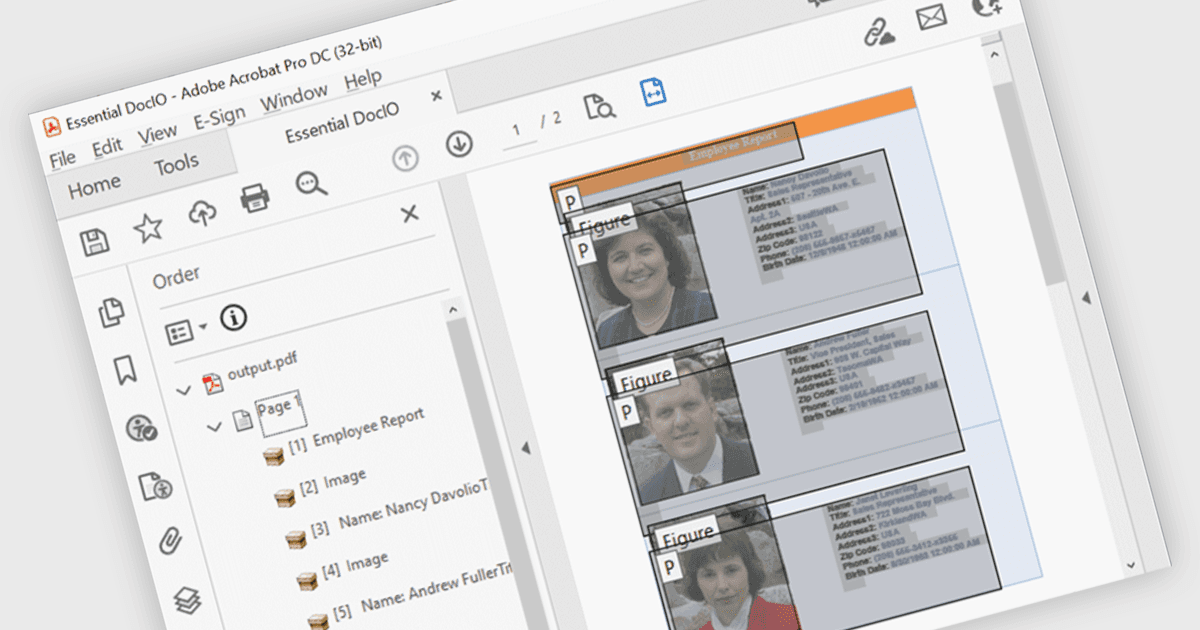
PDFコンポーネントにおけるアクセシビリティ対応により、開発者は支援技術に依存するユーザーにとってナビゲートしやすいドキュメントを作成できます。これらの強化には、見出し、リスト、表の自動タグ付け、スクリーンリーダーのサポートの改善、論理的な読み順の保持が含まれます。WCAGやPDF/UAなどの標準に適合する機能を統合することで、最新のPDFライブラリは、ドキュメントが見た目の正確さだけでなくセマンティックにも豊かであることを支援します。これにより、特にコンプライアンスと使いやすさが不可欠な分野において、開発者はアクセシビリティ要件をより容易に満たせます。
いくつかの .NET WPF PDFコンポーネントには、アクセシビリティ対応が含まれます。たとえば:
- IronPDF for .NET は、意味のある構造とアクセス可能なメタデータを含むPDFを生成でき、支援技術への対応やコンプライアンスを強化します。
- XFINIUM.PDF WPF/UWP EDITION は、組み込みのタグ付け、読み順の制御、スクリーンリーダーおよびアクセシビリティ検証ツールのサポートにより、アクセス可能なPDFの作成を容易にします。
- Syncfusion WPF PDF(Syncfusion Essential Studio Enterprise の一部)では、タグ付きコンテンツ、論理的な構造、スクリーンリーダー互換性を備えたアクセス可能なPDFを作成できます。
機能と価格の詳細な分析については、.NET WPF PDFコンポーネントの比較をご覧ください。