グリッドセル内の日付を正確に処理
日付/時刻セル型を持つJavaScriptグリッドは、構造化された入力、書式設定、検証を提供し、よりクリーンで信頼性の高い時間データ処理を実現
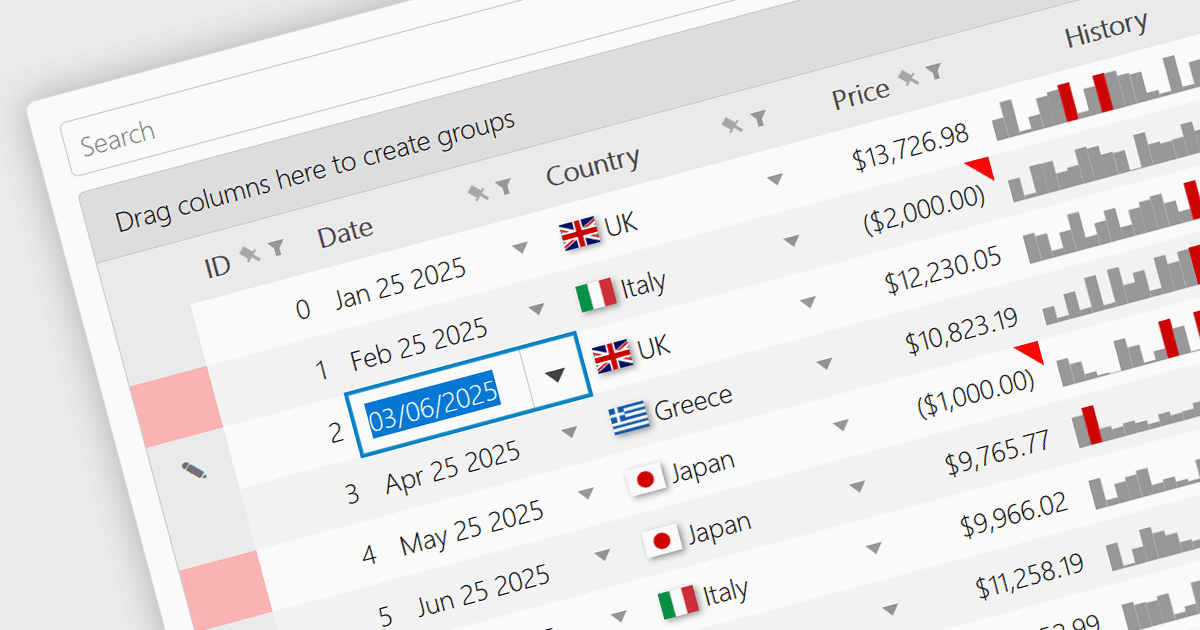
JavaScript Grid コントロールの「日時」セル型により、入力を単なるテキストではなく実際の JavaScript Date オブジェクトとして扱うことで、開発者が時間データをより効果的に管理できます。これにより、カレンダーポップアップ、タイムピッカー、または「"09/09/2025"」や「"Sep 9 2025"」のような構造化された出力形式などの組み込み機能が利用可能になり、ユーザーがデータと正確にやり取りしやすくなります。特に、スケジューリング、アクティビティログ、時間に基づくレポートに依存するアプリケーションで役立ちます。ほとんどの最新のグリッドライブラリでは、セルの挙動がアプリケーションの設計やデータ標準にシームレスに適合するよう、ローカライゼーション、フォーマッティング、入力バリデーションもサポートしています。
複数の JavaScript Grid コントロールで、Date/Time セル型がサポートされています。たとえば:
- Wijmo FlexGrid(MESCIUS による Wijmo の一部)では、セル内でリッチな日時フォーマットを適用でき、カスタム形式、カレンダー連携、国際化された日付表示に対応しています。
- DevExtreme HTML5 JavaScript Data Grid (DevExpress の DevExtreme Complete の一部)では、ローカライズされた形式を含む、あらかじめ用意されたパターンで日時セルをフォーマットできます。
- KendoReact Data Grid(Telerik による KendoReact の一部)では、表示マスク、カルチャ設定、動的な日付パースを完全に制御しながら、精密な日時フォーマットを実現できます。
- Handsontable(Handsoncode)では、設定可能な表示パターンと、ISO 日付形式の組み込みサポートを使って、セル内で日時の値を直接フォーマットできます。
- Ignite UI Angular Grid(Infragistics Ignite UI の一部)では、セル内でカスタムの日時フォーマットを定義でき、ロケールに配慮しながら短い形式と長い形式の両方を処理できます。
機能と価格の詳細な分析については、JavaScript Grid コントロールの比較をご覧ください。