インタラクティブな図でデータを視覚化
組織図やワークフローなどの複雑な構造を、更新と理解が容易な明確で動的なビジュアルに変換
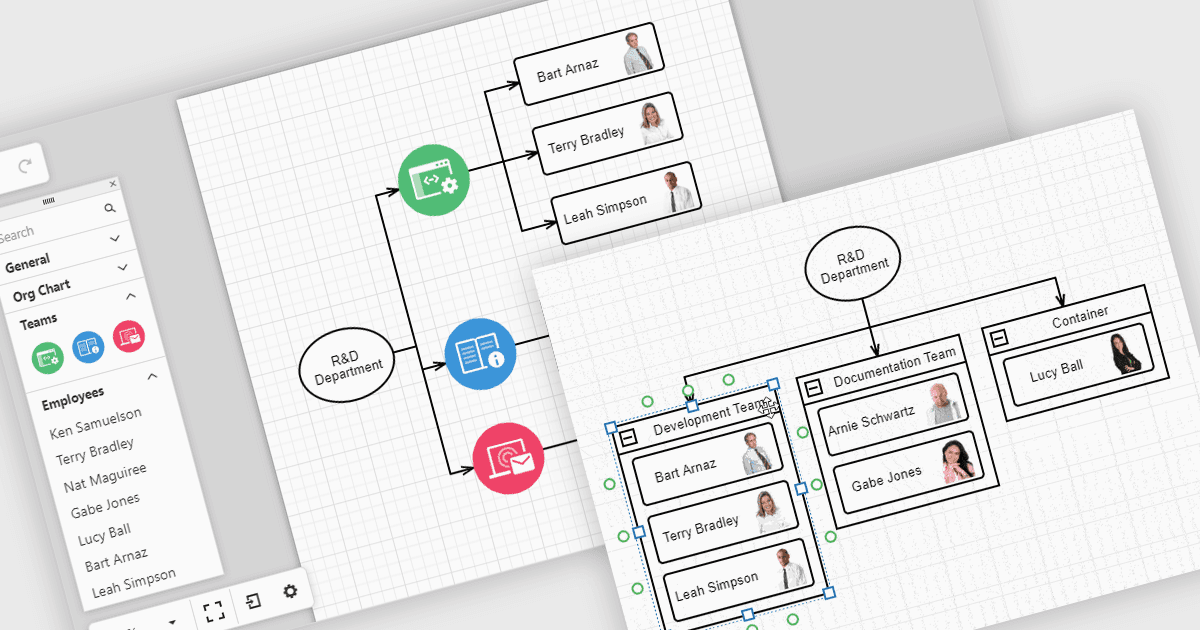
UIツールキットの図は、複雑なデータを理解しやすいビジュアルに変え、チームがそれを操作できるようにするのに役立ちます。たとえば組織図は、HRデータから自動的に更新できるレイアウトで、会社の組織構造や報告ラインを示します。これらの図は、ドラッグ&ドロップのツールで展開・折りたたみ・再編成ができるため、チーム間の関係を把握しやすく、情報を最新の状態に保ちやすくなります。図は、ワークフロー、意思決定ツリー、ネットワークマップにも使用でき、チームが情報を明確かつ柔軟に提示・管理するための手段になります。
いくつかのReact UIスイートには、以下のような図(ダイアグラム)コントロールがあります。
- DevExtreme Complete は DevExpress によるもので、組織図、プロセスフロー、ネットワーク構造などのインタラクティブなダイアグラムを、レスポンシブなレイアウトで構築できます。
- SmartClient は Isomorphic Software によるもので、高度なダイアグラミングを支援し、階層型の組織図、意思決定ツリー、ワークフローの可視化をサポートします。
- Syncfusion Essential Studio Enterprise では、データバインディング、自動レイアウト、さまざまなエンタープライズアプリケーション向けのインタラクティブな編集によって、豊富な図を作成できます。
機能と価格の詳細な分析については、React UIスイートの比較をご覧ください。