PDFドキュメント内の特定のテキストをすばやく特定
Angularを使用してテキスト検索機能をサポートするPDFビューアを作成し、ユーザーは大幅に短い時間で情報を簡単に特定可能。
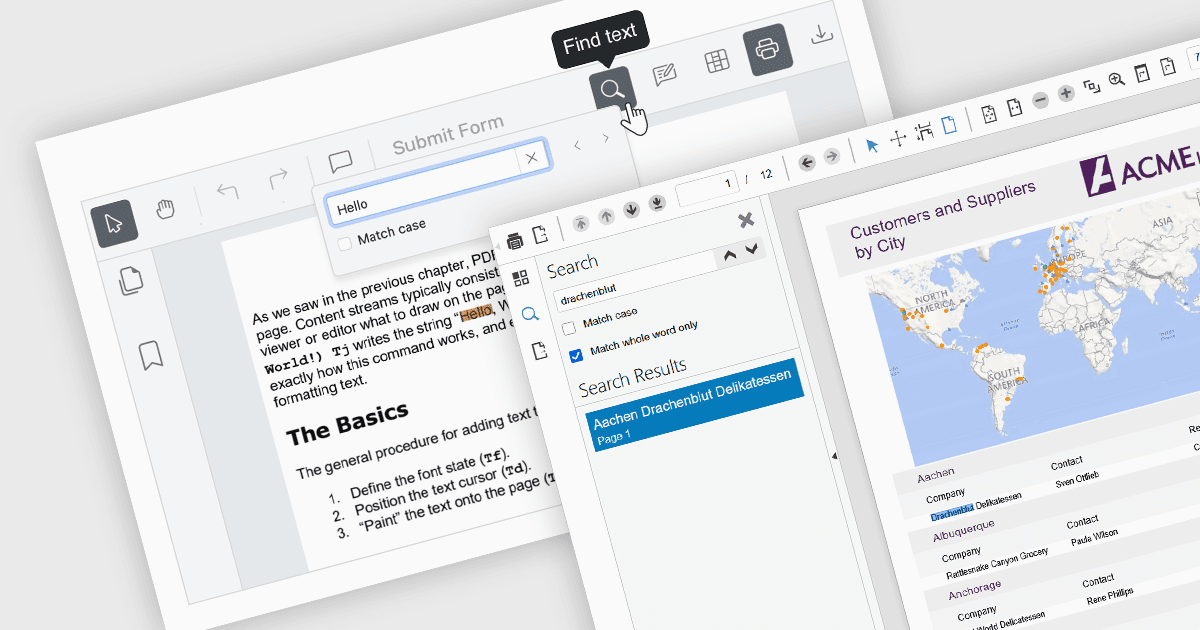
PDFビューアのテキスト検索機能により、ユーザーはビューア内の検索フィールドにキーワードを入力することで、PDFドキュメント内の特定の単語やフレーズを素早く見つけることができます。これはPDFのテキストレイヤーをスキャンし、一致する結果をハイライトして、出現箇所間をすばやく移動できるようにすることで機能します。基本機能として非常に広く利用されているこの機能は、関連情報を探す際に、手動でスクロールして内容を読み進める必要がなくなるため、大幅な時間を節約できるという重要なメリットを提供します。特に、長文で複雑、または文字が密に整形されたドキュメントでは、その効果がより顕著です。
複数のAngular PDFビューアコンポーネントでは、テキストの検索が可能です。たとえば:
- Wijmo PDFViewer(MESCIUSによるWijmoの一部)は、ビューアのインターフェースで検索語を直接入力することで、PDFファイル内の単語やフレーズを即座に見つけられます。
- Kendo UI PDF for Angular(TelerikによるKendo UIの一部)は、ビューア内でのテキスト検索機能を提供し、ユーザーがPDF内の特定のコンテンツをすばやく見つけて移動できるようにします。
- Syncfusion PDF Viewer(Syncfusion Essential Studio Enterpriseの一部)は、PDF全体で一致するテキストコンテンツを見つけてハイライト表示できます。
機能と価格の詳細な分析については、Angular PDFビューアコンポーネントの比較をご覧ください。