入力可能なPDF AcroFormsを使用してレポートをエクスポート
レポートフィールドをインタラクティブなPDF AcroFormsとしてエクスポートすることで、簡単なデータ入力、一貫した書式設定、および幅広いPDFビューアの互換性を実現
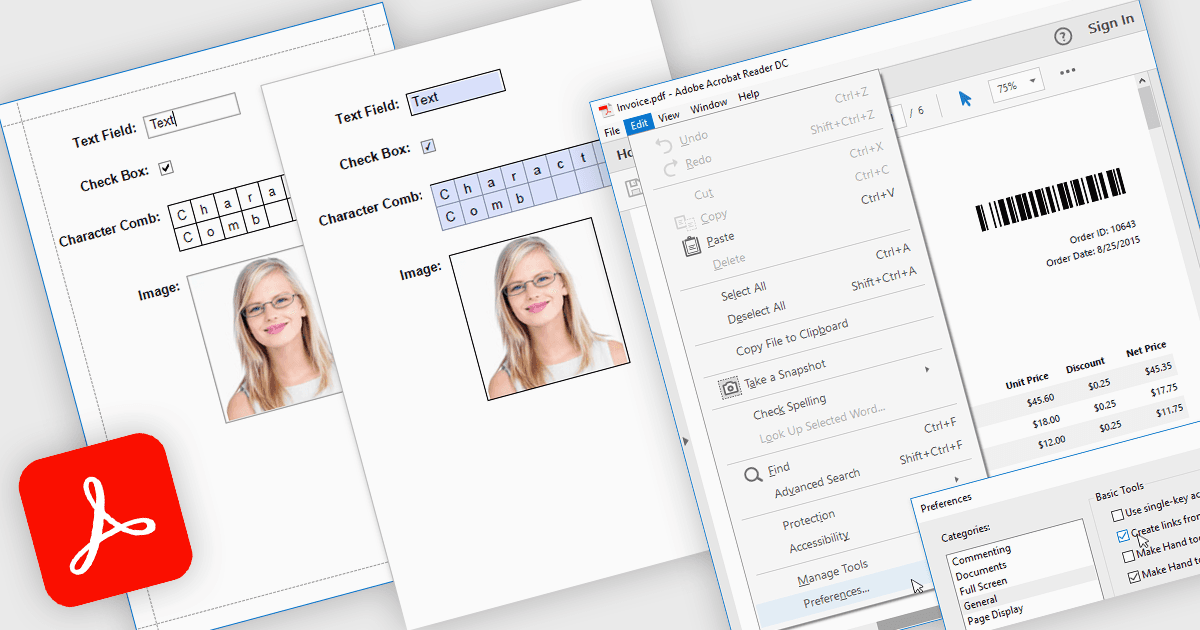
AcroForms でレポートを PDF に書き出すことで、レポートを静的なテキストではなく、完全にインタラクティブなフォームフィールドを含む PDF ファイルとして保存できます。テキストボックス、チェックボックス、ラジオボタン、ドロップダウンリストなどの編集可能な要素は、書き出し後も入力可能な状態のままで、Adobe Acrobat Reader のような標準の PDF ビューワでユーザーが直接フォームを完成できるため、専用ソフトウェアは不要です。得られるメリットは大きく、組織は手作業によるデータ入力を減らし、配布されたドキュメント全体で一貫した書式を維持し、エンドユーザーのアクセシビリティを向上できます。たとえば、企業は請求書レポートを編集可能な請求情報付きで書き出し、受け取った人がデジタルで回答できる調査(サーベイ)を作成したり、クライアントが電子的に入力して返送できるコンプライアンスフォームを生成したりできます。AcroForms によって書き出し済みレポートにインタラクティブなフィールドを直接埋め込むことで、ドキュメントのワークフローをより効率的に、正確に、そしてユーザーフレンドリーにすることに役立ちます。
AcroForms での Export to PDF(PDF への書き出し)を提供する .NET WPF のレポーティングコントロールには、以下があります。
- DevExpress Reports (Multi-Platform) は、AcroForms によるインタラクティブな PDF を書き出すことを可能にし、さまざまなデバイスやビューワで編集可能なフィールドを使えるようにします。
- ActiveReports.NET は MESCIUS によるもので、AcroForm の PDF として書き出されるレポートを作成でき、デジタル入力、コンプライアンス、そしてフォーム配布の改善をサポートします。
- List & Label Enterprise Reporting Edition は combit によるもので、AcroForms による入力可能な PDF の書き出しを容易にし、プロフェッショナルでユーザーフレンドリーなデータ収集のためにインタラクティブなフィールドを維持します。
- FastReport .NET WPF は、動的なレイアウトと編集可能なフィールドを組み合わせて、インタラクティブな AcroForm PDF としてレポートを生成でき、効率的なデジタルワークフローを実現します。
機能と価格の詳細な分析については、.NET WPF レポーティングコントロールの比較をご覧ください。