直感的なチェックボックスでデータ入力を簡素化
組み込みのチェックボックスセルを使用してグリッド内のtrue/false値を簡単に管理し、迅速、正確、視覚的に明確な操作を通じて明瞭さが向上
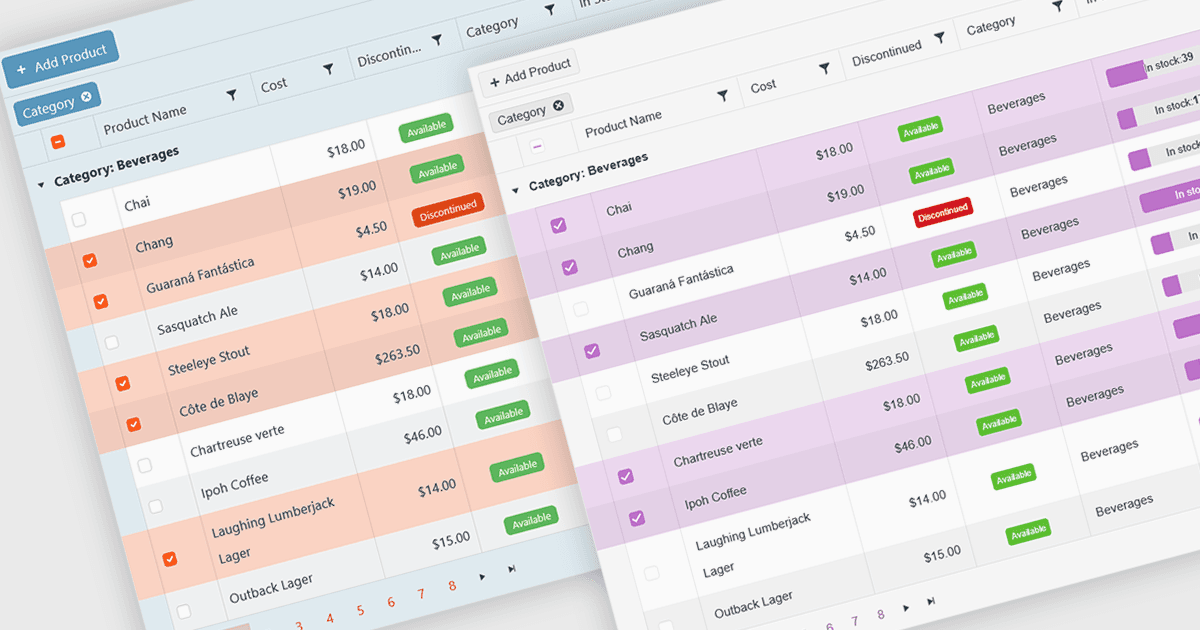
グリッド内のチェックボックスセルタイプにより、ユーザーはシンプルで視覚的なインターフェースを通じて Boolean(true または false)データを簡単に管理できます。値を手入力する代わりに、チェックボックスを素早く切り替えることで、アクティブ/非アクティブ、完了/未完了、有効/無効などの状態を示せます。この操作は入力ミスを減らし、データの明確性を高めることで、情報を一目で確認しやすくします。チェックボックスセルは、素早い編集、まとめての選択、チェック済み/未チェックの値に基づく効率的なフィルタリングをサポートするため、生産性が向上します。よくある用途としては、タスク管理、ユーザー権限、製品の提供可否、二値の選択でワークフローの効率と使いやすさが高まる機能トグルなどが挙げられます。
いくつかの Vue.js グリッドコンポーネントでは、チェックボックスセルタイプに対応しています。たとえば:
- DevExtreme HTML5 JavaScript Data Grid(DevExtreme Complete の一部)では、素早く true/false を選択するためのチェックボックスセルを追加でき、明確さとデータ入力性が向上します。
- DataViewsJS(MESCIUS による提供)では、チェックボックスセルで効率的にデータを扱えます。ユーザーは状態を瞬時に切り替え、二値の値を手軽に可視化できます。
- Handsontable(Handsoncode による提供)では、直感的な Boolean 入力のためのチェックボックスセルを含めることができます。編集可能なグリッド内で、素早い更新と簡単なフィルタリングを実現します。
- IntegralUI Grid(Lidor Systems による IntegralUI Web の一部)では、チェックボックスセルの統合により、正確な Boolean データ管理を可能にし、インタラクティブなグリッドの使いやすさを高めます。
機能と価格の詳細な分析については、Vue.js グリッドコンポーネントの比較をご覧ください。