グリッドエディターを使用してデータ入力をカスタマイズ
カスタマイズされたエディターとカレンダーを使用してセル内を直接更新できるカスタムグリッド編集により、より高速で正確なデータ入力の体験を
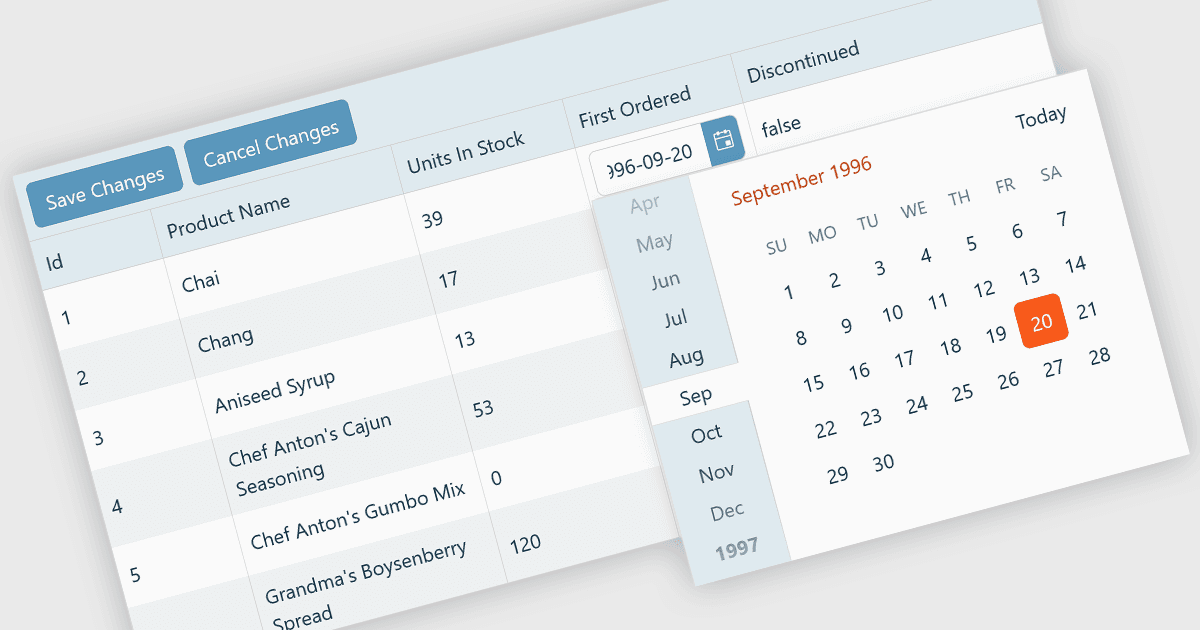
カスタム・グリッド・エディターにより、開発者はユーザーがグリッドのセル内でデータを操作する方法を調整でき、柔軟で効率的な編集体験を提供します。標準のテキスト入力に頼る代わりに、カスタム・エディターには、ドロップダウン、スライダー、トグル、カレンダー・コンポーネントなどを組み込んで、データ型に合わせることができます。このアプローチはデータ入力とバリデーションを改善するだけでなく、入力を文脈に即したものにすることで、精度とユーザー満足度も高めます。たとえば、日付フィールドにはインラインの日時ピッカーを使用し、ステータス列には事前定義されたオプションを含むドロップダウンを配置できます。ダッシュボード、スケジューリングツール、管理用パネルなどのデータ量の多いアプリケーションに最適で、カスタム・グリッド・エディターは、メインのインターフェースを離れることなく、ユーザーが複雑なデータを迅速かつ直感的に編集できるよう支援します。
複数のReact Gridコントロールは、カスタム編集をサポートしています。たとえば:
- KendoReact Data Grid(TelerikによるKendoReactの一部)では、カスタマイズ可能なインセル・エディターを作成でき、ドロップダウン、日付ピッカー、バリデーションによってデータ入力を強化できます。
- Sencha Ext JS Grid(Sencha Ext JSの一部)では、動的なセル・コンポーネントを用いたカスタム編集が可能で、複雑なグリッド・インターフェース内での使いやすいデータ操作を実現します。
- jQWidgets Grid(jQWidgetsの一部)では、異なるデータ型に適応する柔軟なセル・エディターを実装でき、入力の正確さを高められます。
- Jspreadsheet Pro Data Grid(Jspreadsheet Proの一部)では、カレンダーやオートコンプリート・リストを含むカスタマイズ可能なセルの種類でインライン編集を可能にします。
機能と価格の詳細な分析については、React Gridコントロールの比較をご覧ください。