構造化編集フォームで複雑なデータを管理
グリッド内の合理化されたポップアップエディターにより、ワークフローを中断することなく正確なデータ編集を可能にすることで生産性が向上
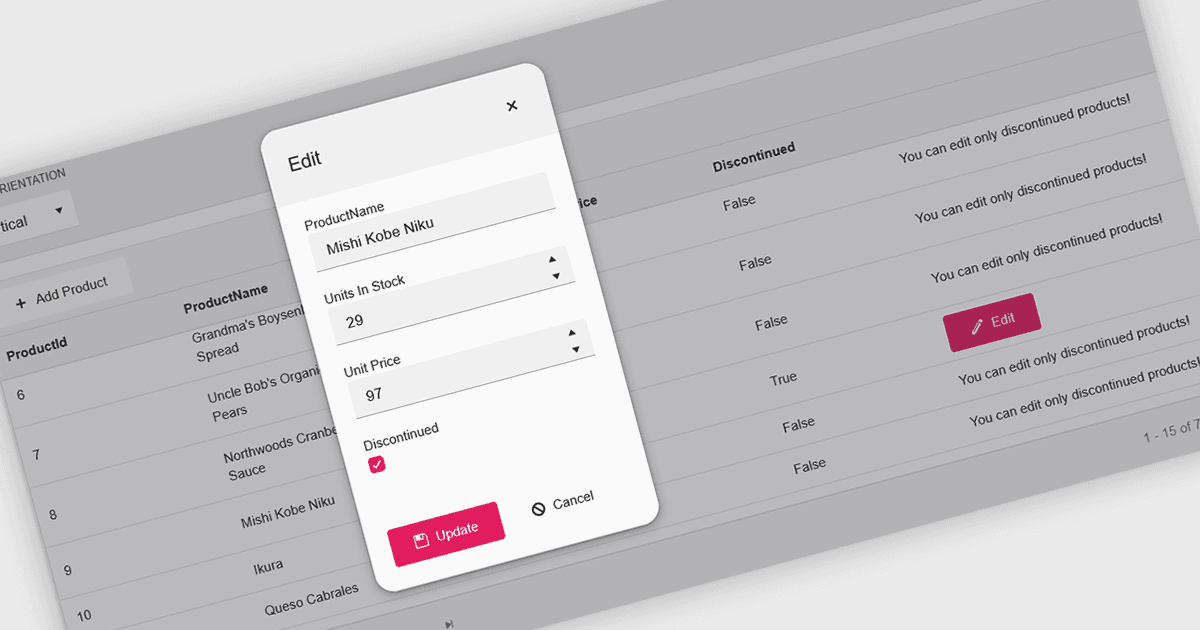
グリッド内にポップアップエディターを用意することで、別ページへ移動することなく、グリッドUI上で直接データを編集するための効率的でユーザーフレンドリーな方法を実現します。編集対象のレコードを選択すると、グリッドの上にポップアップウィンドウが表示され、関連するすべてのフィールドが見やすく整理された形式で提示されます。このアプローチでは、メインのデータセットの文脈を保持したまま集中して編集できるため、データ管理を効率化できます。特に、複数のフィールドを含む複雑なレコードや、ネストされた情報、詳細なバリデーションが必要なケースに有効です。よくある利用例としては、CRMシステムでの顧客レコードの編集、プロダクト管理ダッシュボードでの在庫情報の更新、管理用データグリッドでのエントリの変更などが挙げられます。利便性、明確さ、そして制御性を組み合わせることで、ポップアップエディターは生産性と全体的なユーザー体験の向上に役立ちます。
多くのReactグリッドコントロールでは、ポップアップエディターを提供しています。たとえば:
- DevExtreme HTML5 JavaScript Data Grid(DevExtreme Completeの一部)により、レスポンシブなポップアップフォームでレコードを編集でき、複雑なデータ更新を改善します。
- KendoReact Data Grid(TelerikのKendoReactの一部)では、洗練されたポップアップインターフェイスを通じて直接編集でき、ワークフローを効率的に保ち、データ入力をクリーンかつ整理された状態に保ちます。
- BestReactGridは、メインのグリッドから離れることなく、マルチフィールドのレコードを管理するための直感的なフォームベースの体験を提供し、シームレスなポップアップ編集を可能にします。
- MindFusion DataViews(MindFusion.JavaScript Packの一部)では、カスタマイズ可能なポップアップダイアログを通じてデータの変更を行え、バリデーションと一貫性を向上させます。
機能と価格の詳細については、React Grid Controlsの比較をご覧ください。