組み込みのPDFビューアコントロールから簡単に印刷
シームレスなPDF印刷でアプリケーションを強化し、ビューア内で直接正確な制御をし、より高速なワークフロー、プロフェッショナルな結果を提供
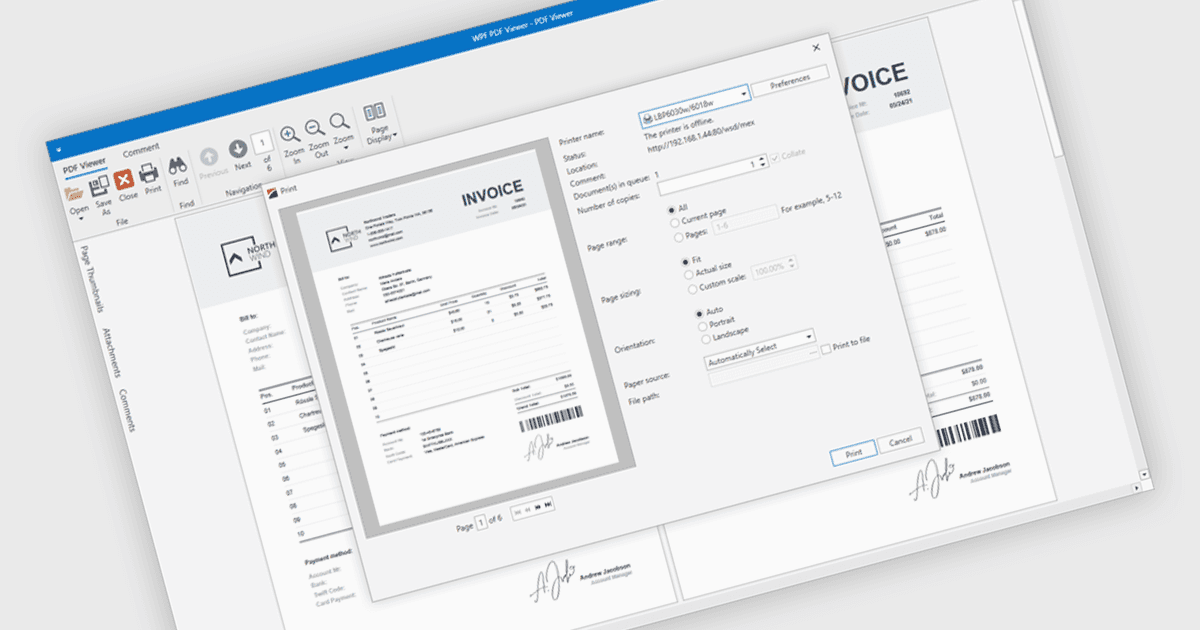
PDFビューアー内でのPDF印刷により、ユーザーは外部アプリケーションを開くことなく、閲覧インターフェイスからドキュメントを直接印刷できます。この組み込み機能により、用紙サイズ、向き、スケーリングなどの印刷オプションにすばやくアクセスでき、ドキュメントの元のレイアウト、フォント、グラフィックスを維持します。さまざまなプリンターやデバイスにおいても、プロフェッショナルで高品質な出力と一貫したユーザー体験を実現します。一般的な利用例としては、請求書、レポート、フォーム、技術ドキュメントなどをデスクトップまたは組み込みアプリケーションから直接印刷し、時間の節約、複雑さの軽減、生産性の向上に役立ちます。
複数の .NET WPF PDFビューアー コンポーネントには印刷対応が含まれており、たとえば以下のようなものがあります:
- DevExpress WPF PDF Viewer(DevExpress WPFの一部)では、アプリケーション内からPDFファイルを印刷でき、構成可能なプリンター設定と高精細な出力を提供します。
- ComponentOne WPF FlexViewer(MESCIUSによるComponentOne Studio WPFの一部)では、PDFドキュメントの印刷が可能で、ユーザーは向きやプリンター設定を直接選択できます。
- LEADTOOLS PDFは、高度な印刷API、画像の前処理、幅広いフォーマット対応により、PDFドキュメントを任意のプリンターへ送信することを容易にします。
- ImageGear for .NET(Accusoft)では、コードベースから直接Print()メソッドを呼び出してネイティブなPDFドキュメント印刷を可能にし、高速かつメモリ効率の高い出力をサポートします。
機能と価格の詳細な分析については、.NET WPF PDFビューアー コンポーネントの比較をご覧ください。