PDFビューアでページを直接並べ替え
WPFビューアの組み込みツールを使用してPDF内のページ順序をすばやく変更し、ドキュメントワークフローの中断を最小限に
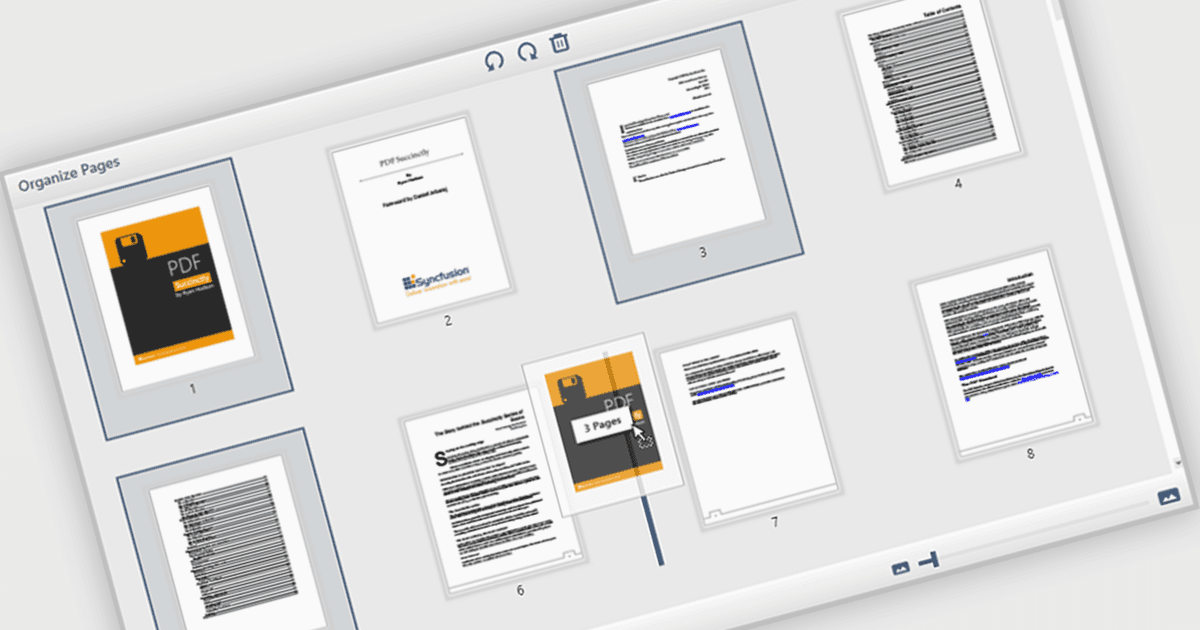
PDFビューワでページを移動・配置できる機能により、ユーザーはPDFドキュメント内の個々のページをインターフェース上で直接並べ替えできます。ソフトウェア開発者にとって、この機能は、コンテンツの組み立て、フォーム管理、または自動レポート生成などの用途を含むアプリケーションにおいて、より柔軟なドキュメント処理をサポートします。外部ツールや手作業による編集の必要性を減らし、複雑または複数ページのドキュメントを管理する際の統合を容易にして、ユーザー体験を向上させます。
いくつかのWPF(Windows Presentation Foundation)PDFビューワコンポーネントでは、PDF内のページを移動・配置できます。たとえば:
- Telerik UI PDF for WPF(Telerik UI for WPFの一部)では、WPF PDF Viewerコントロール内でページの並べ替え、挿入、または削除を行い、動的なドキュメントレポートに対応できます。
- Syncfusion WPF PDF(Syncfusion Essential Studio Enterpriseの一部)により、PDF Viewer内でページをインタラクティブに再配置でき、複数ページのドキュメント処理を最適化します。
- XFINIUM.PDF CROSS PLATFORM EDITIONでは、再配置、抽出、PDFページの完全な制御などを含む、包括的なページ管理機能を提供します。
機能と価格の詳細な分析は、WPF PDFビューワの比較をご覧ください。