インタラクティブなスケジューリングをUIに組み込む
スケジューリングコンポーネントは、会議、プロジェクト、アポイントメントの計画を改善するカレンダービューやグループ調整機能を提供
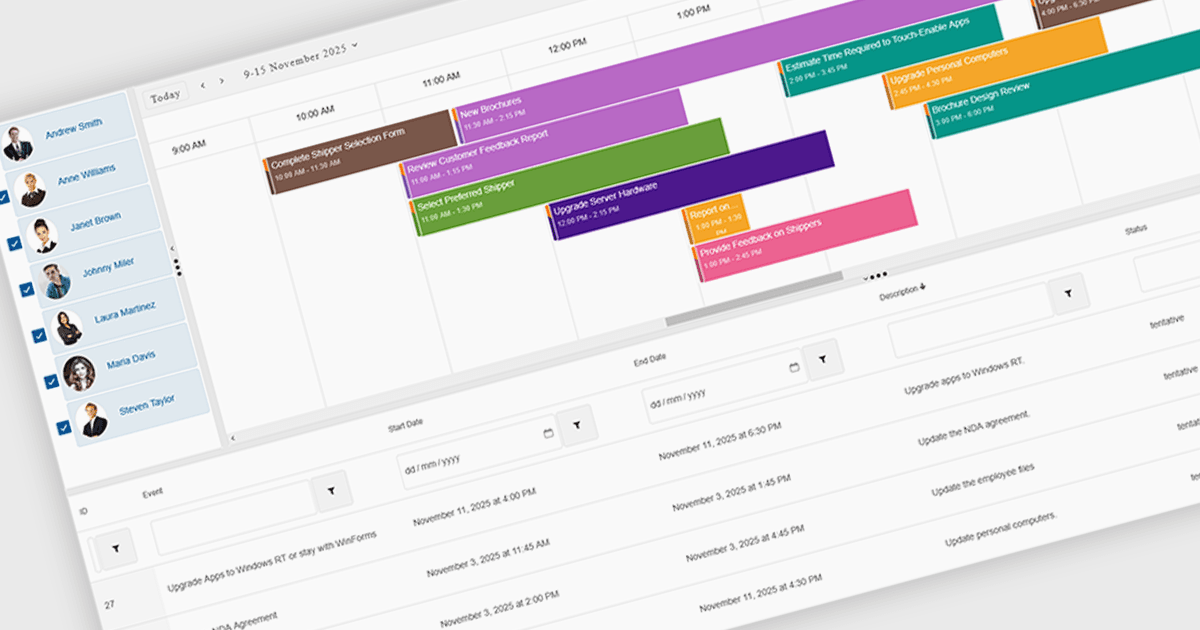
UIスイートでのスケジューリングコンポーネントは、時間ベースのデータを管理するための視覚的でインタラクティブな方法を提供します。マルチビューのカレンダー、ドラッグ&ドロップによる編集、繰り返し(レカレンス)ルール、グループスケジューリングなどの機能により、計画を簡単にします。これらにより、日次、週次、月次、またはタイムライン表示を組織内で提示し、チームの稼働状況を比較し、ブランドやワークフローに合わせてインターフェースを調整できます。バックエンドのデータソースと統合することで、スケジューリングコンポーネントは明確さを向上させ、競合を減らし、会議予約、プロジェクト管理、スタッフの連携、顧客対応の予約など、さまざまなユースケースで時間を節約します。
複数の .NET Blazor ユーザー インターフェイス(UI)スイートでは、スケジューリングコントロールとして次のような機能が提供されています:
- DevExpress ASP.NET and Blazor は、柔軟なカレンダービュー、リソースのグループ化、ドラッグ&ドロップによる編集、繰り返し予定(アポイントメント)により、視覚的にイベントをスケジュールできます。
- Telerik UI for Blazor は、マルチビューのカレンダーを通じて予定を管理し、直感的な編集ツール、リソーススケジューリング、繰り返し(レカレンス)対応により、予定の運用を可能にします。
- Smart UI (Smart HTML Elements) は、高度なカレンダービュー、ドラッグ&ドロップによるイベント、リソースのグループ化、繰り返し(レカレンス)オプション、インタラクションにより、効率的なスケジューリングを実現します。
- Syncfusion Essential Studio Enterprise は、多彩なカレンダービュー、イベント編集、リソース管理、繰り返し(レカレンス)対応によって、スケジュールを構築できます。
機能と価格の詳細な分析については、.NET Blazor UIスイートの比較をご覧ください。