ビューアを通じてPDFコンテンツをキャプチャ
アプリがPDF文書からユーザーが選択したテキストや範囲を直接抽出できるようにし、取得したデータを画面上の可視的な操作と一致
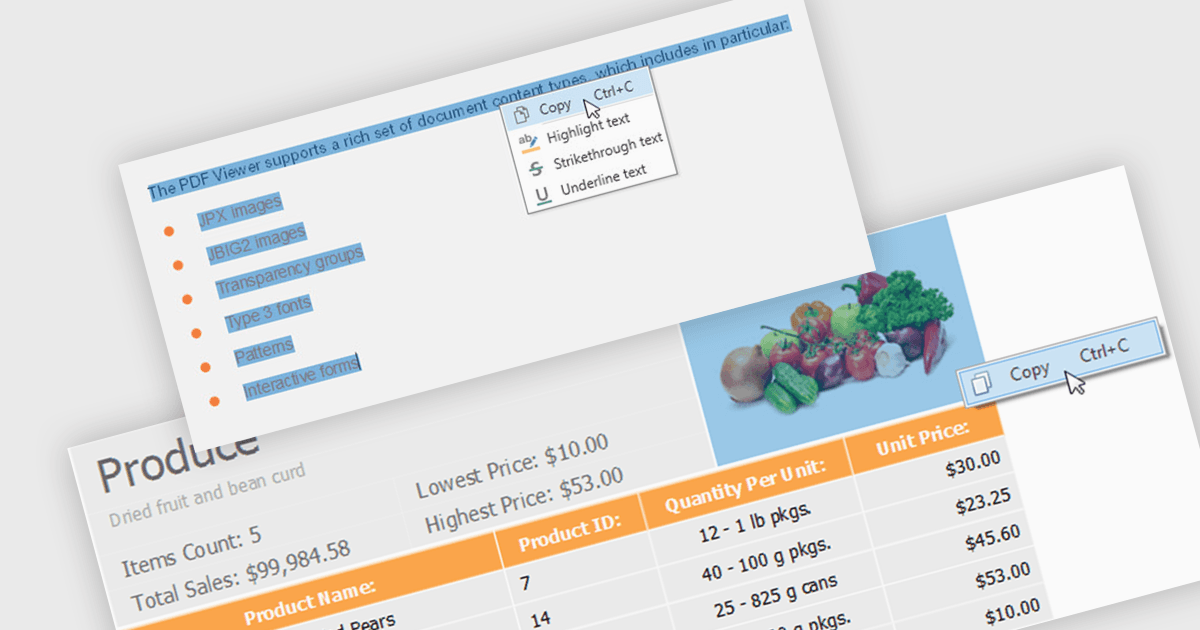
PDFビューアーを使用してコンテンツを抽出することとは、テキストの選択、領域の選択、またはページ単位のキャプチャといったインタラクティブな操作に基づき、エンドユーザーまたはアプリケーションがビューアーのユーザーインターフェイスを通じてコンテンツを直接選択し、取得できるようにすることを指します。ソフトウェア開発者にとっては、ビューアーが単なるレンダリングのための画面ではなく、選択されたテキスト、画像、または領域を公開する制御された抽出レイヤーとして機能することを意味します。このアプローチは、レビュー、承認、データキャプチャのシナリオで価値があるのは、明確なユーザーの意図を反映し、抽出したデータを画面上で実際に選択されている内容に一致させ、バックグラウンドのパースだけに依存しないため、アプリケーション内でより予測可能でユーザー主導のコンテンツ取得が実現できるからです。
いくつかのWinForms PDF Viewerコンポーネントでは、コンテンツ抽出が可能です。たとえば:
- DevExpress WinForms PDF Viewer(DevExpress WinFormsの一部)では、PDFビューアーを通じてユーザーが選択したテキストや視覚的な領域を直接抽出できます。
- Telerik UI for WinForms PDF Viewer(Telerik UI for WinFormsの一部)では、ビューアー内で視覚的に選択したPDFコンテンツをキャプチャし、ユーザー操作に合わせて整列されたテキストを返します。
- PDFView4NET Windows Forms EditionはPDF4DEV Solutionsが提供しており、ユーザー選択に基づいてそのPDFビューアーからテキスト、画像、領域を抽出することを支援します。
- Syncfusion WinForms PDF Viewer(Syncfusion Essential Studio Enterpriseの一部)では、ビューアー経由でユーザーが選択したPDFテキストと領域を取得できます。
機能や価格の詳細な分析については、WinForms PDF Viewerコンポーネントの比較をご覧ください。