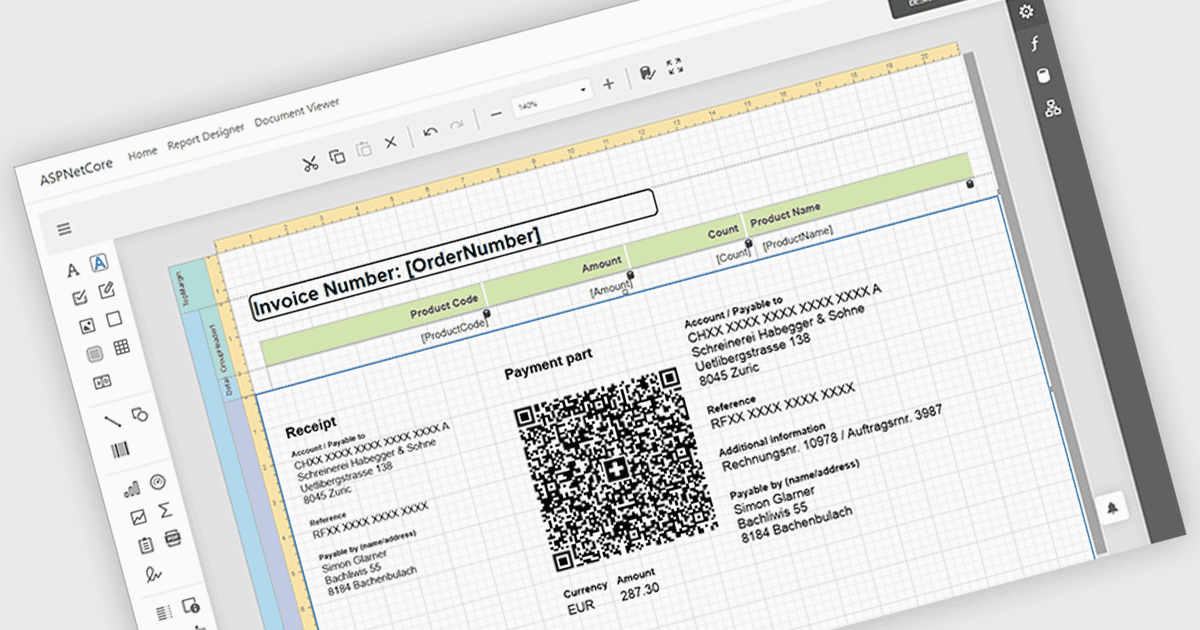
レポートにバーコードを簡単に埋め込み

1月 27, 2026
印刷またはデジタルレポートに機械読み取り可能なバーコードを埋め込むことで、より高速なデータ収集とトレーサビリティの向上を実現
英語で読み続ける:

Adding barcodes to reports means embedding machine-readable codes that represent key data such as IDs, records, or transaction details, allowing information to be scanned and processed instantly. This enhances efficiency by reducing manual data entry, improving accuracy, and enabling integration with backend systems like inventory management, ERP, or tracking platforms. Barcodes in reports also support automation and traceability, making it easier to identify, validate, and track documents or items throughout a process. Common use cases include inventory and asset tracking, order fulfillment and shipping documentation, patient and sample identification in healthcare, financial and compliance reporting, and any scenario where fast, reliable data capture from printed or digital reports is essential.

Several ASP.NET Core reporting controls offer barcode support including:

  • DevExpress Reporting lets you embed dynamic barcodes in reports to enable accurate scanning, automated processing, and data integration processes.
  • Telerik Reporting allows you to generate barcode-enabled reports that support fast identification, reliable tracking, and efficient system interoperability across organizations.
  • Stimulsoft Reports.WEB facilitates adding barcodes to web reports, improving data accuracy, document traceability, and automated scanning in online environments.
  • FastReport .NET WEB enables barcode integration in web reports for quick data capture, reduced errors, and improved digital processes operations.

For an in-depth analysis of features and price, visit our React reporting controls comparison.

Compare ASP.NET Core Reporting Controls