トレンドラインを持つ主要なデータパターンを特定
トレンドラインは根底にあるパターンを明らかにし、長期的なトレンドを明確にし、チャートデータを明確で実行可能な洞察に変えて迅速な意思決定が可能
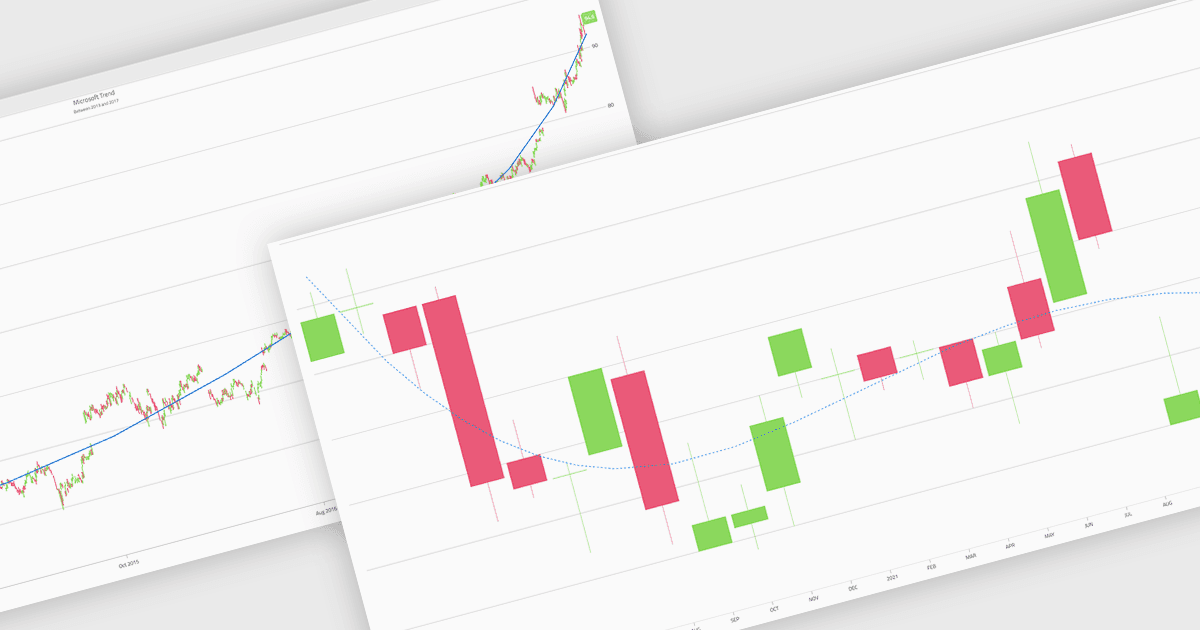
チャート内のトレンド ラインは、時系列データの全体的な方向性や傾向を表す分析ツールであり、生データからはすぐに見えないパターンをユーザーが解釈できるようにします。短期的な変動をなめらかにすることで、トレンド ラインは長期的な挙動を明確にし、成長または減少を強調し、より情報に基づいた意思決定を支援します。これらは、パフォーマンス指標を追跡するためのビジネス ダッシュボード、 市場動向を評価するための金融分析、 繰り返し現れるパターンの特定、結果の予測、複数のデータ シリーズの比較をより明確に行うための運用レポーティングなどで一般的に使用されています。
複数のBlazorチャート コンポーネントでは、トレンド ラインのサポートが提供されています。たとえば:
- Telerik UI Blazor Chart(Telerik UI for Blazorの一部)では、構成可能なトレンド ラインを使用してデータの傾向を明確に可視化し、素早い洞察と確信のある判断を可能にします。
- ComponentOne Blazor Charts(MESCIUSのComponentOne Studio Blazor Editionの一部)では、読みやすさを高めるカスタマイズ可能なトレンド ラインで、パターンを分析できます。
- Infragistics Ignite UI for Blazor Chart(Infragistics Ignite UIの一部)では、対応しているチャート タイプにカスタマイズ可能なトレンド ラインを重ねることで、トレンドの発見を促します。
- Syncfusion Blazor Charts(Syncfusion Essential Studio Enterpriseの一部)では、適応型トレンド ラインで全体的な方向性を強調し、複雑なデータセットを解釈できます。
機能と価格の詳細な分析については、Blazor Chart Componentの比較をご覧ください。