フィールドをフラット化することでPDFフォームをロック
WinFormsアプリでPDF文書内のフォームフィールドをフラット化し、ユーザーの入力を編集できない静的なページコンテンツに変換可能
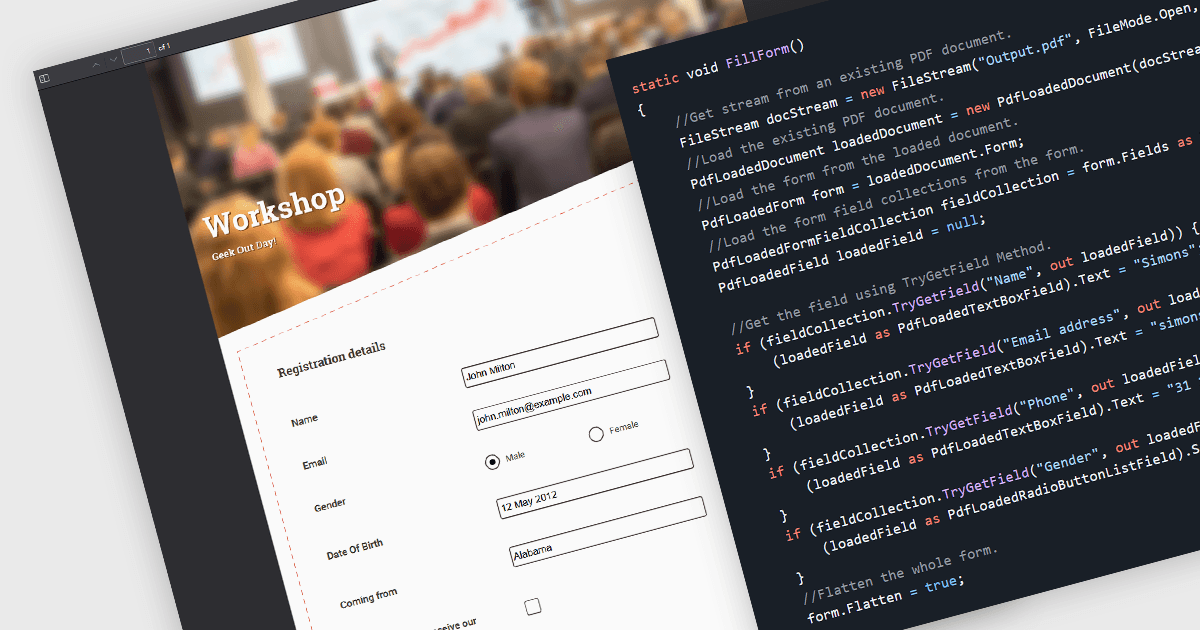
フォームフィールドのフラット化とは、対話型のPDFフォーム要素をドキュメント内の静的コンテンツに変換するプロセスです。フラット化すると、各フィールドに入力されたデータはページ自体の一部になり、これ以上の編集や操作ができなくなります。これにより、提出された情報の整合性を保持しつつ、ドキュメントをさまざまなデバイスやPDFリーダーで一貫した表示にすることができます。特に、確定した契約書、レポート、コンプライアンス文書など、正確で改変不可能な記録を維持することが不可欠なケースで有用です。
複数のWinForms PDFコンポーネントでフォームフィールドをフラット化できます。たとえば:
- Telerik UI for WinForms PdfProcessing(Telerik UI for WinFormsの一部)は、AcroFormフィールドをプログラムでフラット化し、レイアウトを維持したままフォームをロックできるようにします。
- ImageGear for .NETはAccusoftによって提供され、フォームフィールドを静的なページコンテンツに変換するためのAPIを備えており、インタラクティブ性を除去し、入力されたデータを保持します。
- XFINIUM.PDF WINDOWS/MAC EDITIONは、処理中にフォームフィールドをフラット化し、フィールド値をドキュメントのコンテンツに埋め込むことを可能にします。
- Syncfusion WinForms PDF(Syncfusion Essential Studio Document SDKの一部)は、開発者が個々のフィールドまたはフォーム全体をフラット化して、共有前の編集を防ぐことを可能にします。
機能と価格の詳細な分析については、WinForms PDFコンポーネントの比較をご覧ください。