ゲージでデータを明確に可視化
.NET WPFのUIスイートはゲージ制御付きで、リアルタイムの測定値や運用状況を一目で表示
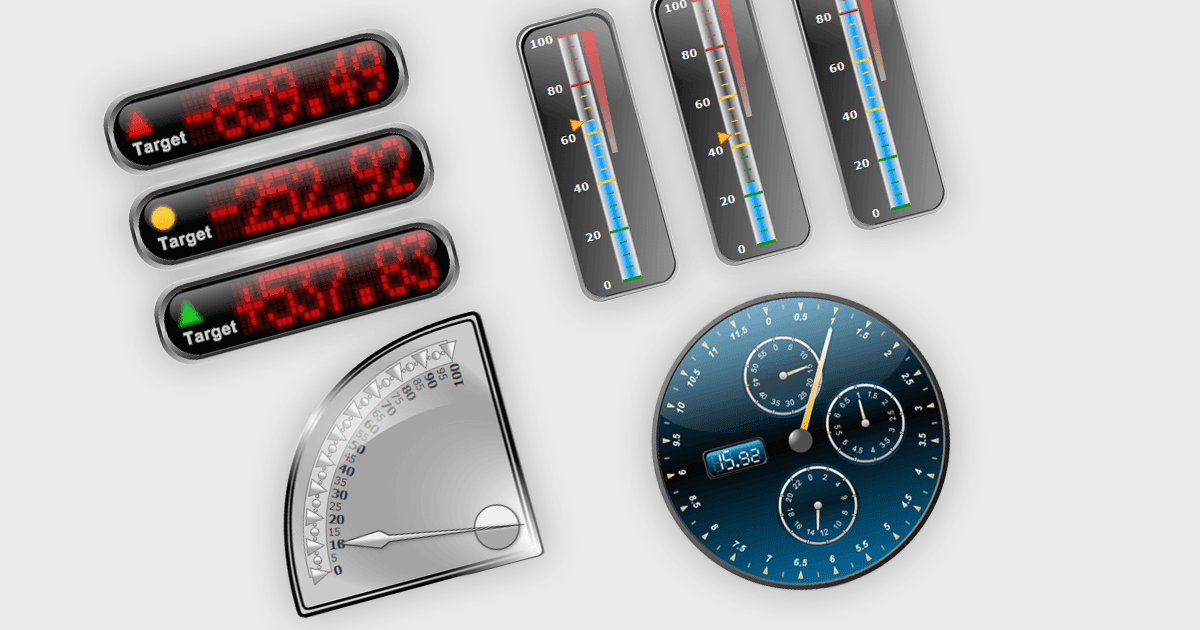
.NET WPF UIスイートのガードコントロールは、速度計、温度計、ダイヤルインジケータのような計測器風の直感的な形式で定量データを表示するための、特殊なビジュアルコンポーネントです。ダッシュボードや監視アプリケーションでよく使用され、レンジ、目盛り、色分けされたセグメント、アニメーション付きの針またはポインタといった分かりやすい視覚的手がかりにより、主要業績評価指標(KPI)、しきい値、リアルタイムのメトリクスを表示します。WPFのデータバインディング、テンプレート、スタイル設定の機能と統合するように設計されており、開発者はライブデータソースを接続し、テーマやテンプレートによって外観をカスタマイズし、重要な値を強調するレンジやアラートを定義できます。これにより、数値データの迅速な視覚的解釈が不可欠な、産業システム、金融ダッシュボード、ヘルスモニタリングツールなどの用途で特に役立ちます。
多くの .NET WPF UIスイートには、以下のようなガードが含まれます:
- DevExpress WPF は、豊富なスタイル設定、リアルタイムのデータバインディング、ダッシュボード対応の視覚的インジケータや分析機能を備えたインタラクティブなガードコントロールを構築できます。
- Actipro WPF Studio は、高度なテーマ設定とスムーズなアニメーション対応機能を備えた、カスタマイズ可能な放射状および直線状のガードを統合できます。
- Nevron Vision for .NET は、豊富なインジケータ、スケール、データドリブンのダッシュボード向けの動的更新によって、高度なガード可視化を設計できるようにします。
- MindFusion.WPF Pack は、主要な値を明確に表示するインタラクティブなガードコンポーネントを提供し、アニメーション、テーマ設定、WPFデータソースとの統合をサポートします。
- Infragistics Ultimate UI for WPF は、構成可能なレンジ、レスポンシブなレンダリング、ダッシュボード表示機能を備えた、洗練されたガード可視化を作成できます。
機能と価格の詳細な分析については、.NET WPF UIスイートの比較をご覧ください。