スタンプを使ってPDFレビューを標準化
組み込みまたはカスタムのスタンプ注釈を用いて、承認やワークフローに一貫した視覚的インジケーターを提供
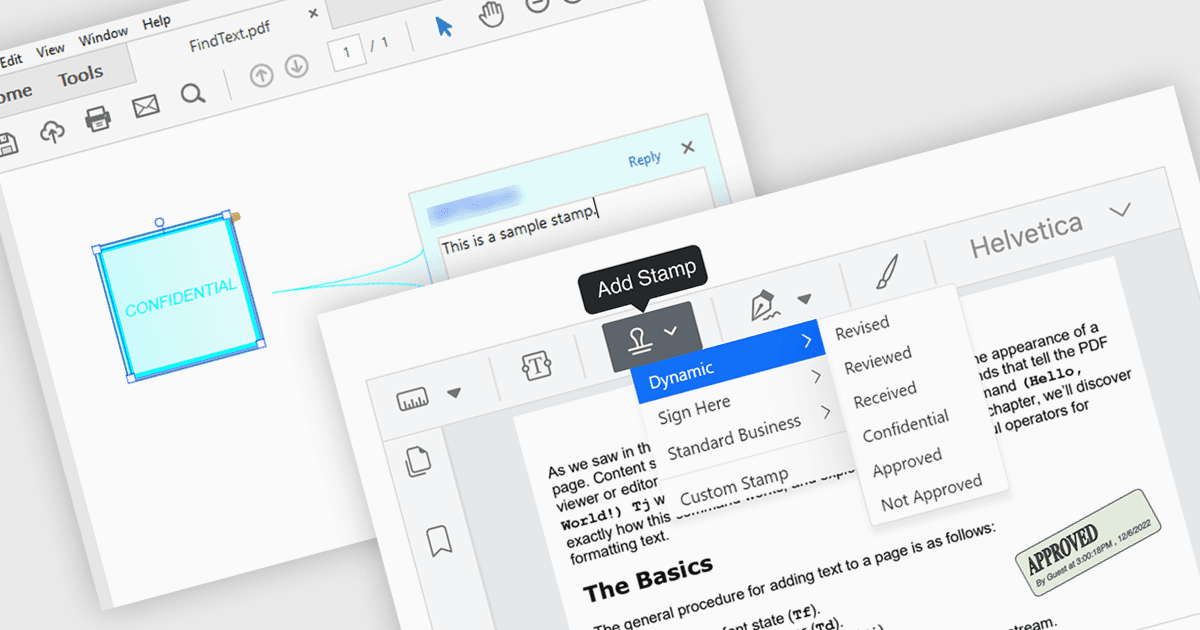
PDFビューアー コンポーネントでのスタンプ注釈サポートにより、アプリケーションは「承認済み」、「下書き」、または日付ベースのスタンプなどの事前定義またはカスタムの視覚マークを、非破壊的な注釈としてPDFページ上に直接配置できます。ソフトウェア開発者にとって、この機能は、ユーザーが基になるコンテンツを変更せずに、統一された再現性のあるマーキングを適用できるようにすることで、ドキュメントのレビューおよび承認プロセスの実装を簡素化します。ドキュメントのステータスやアクションが即座に見えるようになり、トレーサビリティとコラボレーションが向上し、プログラムによるスタンプ配置を通じた自動化をサポートし、一般的なビジネスおよびコンプライアンス要件を満たしながらドキュメントの完全性を維持するのに役立ちます。
複数の .NET PDFビューアー コンポーネントがスタンプ注釈をサポートしています。たとえば:
- Document Solutions for PDF の MESCIUS は、PDF Viewer 内でスタンプ注釈を追加し、コンテンツを変更せずにステータスを示せます。
- XFINIUM.PDF CROSS PLATFORM EDITION により、PDF Viewer を通じて事前定義およびカスタムのスタンプ注釈を配置でき、明確なレビューおよび承認のマーキングが可能です。
- PDFView4NET Windows Forms Edition の PDF4DEV Solutions は、スタンプ注釈の適用を容易にし、ファイルを変更せずにアプリケーションが判断を視覚的に伝えるのに役立ちます。
- Syncfusion ASP.NET Core PDF Viewer(Syncfusion Essential Studio Enterprise の一部)では、スタンプ注釈サポートを実装して、統一されたステータス指標を提供できます。
機能と価格の詳細な分析については、.NET PDFビューアー コンポーネントの比較をご覧ください。