柔軟にカラムを隠してデータの明瞭さが向上
カラム非表示機能で生産性を高め、グリッドビューをカスタマイズし、視覚的な雑多さを減らし、最も重要な情報に集中可能
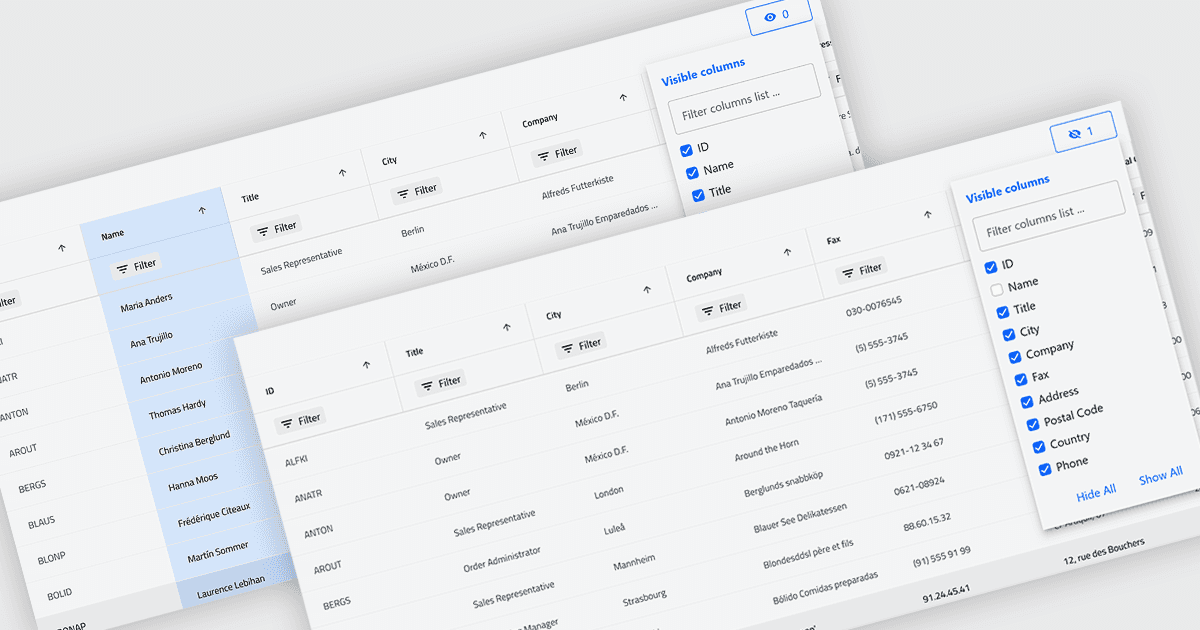
グリッド内の列の非表示機能により、ユーザーは基になるデータを削除せずに、選択した列を一時的に表示から除外できます。特定のタスクやロールに関連する項目だけを表示することで、より集中した柔軟な作業が可能になります。視覚的な煩雑さを減らし、画面スペースを最適化することで、可読性が向上し、データのスキャンや分析が容易になります。たとえば、財務アナリストはパフォーマンスレビューのために売上と利益の列のみを表示し、プロジェクトマネージャーは技術的な項目を非表示にして、タイムラインやリソースに集中することができます。列はいつでも復元できるため、この機能はパーソナライズされた非破壊のカスタマイズをサポートします。
いくつかの .NET Blazor Grid コントロールは、列を非表示にする機能を備えています。これには次が含まれます。
- DevExpress Blazor Grid(DevExpress ASP.NET および Blazor の一部)は、グリッドの列を動的に非表示にできるため、データ表示を調整して煩雑さを減らし、ユーザーの集中を高めることができます。
- ComponentOne Blazor FlexGrid(ComponentOne Studio Blazor Edition の一部)は、列を選択的に非表示にして、よりすっきりしたタスク別レイアウトを作成できます。
- Blazoriseは、データグリッドで列の表示/非表示を制御でき、カスタマイズ可能な表示をサポートします。
- Infragistics Ignite UI for Blazor Data Grid(Infragistics Ignite UI の一部)は、列の非表示によってインターフェイスを簡素化し、画面スペースを最適化し、データの可読性を高めるのに役立ちます。
機能と価格の詳細な分析については、.NET Blazor Grid コントロールの比較をご覧ください。