一貫したスプレッドシートデザインのためのテーマを適用
一貫した色やフォントを即座に適用し、スプレッドシートデザインを強化し、より明確なデータ提示を実現
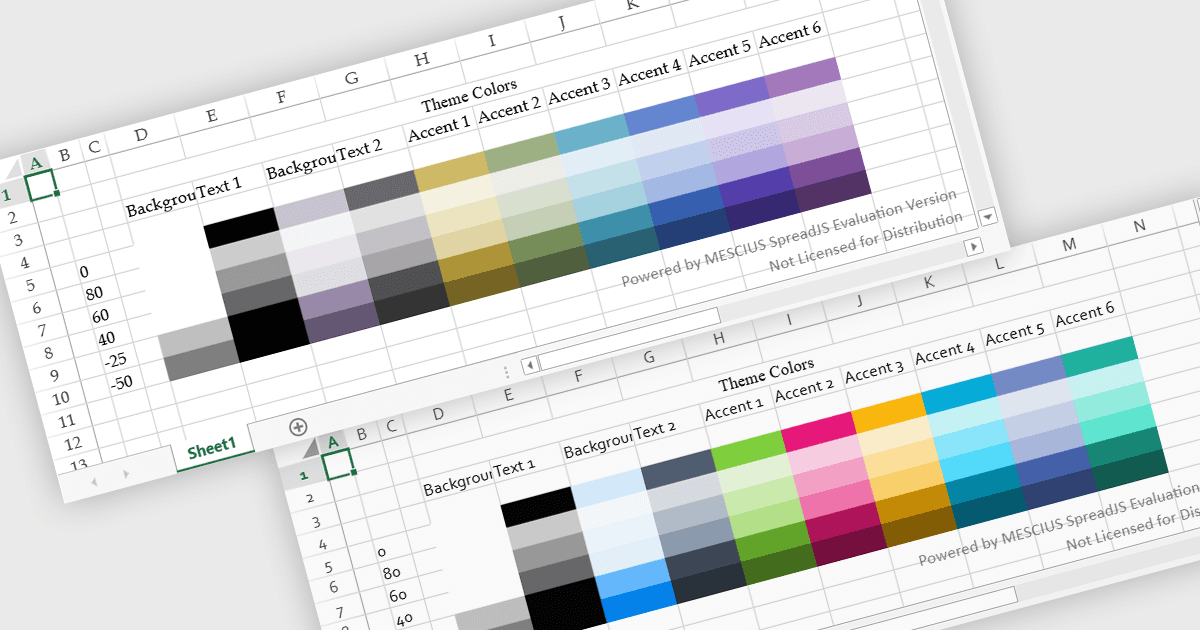
スプレッドシートのテーマは、ワークブック全体にわたって連携した色、フォント、書式設定を適用することで、一貫した視覚スタイルを提供します。個々の要素を手動でスタイリングする代わりに、ユーザーはテーマをすばやく適用して、表、チャート、データ範囲が同じデザインに従うようにできます。これにより、可読性が向上し、データの見た目が強化され、レポート全体でプロフェッショナルで統一感のある外観を維持するのに役立ちます。テーマは、ビジネスダッシュボード、財務レポート、または共有チーム文書を作成する際に特に有用であり、一貫した書式設定と明確な視覚的階層によって、データの解釈が容易になり、企業ブランディングとも整合しやすくなります。
テーマの適用をサポートする JavaScript のスプレッドシート コントロールには、以下があります:
- Kendo UI jQuery Spreadsheet (Kendo UI の一部) by Telerik は、フォント、色、書式設定を統一するカスタマイズ可能なテーマによって、一貫したスタイル設定を適用できます。
- SpreadJS by MESCIUS は、ワークシート全体で視覚スタイルを標準化する再利用可能なスプレッドシートテーマを実装でき、明確さとブランディングの一貫性を向上させます。
- Infragistics Ultimate UI for jQuery Spreadsheet (Infragistics Professional の一部) は、色、フォント、レイアウトを整合させるテーマベースの書式設定によって、スプレッドシートのスタイリングを容易にします。
- Jspreadsheet Pro は、開発者が設定可能なテーマでスプレッドシートをスタイリングし、Web ベースの表全体で一貫した視覚構造を作成して可読性を高めることを可能にします。
機能と価格の詳細な分析については、JavaScript のスプレッドシート コントロール比較をご覧ください。