離散的な値変化を伴うグラフを表示
安定した値間の移行を強調するステップ折線グラフで、Vue.jsアプリケーションのデータ可視化を改善
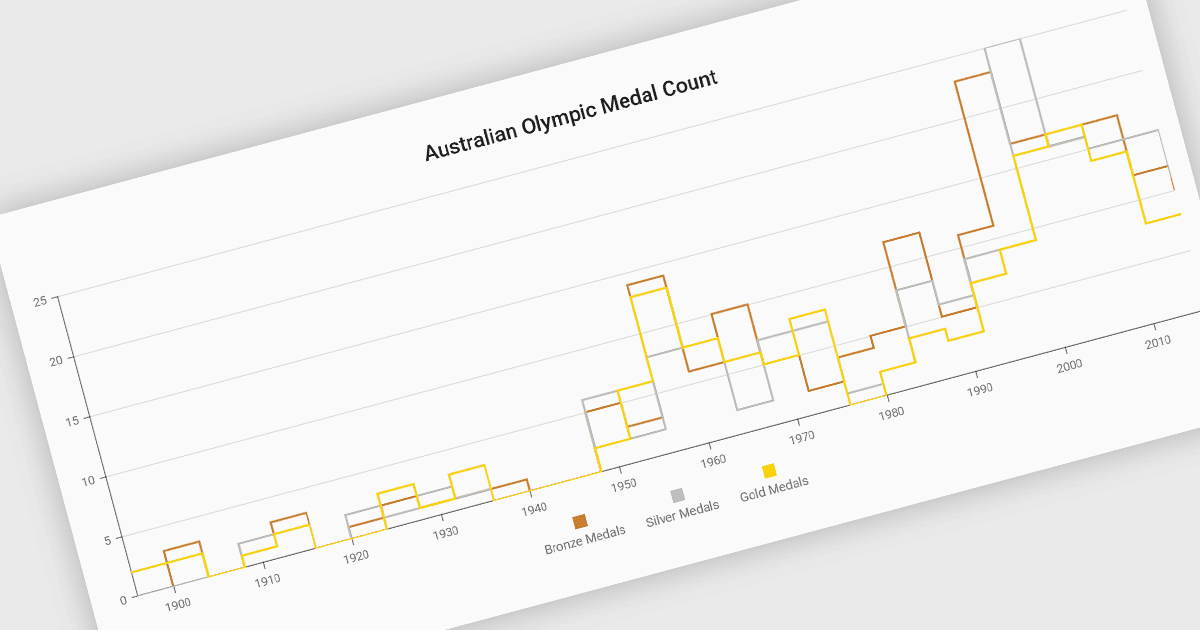
ステップラインチャートは、ラインチャートの一種で、データポイント間の変化を斜めの線ではなく、水平および垂直のセグメントの連なりとして表示します。この構造により、値の間の離散的な遷移が強調され、変化がいつ発生したか、次の更新まで値がどのくらい一定に保たれるかを把握しやすくなります。ステップラインチャートは、価格帯、システム状態、構成しきい値など、特定の瞬間に値が変化するプロセスを表すのに役立ちます。安定している期間と変化点を明確に分けることで、このチャートタイプは、開発者やアナリストが状態ベースまたはイベント駆動型のデータをより高い精度で解釈するのに役立ちます。
いくつかの Vue.js チャートコンポーネントは、ステップラインチャートタイプをサポートしています。以下を含みます:
- DevExtreme Vue Chart(DevExpress の DevExtreme Complete の一部)は、マーカーとツールチップを備えた水平セグメントと垂直遷移を描画するステップライン系列を提供します。
- Wijmo Vue Chart (FlexChart)(MESCIUS の Wijmo の一部)には、Vue アプリケーション向けに段階的な水平および垂直セグメントを描画するステップチャートオプションが含まれています。
- Highsoft の Highcharts Core は、左、右、または中央のステッピングを備えたライン系列向けのステップオプションを提供し、開発者が遷移をデータポイントにどのように合わせるかを制御できます。
- Kendo UI Vue Charts(Telerik の Kendo UI の一部)は、カスタマイズ可能なスタイル設定とツールチップを備えた設定可能なライン系列設定を通じて、ステップラインの可視化をサポートします。
機能と価格の詳細な分析については、Vue.js チャートコンポーネントの比較をご覧ください。