ゲージビジュアルで報告を強化
レポートにゲージを追加することで、複雑なデータを簡素化し、目標に対するパフォーマンスを強調する明確でリアルタイムの視覚的洞察を提供
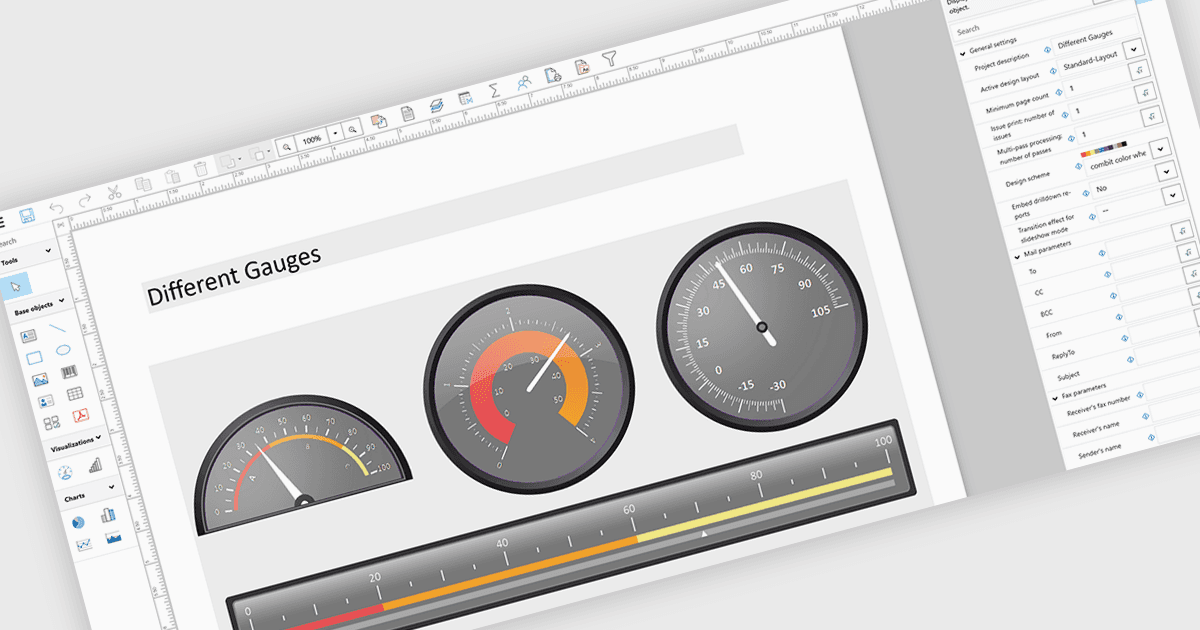
レポートにゲージを追加するということは、ダイヤルやメーター風のグラフィックなど、定義された範囲や目標に対する主要な指標を表示する視覚的インジケーターを組み込むことを意味します。これにより、パフォーマンスをひと目で直感的に理解できるようになります。このアプローチは、複雑または密度の高いデータを直感的なビジュアルに変換することでレポートの明瞭さを高め、値が許容・警告・重大のしきい値のどこに該当するかをユーザーが素早く把握するのに役立ちます。その結果、ゲージはより迅速で情報に基づいた意思決定を支援し、関係者とのコミュニケーションを改善し、より魅力的で使いやすいレポートを作成します。一般的なユースケースには、売上実績を目標値に対して追跡すること、システムの健全性や稼働率を監視すること、予算の使用状況を可視化すること、そして迅速な把握が重要となる役員向けダッシュボードでKPIの進捗を表示することが含まれます。
いくつかの .NET WPF Reporting controls には、以下を含むゲージが含まれています:
- DevExpress Reporting は、レポートにカスタマイズ可能なゲージ コントロールを埋め込み、KPI を可視化して、明確なパフォーマンス追跡とより迅速なデータ駆動型の意思決定を可能にします。
- Telerik Reporting を使用すると、インタラクティブなゲージをレポートに組み込め、直感的なビジュアルでリアルタイムの指標を提示して、明瞭さとユーザー エンゲージメントを高められます。
- List & Label Enterprise Reporting Edition by combit は、レポートへのゲージ要素の追加を容易にし、ユーザーが主要な値、しきい値、パフォーマンスの傾向を効果的に強調表示できるようにします。
- Stimulsoft Reports.WPF を使用すると、ゲージ コンポーネントを備えたリッチなレポートを設計でき、指標に関する正確な視覚フィードバックを提供して、監視と分析を向上させます。
機能と価格の詳細な分析については、.NET WPF Reporting Controls の比較をご覧ください。