条件付き書式で重要なインサイトを強調表示
レポートを条件付き視覚的強調で洗練させて、データの明瞭さを向上させ、インサイトの発見を加速し、迅速な意思決定を支援
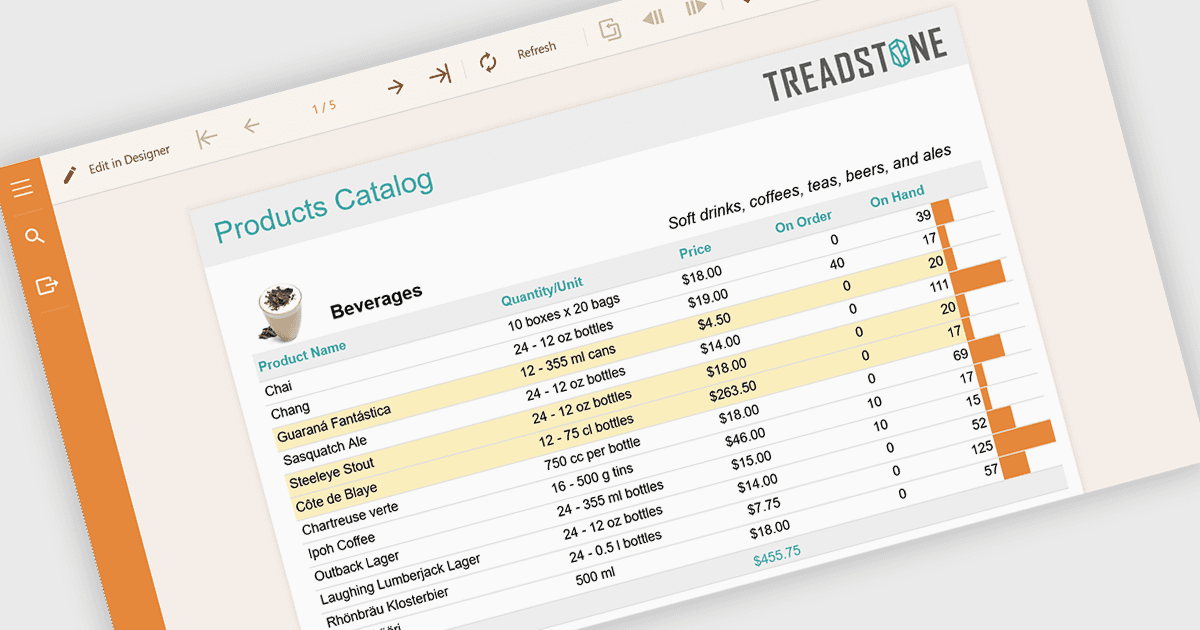
レポートにおける条件付き書式とは、データ内の特定のルールや値に基づいて、色、アイコン、データバーなどの視覚スタイルを自動的に適用することを指します。この手法は、重要な情報をすぐに表示し、読みやすさを向上させ、より迅速で的確な意思決定を可能にすることで、レポート作成を強化します。しきい値、傾向、異常値を動的に強調表示することで、条件付き書式は手動分析の必要性を減らしながら、レポート全体の一貫性を確保します。一般的なユースケースには、財務ダッシュボードで成果の低いKPIをフラグ付けすること、プロジェクトレポートで期限超過のタスクを強調すること、目標に対する売上実績を可視化すること、大規模データセットで外れ値を特定することなどがあります。全体として、静的なデータを、ひと目で解釈しやすい直感的で実用的なインサイトへと変換します。
条件付き書式を適用できる .NET レポートコンポーネントには、次のものがあります:
- ActiveReports.NET Standard by MESCIUS allows you to define flexible conditional formatting expressions that dynamically adjust report visuals.
- DevExpress Reporting lets you apply advanced conditional formatting rules to highlight trends, emphasize key metrics, and deliver visually insightful, data-driven reports.
- Stimulsoft Reports.NET facilitates intuitive conditional formatting with rich visual options, enabling users to customize data presentation and instantly identify patterns and insights.
- FastReport .NET WEB lets you implement rule-based conditional formatting in web reports, enhancing clarity, guiding user focus, and improving real-time data analysis.
機能と価格の詳細な分析については、.NET レポートコンポーネントの比較をご覧ください。