計算されたフィールドでカスタム式を適用
フィールドを組み合わせ、柔軟なグループ分けやソートを可能にし、ソース変更への依存を減らすことで、レポートを有意義な洞察に変換
2026年4月13日機能のハイライト
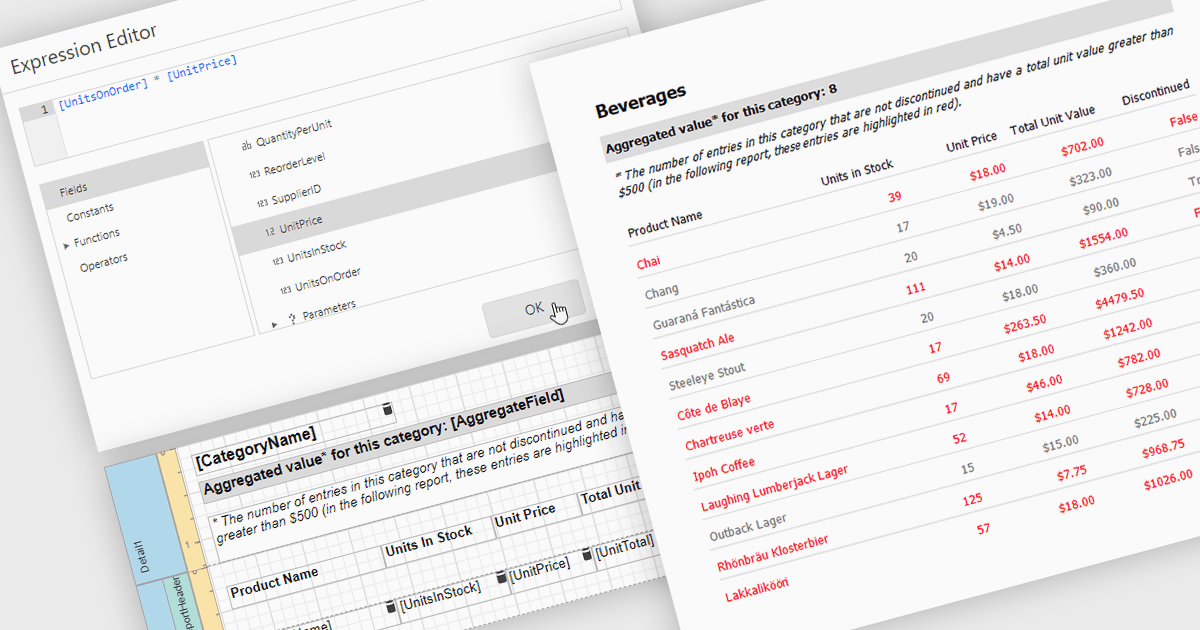
レポートの計算フィールドを使用すると、1つ以上のデータフィールドにカスタム式を適用でき、レポート環境内で直接データを変換できます。これにより、基になるデータソースを変更することなく、パーセンテージ、比率、または組み合わせた値などの新しい指標を作成できます。その結果、レポート作成はより柔軟かつ効率的になり、ユーザーはより深い洞察を見つけ、特定のニーズに合わせて出力を調整できるようになります。計算フィールドは、データを動的にグループ化および並べ替えるためにも使用でき、情報の整理と表示方法を改善します。一般的な使用例には、利益率の計算、パフォーマンス指標の作成、レポートの見やすさを高めるためのフィールドの結合などがあります。
次の .NET レポート コントロールでは、計算フィールド機能を提供しています。
- DevExpress Reporting では、計算フィールドを作成してデータを変換し、カスタム指標を構築し、レポート内で柔軟なグループ化と並べ替えを有効にできます。
- Telerik Reporting では、データソースを組み合わせ、意味のある洞察を生成し、グループ化によってレポートの整理を強化する計算フィールドを定義できます。
- Stimulsoft Reports.NET では、式を使用してデータを処理し、用途に合わせた値を作成し、高度なグループ化機能でレポートの見やすさを向上する計算フィールドを利用できます。
- FastReport .NET WEB では、計算フィールドを使用してレポートデータを操作し、新しい指標を導き出し、カスタムの並べ替えとグループ化によって情報を整理できます。
機能と価格の詳細な分析については、.NET Reporting コントロールの比較をご覧ください。