スプレッドシートに条件付き書式を追加
Reactのスプレッドシートアプリケーションにインテリジェントな視覚的手がかりを追加し、ユーザーが傾向や閾値、重要な変更をより効率的に特定可能
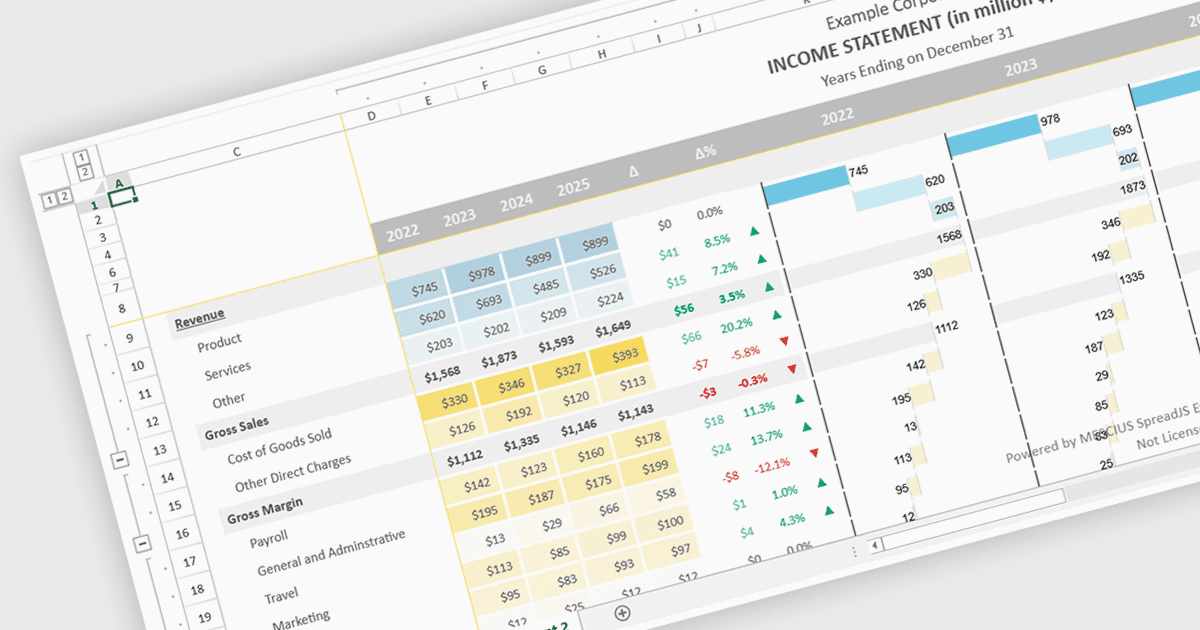
React スプレッドシート コンポーネントにおける条件付き書式設定のサポートにより、開発者は、定義されたルール、値、サポートされている場合は数式、または事前定義された条件に基づいてセルに動的な視覚スタイルを適用できます。たとえば、データの変化に応じてトレンド、しきい値、エラー、状態の変化を強調表示できます。この機能は、手動での分析を行わずにユーザーが重要な情報をすばやく識別できるようにすることで、データの可読性と使いやすさを向上させるとともに、よりインタラクティブで応答性の高いデータ駆動型アプリケーションを実現します。ソフトウェア開発者にとっては、React アプリケーション内で使い慣れたスプレッドシート体験を提供し、カスタム描画ロジックの必要性を減らし、より明確な視覚的文脈を備えたダッシュボード、金融ツール、レポート システム、エンタープライズ データ管理インターフェースの作成を支援します。
条件付き書式設定をサポートする React スプレッドシート コントロールには、次のものがあります:
- SpreadJS by MESCIUS は、React スプレッドシートでルールベースの条件付き書式設定を適用でき、動的な視覚的セル スタイルでトレンドやしきい値を強調表示します。
- Infragistics Ignite UI for React Spreadsheet (Infragistics Ignite UI の一部) は、重要なデータを強調する条件付き書式設定ルールを使用して React スプレッドシートを作成できます。
- Syncfusion React Spreadsheet (Syncfusion Essential Studio Enterprise の一部) は、開発者がパターンや例外を視覚化できるように条件付き書式設定を容易にします。
機能と価格の詳細な分析については、React スプレッドシート コントロールの比較をご覧ください。