PDFドキュメントからテキストを抽出する
ユーザーがBlazorアプリのPDFビューアで直接テキストを選択およびコピーできるようにすることで、情報を便利にキャプチャして再利用できる方法を提供します。
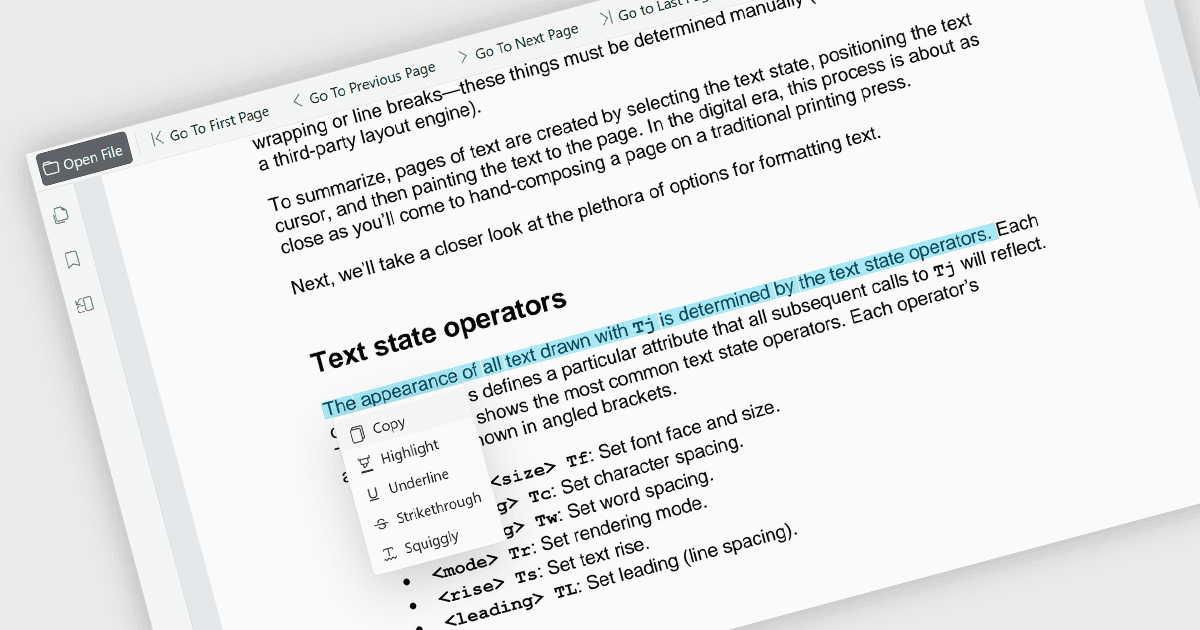
PDFビューア内で直接テキストを選択およびコピーする機能により、ユーザーはドキュメントを離れることなくコンテンツをハイライトして他のアプリケーションに転送できます。この機能により、PDFファイルから効率的に情報を抽出でき、手動で内容を再入力する必要が減り、エラーの最小化に役立ちます。研究、ドキュメントレビュー、コンテンツの再利用、チーム間のコラボレーションなど、多岐にわたるユースケースをサポートしています。この機能は、情報の再利用、重要な詳細の抽出、研究活動の支援、レポート、メール、プレゼンテーション、その他のビジネスドキュメントへのコンテンツ組み込みを容易にし、効率的な読書体験を維持しながら生産性を向上させます。また、ユーザーがより柔軟かつ実用的にドキュメント内容と対話できるようにすることで、アクセシビリティと使いやすさも向上します。
いくつかのBlazor PDFビューアコンポーネントは、テキスト選択およびコピーを可能にしており、以下が含まれます:
- ComponentOne Blazor FlexViewer(MESCIUSのComponentOne Studio Blazor Editionの一部)は、ユーザーがPDFドキュメント内のテキストを選択し、選択した内容をクリップボードにコピーして他の場所で使用できるようにします。
- Telerik UI Blazor PDF Viewer(Telerik UI for Blazorの一部)は、表示されたPDFファイル内のテキストを直接選択および操作できるテキスト選択機能を提供し、一般的なドキュメントレビュー、参照、コンテンツ抽出のシナリオをサポートします。
- Syncfusion Blazor PDF Viewer SDK(Syncfusion Essential Studio Enterpriseの一部)は、テキスト選択およびコピー操作をサポートし、ユーザーがPDFファイルからコンテンツを抽出し、選択したテキストを他のアプリで使用するために転送できるようにします。
機能と価格の詳細な分析については、Blazor PDFビューアコンポーネントの比較をご覧ください。