ブックマークでPDFナビゲーションを整理する
スクロールを減らし、文書の探索を簡素化するブックマークナビゲーションで重要なPDFコンテンツにより速くアクセスできます。
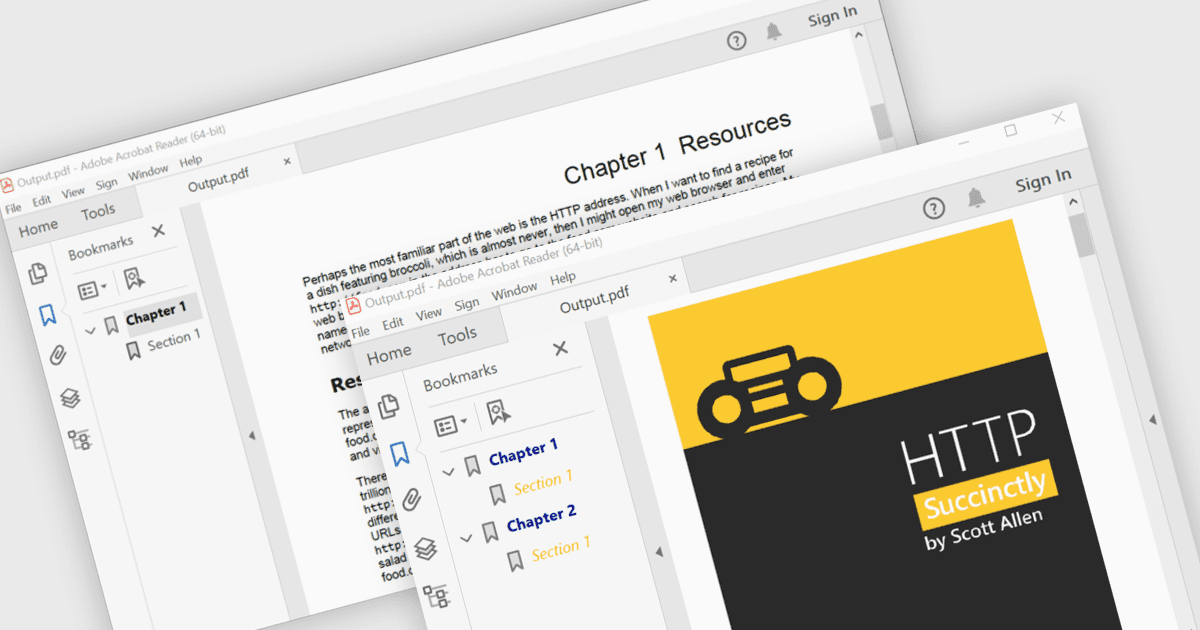
PDFのブックマークナビゲーションは、ドキュメントに構造化されたブックマークリストを含めることができ、特定の章、セクション、ページに直接リンクして、ユーザーが広範なスクロールや検索を行わずにコンテンツを移動しやすくします。これによりナビゲーションが向上し、時間を節約でき、特に大規模または情報が豊富なドキュメントにおける全体的な読書体験が向上します。一般的な用途例としては、技術文書、ユーザーマニュアル、契約書、報告書、電子書籍、研修資料、リファレンスガイドなど、ユーザーが特定のトピックや頻繁に参照するセクションに素早くアクセスする必要がある場合です。
いくつかの.NET WPF PDFコンポーネントはブックマークナビゲーションを提供しており、以下が含まれます:
- Telerik UI for WPF PdfProcessing はPDFブックマークの作成と管理を可能にし、構造化された複数ページのドキュメント内のナビゲーションを容易に改善します。
- ComponentOne WPF PDF(MESCIUS製)はブックマークナビゲーションの追加をサポートし、複雑なPDFドキュメントやレポート内のセクションにユーザーが迅速にアクセスできるようにします。
- IronPDF for .NET はPDFブックマークの作成を容易にし、整理されたドキュメント構造を実現してナビゲーションを簡素化し、全体的な読書体験を向上させます。
- Syncfusion WPF PDF は開発者が階層的なブックマークを生成できるようにし、長大なPDFドキュメント内の重要なコンテンツに効率的かつ迅速にアクセスできるようにします。
機能と価格の詳細な分析については、.NET WPF PDFコンポーネントの比較ページをご覧ください。