ASP.NET Core アプリでレポートを Excel にエクスポート
書式とデータを保持したまま、XLS または XLSX 形式でレポートを保存し、Microsoft Excel での分析、共有、作業継続を簡単にします。
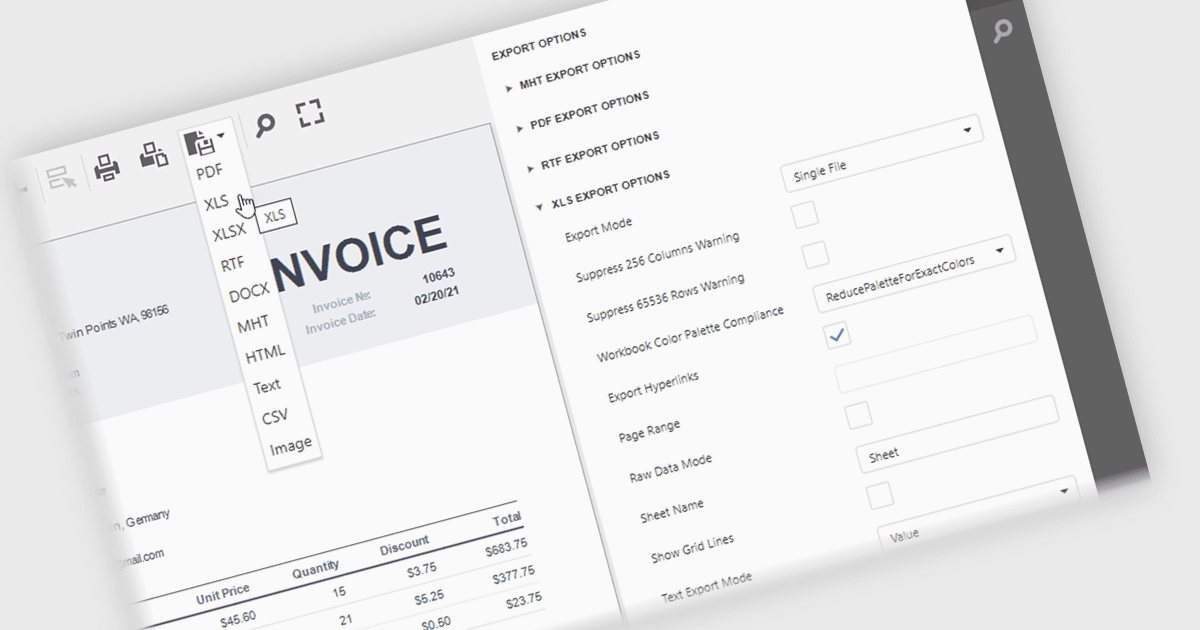
ASP.NET Core レポーティングコンポーネントの XLS/XLSX エクスポート機能により、生成されたレポートを Microsoft Excel のスプレッドシート形式で保存できます。データや書式、対応している場合は数式やワークシート構造も保持されます。これにより、ユーザーは Excel でレポートデータを開いてさらに分析、フィルタリング、並べ替え、計算、共有が簡単にできる一方、開発者には既存のワークフローやオフィス生産性ツールとよく統合される、広くサポートされたビジネス形式でレポート出力を提供する信頼できる方法が提供されます。
以下を含む、いくつかの ASP.NET Core レポーティングコントロールが XLS/XLSX へのエクスポートを提供しています:
- DevExpress Reporting はレイアウト、書式設定、およびデータを保持し、Excel ベースの分析、コラボレーション、監査、共有を可能にするレポートの XLS/XLSX エクスポートを提供します。
ActiveReports.NET(MESCIUS 提供)は正確な書式設定をサポートする XLS/XLSX エクスポートの生成を可能にし、下流の分析、コラボレーションおよびコンプライアンスを支援します。
Telerik Reporting はレポートからの XLS/XLSX ドキュメント作成に対応し、フィルタリング、計算、親しみのあるスプレッドシートツールとの統合、配布のために構造を維持します。
Stimulsoft Reports.WEB はレポートを XLS/XLSX スプレッドシートとして保存し、分析、コラボレーション、アーカイブ目的のために書式、データ、構造を保持します。
機能と価格の詳細な分析については、ASP.NET Core レポーティングコントロールの比較をご覧ください。